Skelly

4.10

Information

Category:

Education

Price:

$ 6.99

Rank:

80

Rating:

4.10

Overview

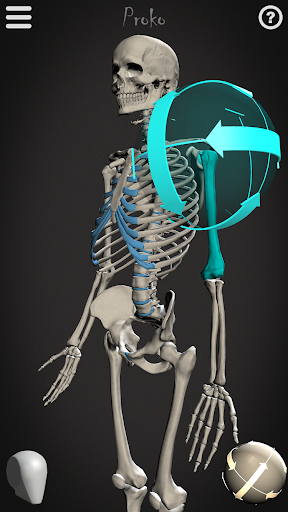
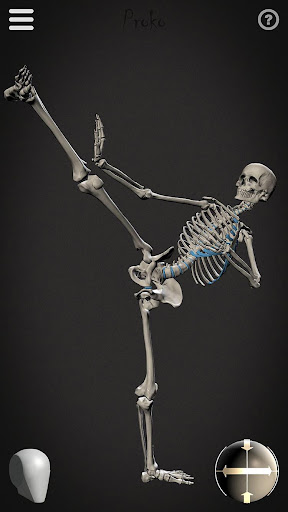
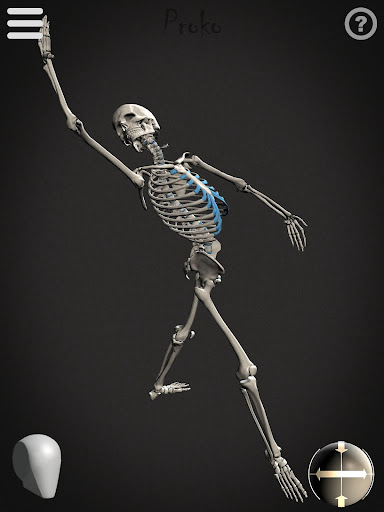
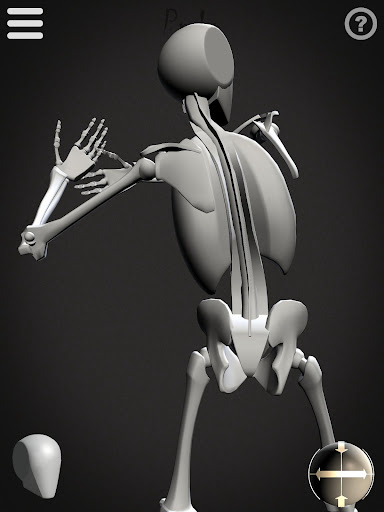
Skelly is an innovative educational app designed specifically for artists and art students who want to master human anatomy. This fully poseable, anatomically correct reference skeleton serves as a portable artistic tool that can be accessed anytime, anywhere. The app eliminates the need for physical models or questionable internet searches by providing both detailed and simplified skeleton models - including the unique 'Robo-Skelly' option.

The application's core strength lies in its versatility and accuracy. Skelly's proportions are based on professional anatomical teachings, making it perfect for creating realistic artwork across various mediums. Whether you're working on illustrations, animations, comics, or storyboards, this app provides the essential skeletal framework needed to create anatomically correct poses. The adjustable features like movable camera, customizable light source, and background options make it suitable for both beginners and professional artists.

Features

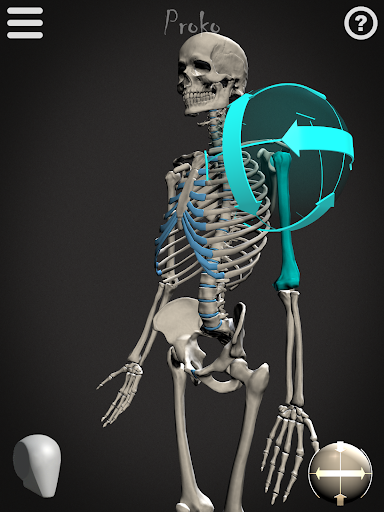
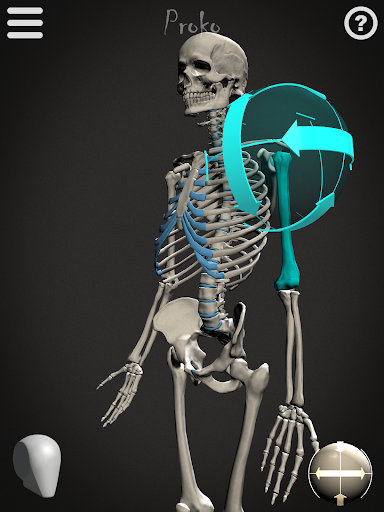
Skelly stands out with its comprehensive set of features designed to enhance the learning experience. The app offers two distinct skeleton models - the anatomically precise version and the simplified 'Robo-Skelly,' both crafted according to professional anatomical standards. Users can manipulate these models with complete freedom through the fully poseable interface, allowing them to explore different angles and positions.

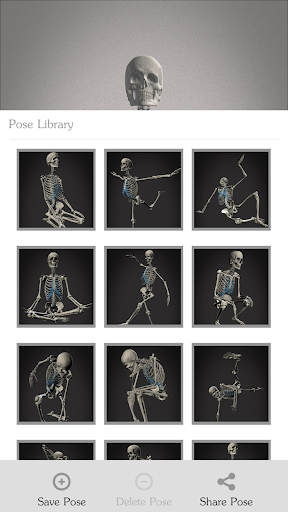
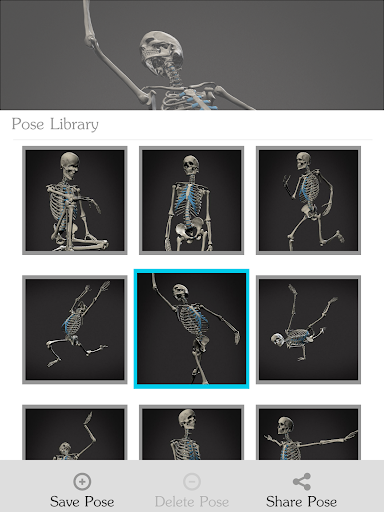
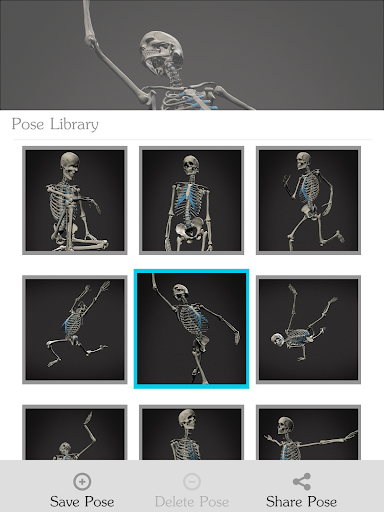
A key feature is the Pose Library, which lets users save custom poses while also providing pre-made options for quick reference. The app's technical capabilities include adjustable lighting and camera positioning, enabling artists to study their subject under various conditions. Additionally, the ability to switch between light and dark backgrounds helps simulate different studio environments. These features collectively create an optimal learning environment for mastering human anatomy without the limitations of traditional reference materials.

Content accuracy & authority

In the realm of art education and anatomical study, content accuracy is paramount for learners and professionals alike. Skelly app addresses this need by providing an anatomically correct skeleton model that serves as a reliable reference tool. The proportions of the skeleton are meticulously crafted based on the teachings of Dr. Paul Richer, ensuring that users have access to precise anatomical information. This level of detail extends to the skull, which aligns perfectly with the 'Loomis Head' concept taught by Andrew Loomis, further enhancing its educational value. By offering both a detailed anatomical skeleton and a simplified version known as 'Robo-Skelly,' the app caters to various learning styles and preferences. Artists can explore the intricacies of human anatomy without the ethical dilemmas associated with traditional methods, such as using real skeletons or live models. With features like pose library options, movable camera, adjustable light source, and background choices, Skelly empowers users to create accurate representations from any angle. These tools not only facilitate better understanding but also inspire creativity in drawing, painting, sculpting, and other artistic endeavors. The app's commitment to anatomical precision ensures that artists can rely on Skelly as a trustworthy resource for honing their skills and producing works that reflect a deep comprehension of human form.

Personalized learning paths

Skelly app revolutionizes the way artists approach anatomy studies by offering personalized learning paths tailored to individual needs. At the core of this customization is the fully poseable nature of the anatomical skeleton, allowing users to manipulate the figure into countless positions. This flexibility supports diverse learning styles, enabling students to focus on specific areas of interest or difficulty. The inclusion of pre-made poses in the Pose Library provides a starting point for beginners while also allowing advanced users to save and revisit their own creations. Such features foster an adaptive learning environment where progress is self-directed and organic. Furthermore, the ability to adjust lighting and switch between light or dark backgrounds enhances the personalization aspect, catering to different working conditions and preferences. Users can simulate various studio settings or experiment with dramatic effects, all within the app. The reset function to a neutral 'Anatomical Pose' ensures that learners can always return to a standard reference point, maintaining consistency in their studies. By eliminating the need for physical models or live subjects, Skelly creates an accessible and convenient platform for continuous learning. Whether one aims to master classical techniques reminiscent of Michelangelo or develop contemporary styles akin to Miyazaki, the app adapts to these aspirations. Through its combination of accurate anatomical data and customizable features, Skelly facilitates a unique educational journey for each user, promoting deeper engagement with the material and ultimately leading to more proficient artistic expression.

Props

User-friendly interface

Accurate anatomy

Customizable poses

Save and load poses

Adjustable lighting

Cons

Limited free features

Requires device space

No advanced muscles

Premium subscription

Learning curve

Features and Functions

What is this app and what can I use it for?

Skelly is an artist's reference tool featuring poseable skeletons for drawing practice.

How do I download and install this app on my device?

Search 'Skelly' in Google Play Store, tap Install, and open after download.

How do I get started after opening the app for the first time?

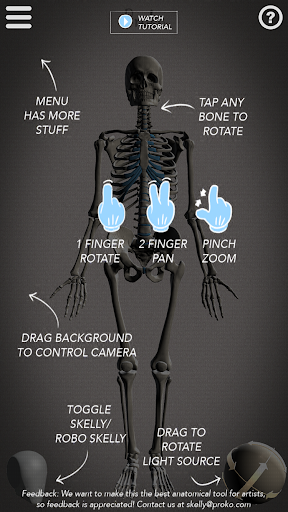
Launch app, view tutorials, then start posing skeletons using touch controls.

What are the main features and capabilities of this app?

Poseable skeletons, adjustable lighting, pose library, and background options.

How can I customize my experience and adjust preferences?

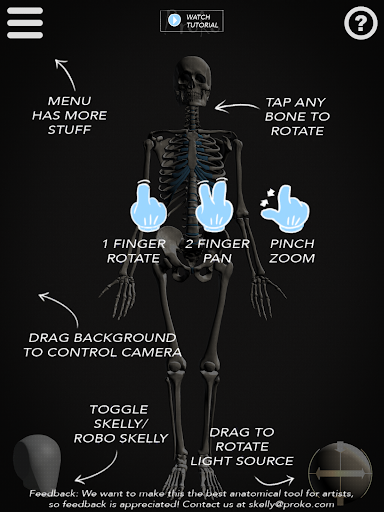
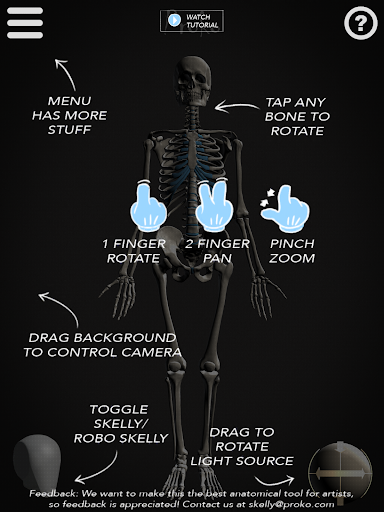
Modify light direction, adjust camera angle, and switch between skeleton types.

How do I save or bookmark my favorite content for later access?

Use Pose Library feature to save favorite poses for future reference.

How can I share content with friends or on social media?

Take screenshots of poses and share via social media or messaging apps.

How do I access detailed information and explore more content?

Explore detailed anatomy by rotating skeleton and adjusting view settings.

What permissions does this app need and how do I manage them?

App needs storage permission; manage in device settings if concerned.

How do I check for updates and keep the app running smoothly?

Check Google Play Store regularly for updates and enable auto-update in settings.
Show more

User Reveiws

{{ comment.reviewer_name }}
{{ comment.review_date_formatted}}
{{ comment.review_content }}
{{ tab.name }}
{{ comment.reviewer_name }}
{{ comment.review_date_formatted}}
{{ comment.review_content }}
No reviews with this rating