Tattoo Maker

3.30

Information

Category:

Beauty

Price:

Free

Rank:

39

Rating:

3.30

Overview

Tattoo Maker: Design & Art is a creative app designed for tattoo enthusiasts and artists alike. This app allows users to design custom tattoos, preview them on their body through realistic AR technology, and explore an extensive art library filled with inspiration. Whether you're a beginner or a professional artist, Tattoo Maker offers tools that cater to all skill levels.

The app provides advanced features such as text insertion with customizable fonts, brush drawing with various sizes and vibrant colors, and the ability to adjust and fit designs perfectly. With its easy sharing functionality, users can quickly share their creations with friends or on social media platforms. The app's intuitive interface ensures a seamless experience for anyone looking to explore the world of tattoo art.

Features

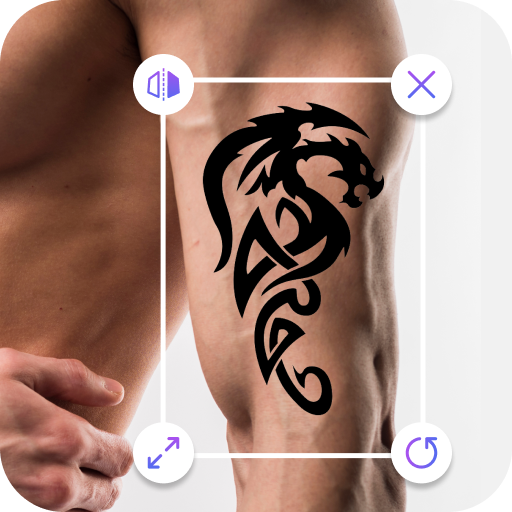
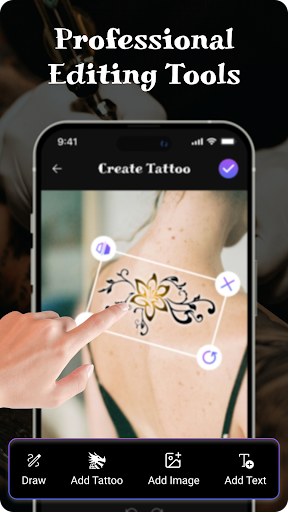
Tattoo Maker: Design & Art stands out with its comprehensive set of features tailored for both amateur and professional tattoo designers. One of the key highlights is the custom tattoo design tool, which allows users to craft unique tattoos using creative tools. You can flip, rotate, and scale your designs to achieve the perfect fit.

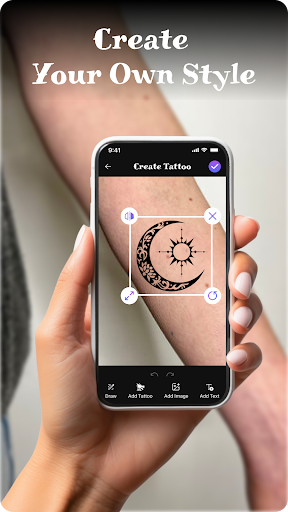
In addition to its robust design capabilities, the app includes pro art tools that enable detailed artwork creation. Users can draw with different brushes, sizes, and vibrant colors, ensuring every piece is vivid and expressive. Another innovative feature is the tattoo on body preview, where users can upload a photo to see how their design would look in real life. This AR-based preview helps in making informed decisions before getting inked.

Product database depth

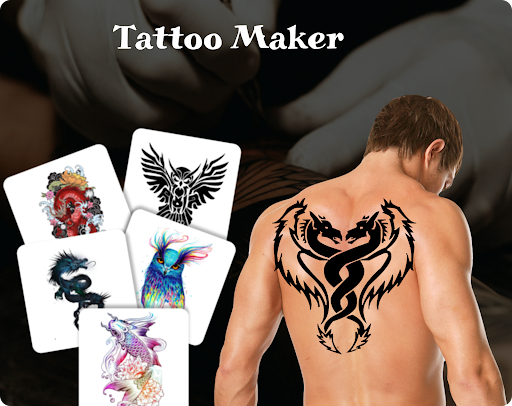
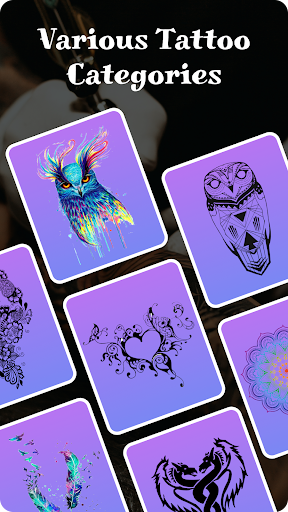
The depth of a product database in an application like Tattoo Maker: Design & Art is crucial for providing users with a comprehensive and versatile platform for creating custom tattoos. This feature encompasses not only the sheer number of design elements available but also the richness of information associated with each element. In Tattoo Maker, the extensive art library offers a wide range of tattoo designs from small simple patterns to intricate masterpieces. Each design is crafted with attention to detail, allowing users to explore different styles such as tribal, geometric, floral, and more. The availability of various artistic tools including brushes, sizes, and vibrant colors adds another layer of depth to the database. Users can manipulate these tools to create unique tattoos that suit their preferences. Furthermore, the ability to add text with customizable fonts and colors enhances the creative possibilities. This rich combination of design assets empowers both amateur enthusiasts and professional artists to experiment with ideas before committing to permanent body art. The value derived from such a deep product database is immense. Users gain access to a vast repository of inspiration which can be tailored to individual tastes through features like flipping, rotating, and scaling. Moreover, the option to preview tattoos on a photo of one's body using augmented reality provides a realistic sense of how the final piece would look. This level of detail and customization ensures that every user can find or create something that resonates with their personal style while maintaining creative freedom.

Personalization precision

Personalization precision within an app like Tattoo Maker: Design & Art refers to the accuracy and effectiveness of its algorithms and tools in allowing users to create highly customized and individualized tattoo designs. This aspect is vital because it directly impacts the user's ability to express their unique identity through art. Tattoo Maker excels in this area by offering advanced personalization features that cater to diverse needs and skill levels. At the core of its personalization capabilities is the robust set of drawing tools that enable users to craft intricate designs with ease. These include adjustable brush sizes, a spectrum of vibrant colors, and precise control over design elements. Such tools ensure that even minute details can be captured accurately, reflecting the user's vision faithfully. Additionally, the app allows for the incorporation of text with various font styles and color options, further enhancing the personal touch. The personalization process is not limited to static design creation; it extends into dynamic previews where users can see their creations come to life on actual body images. By uploading personal photos, users can simulate how a tattoo would appear on their skin, adjusting scale and rotation for optimal placement. This interactive approach significantly boosts confidence in design choices before proceeding with real-world applications. The benefits of high personalization precision are manifold. Firstly, it democratizes tattoo design by making it accessible to everyone regardless of artistic background. Secondly, it fosters creativity by removing technical barriers, thus encouraging experimentation. Lastly, it builds trust among users who rely on the app's accurate representations when planning significant bodily modifications. Overall, Tattoo Maker stands out by delivering a personalized experience that aligns closely with user expectations, ensuring satisfaction and inspiring artistic exploration.

Props

User-friendly interface

Extensive art library

Realistic AR previews

Vibrant color options

Easy sharing functionality

Cons

Limited free features

Occasional bugs

Ads can be intrusive

Advanced tools require payment

Learning curve for beginners
Features and Functions

What is this app and what can I use it for?

Tattoo Maker lets you design custom tattoos and preview them on your body.

How do I download and install this app on my device?

Download Tattoo Maker from Google Play Store and install it on your device.

How do I get started after opening the app for the first time?

Open the app, select 'Create New Design' and follow the on-screen instructions.

What are the main features and capabilities of this app?

Key features include custom tattoo design, pro art tools, and realistic AR previews.

How can I customize my experience and adjust preferences?

Adjust settings via the 'Preferences' menu to customize your experience.

How do I save or bookmark my favorite content for later access?

Save designs by tapping 'Save' and access them later in the 'My Designs' section.

How can I share content with friends or on social media?

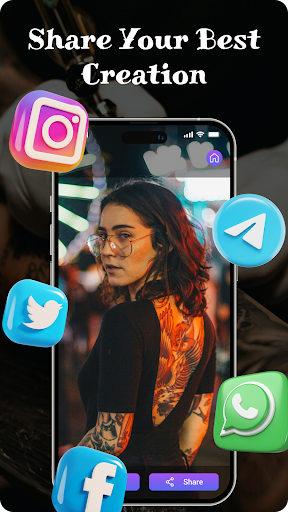
Share content by clicking 'Share' and choosing your preferred social media platform.

How do I access detailed information and explore more content?

Explore more content by browsing the 'Art Library' within the app.

What permissions does this app need and how do I manage them?

The app needs camera and storage permissions; manage these in your device settings.

How do I check for updates and keep the app running smoothly?

Check for updates in the Google Play Store to keep the app running smoothly.
Show more

User Reveiws

{{ comment.reviewer_name }}
{{ comment.review_date_formatted}}
{{ comment.review_content }}
{{ tab.name }}
{{ comment.reviewer_name }}
{{ comment.review_date_formatted}}
{{ comment.review_content }}
No reviews with this rating