
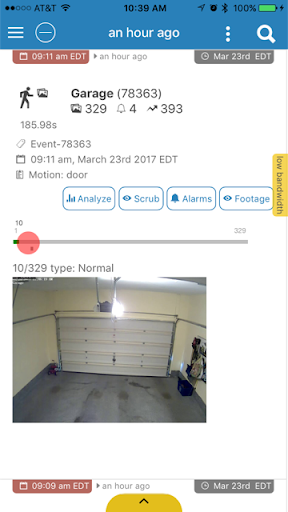
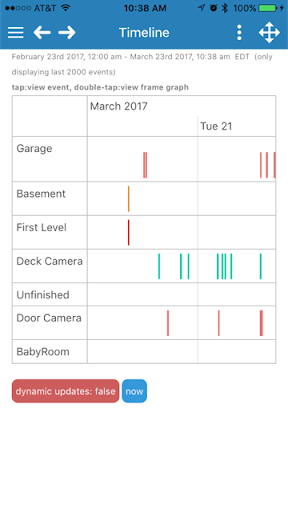



zmNinja is a premier mobile application designed for home security monitoring, offering seamless integration with ZoneMinder systems. With compatibility for ZM 1.30 or higher, it leverages the latest ZoneMinder APIs to deliver real-time surveillance capabilities directly to your mobile device.
The app provides users with extensive control over their security systems, including live view options, event notifications, and the ability to manage multiple cameras. Whether you are at home or away, zmNinja ensures that your property is always under watch, providing peace of mind through cutting-edge technology.
Designed for both novice and expert users, zmNinja's intuitive interface makes home security management straightforward and efficient. Its powerful features cater to those who require reliable and flexible monitoring solutions without compromising on quality or performance.
zmNinja stands out with its robust feature set tailored for comprehensive home security management. The app supports high-definition video streaming from multiple camera feeds, ensuring you never miss a detail. Advanced notification settings allow customization of alerts based on specific events or times, enhancing user control.
One of the key highlights is the remote access capability, which lets users view live footage and manage their security system from anywhere in the world. Integration with ZoneMinder's API facilitates smooth operation and synchronization across devices. Additionally, zmNinja offers detailed event logs and analytics, aiding in thorough security audits.
For power users, the app includes advanced configuration options, such as PTZ (Pan-Tilt-Zoom) controls and customizable dashboards. These features ensure that zmNinja can adapt to various security needs while maintaining ease of use and reliability.
User-friendly interface
Real-time notifications
Remote access capability
High-definition video support
Comprehensive event logging
Requires ZoneMinder setup
Initial configuration can be complex
Limited to compatible systems
Premium features may need subscription
Dependent on network stability
Use Home by ShowingTime to easily manage showings, tours, feedback and more
 3.60
3.60
Map-based search app for apartments and homes for rent.
4.60
Turn your phone into a wifi cam with smart features and umlimited reach.
4.20
This Fire TV Remote control's your Fire TV Device and Insignia Fire TV Remote
3.70
AI-powered home design, interior design, home decor, and room design solutions
4.50
IP camera view and playback, for your WiFi cam or home security cctv system.
3.70
USHUD.com helps you find the best homes for sale in your area
4.00
The only mappable smart lights for custom decoration.
4.50
3D House Design and AI Room Planner - from floor plans to full interior design.
4.40
Houses for Sale & Homes for Rent: Buy Homes, Rent Apartments & Sell Real Estate
4.80
Download today to join the community to help bring lost pets home faster.
4.70
Innovative and budget-friendly housing options
4.60
SmartRent - Opening Doors To A Smarter World
4.40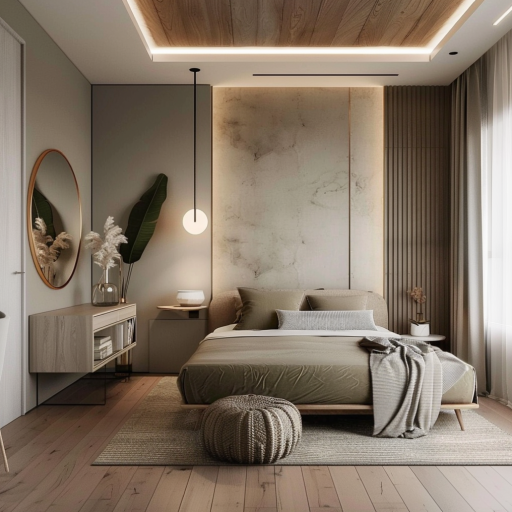
Plan your remodel AI home renovation easily using planner 5D and home decor AI.
4.40
For all of your Airthings devices
4.30
Smart AI plant care schedules, Real plant experts, support & Thriving community!
4.20
Draw house plans, floor plans 3d & house design with house plan drawing 3d app
3.60
Calculate baluster spacing with ease and precision.
4.3
Universal TV Remote for TV, control all Smart TVs with your mobile phone.
4.1


User Reveiws