




Bugzz

4.00

Information

Category:

Entertainment

Price:

Free

Rank:

30

Rating:

4.00

Overview

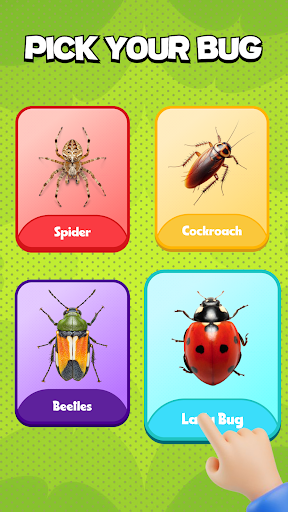
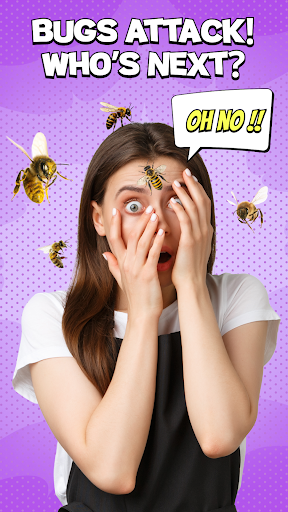
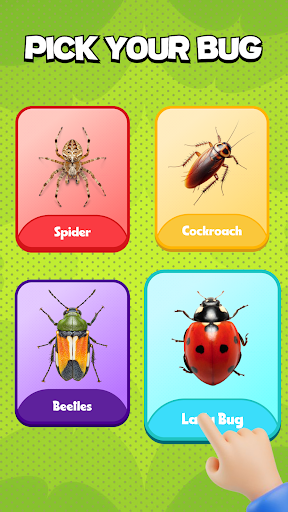
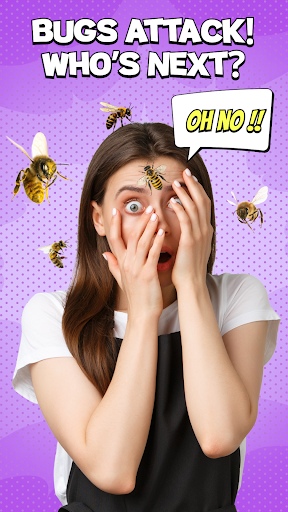
Bugzz: Insect Prank Filters is an innovative entertainment app that transforms ordinary photos and videos into hilarious horror pranks. The app's core feature is its hyper-realistic bug filters, which allow users to place crawling spiders, beetles, and other insects on faces or objects in real-time.

What sets Bugzz apart is its user-friendly interface and diverse filter collection. From terrifying spiders to goofy beetles, the app offers a wide range of trending insect filters that cater to different prank styles. Users can easily edit their creations by dragging, resizing, and rotating the digital bugs to achieve perfect placement.

This app is particularly useful for content creators and social media enthusiasts looking to spice up their posts. Whether it's for Halloween, viral challenges, or just casual fun, Bugzz provides endless entertainment value while maintaining professional-quality effects without requiring advanced editing skills.

Features

The standout feature of Bugzz is its collection of ultra-realistic insect filters that move and behave like actual bugs. These filters are designed with attention to detail, creating convincing animations that make digital insects appear lifelike on any surface.

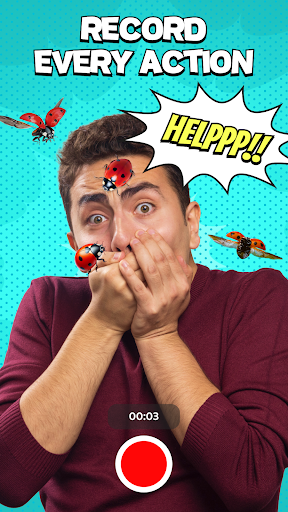
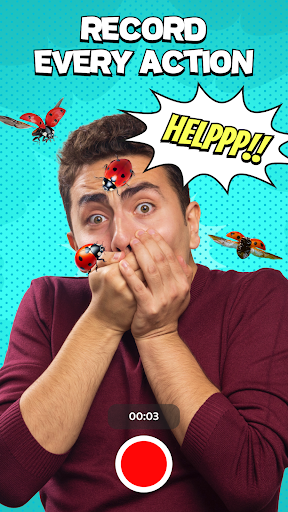
Beyond its impressive visual effects, Bugzz offers practical tools for customization. Users can access trending filter collections, record real-time videos, and snap photos with ease. The app's intuitive editing system allows precise control over filter placement, size, and orientation through simple touch gestures.

Additional notable features include seamless social media integration, lightweight design for smooth performance, and regular updates with new content. The combination of professional-grade effects with user-friendly functionality makes Bugzz a versatile tool for both casual entertainment and creative projects.

Content variety & freshness

In the realm of digital entertainment applications like Bugzz Insect Prank Filters content variety and freshness are crucial elements that determine user engagement and satisfaction. Content variety refers to the range of different filters and effects available within the app ensuring that users have multiple options to choose from for their creative expression. Freshness pertains to how often new content is added to keep the experience engaging and prevent it from becoming repetitive or boring. Bugzz offers a diverse selection of insect filters ranging from terrifying spiders to goofy beetles allowing users to tailor their pranks to different audiences and occasions. The app also emphasizes trending filters which indicates that the developers actively monitor popular demands and current social media trends to update their content library. This strategy not only attracts new users but also encourages existing users to return frequently checking for new additions. By providing hyperrealistic filters that mimic real insect movements and offering easy editing tools Bugzz ensures that each prank feels novel and exciting. The ability to drag resize and rotate filters allows for personalized creations making every video or photo unique. Furthermore the app's focus on special events such as Halloween demonstrates its commitment to timely content updates enhancing relevance and appeal. Overall by prioritizing both variety and freshness in its content strategy Bugzz successfully maintains high levels of user interest and participation turning casual users into consistent content creators and sharers.

User engagement duration & retention

User engagement duration and retention are vital metrics for evaluating the success of entertainment apps like Bugzz Insect Prank Filters. Engagement duration measures how long users interact with the app during each session while retention tracks how often they return over time. For an app centered around humor and creativity these factors directly correlate with its perceived value and entertainment quality. Bugzz excels in capturing prolonged user attention through its intuitive design and interactive features. The process of selecting a filter recording videos or taking photos and then editing them is streamlined yet filled with possibilities for experimentation. Users can easily lose track of time exploring various combinations of bugs and settings creating numerous attempts before settling on the perfect prank. Moreover the app's lightweight nature and ease of use remove barriers that might otherwise deter frequent usage. Its accessibility across different scenarios whether spicing up a party or adding humor to video calls enhances its versatility and convenience. Retention is further bolstered by Bugzzs commitment to regularly updating its content library. By introducing new and trending filters aligned with current events or viral challenges the app provides compelling reasons for users to return. Additionally the social aspect of sharing creations on networks fosters a sense of community and competition encouraging users to check back for reactions and new inspirations. Ultimately Bugzz transforms simple insect pranks into an ongoing source of amusement by continuously delivering fresh content and facilitating seamless interactions thereby securing sustained user involvement and loyalty.

Props

User-friendly interface

High-quality animations

Diverse filter options

Real-time video support

Social sharing capability

Cons

Limited free content

Occasional ads

Device compatibility

Battery consumption

Learning curve

Features and Functions

What is this app and what can I use it for?

Bugzz adds realistic insect filters to photos/videos for pranks.

How do I download and install this app on my device?

Download Bugzz from Google Play Store on Android devices.

How do I get started after opening the app for the first time?

Open Bugzz, grant permissions, and explore main menu options.

What are the main features and capabilities of this app?

Real-time bug filters, video recording, social sharing tools.

How can I customize my experience and adjust preferences?

Adjust filter settings and app preferences in settings menu.

How do I save or bookmark my favorite content for later access?

Save favorite filters locally or bookmark them in-app.

How can I share content with friends or on social media?

Share creations directly to social platforms via app interface.

How do I access detailed information and explore more content?

Browse detailed filter information in app's collection section.

What permissions does this app need and how do I manage them?

App needs camera/storage access; manage in device settings.

How do I check for updates and keep the app running smoothly?

Check Google Play Store regularly for app updates.
Show more

User Reveiws

{{ comment.reviewer_name }}
{{ comment.review_date_formatted}}
{{ comment.review_content }}
{{ tab.name }}
{{ comment.reviewer_name }}
{{ comment.review_date_formatted}}
{{ comment.review_content }}
No reviews with this rating