

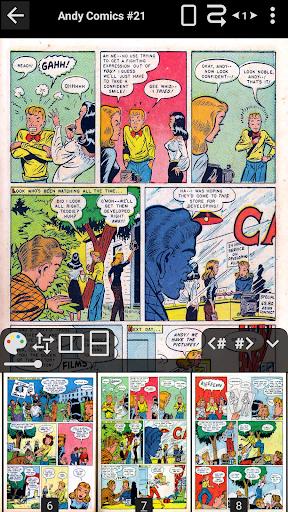
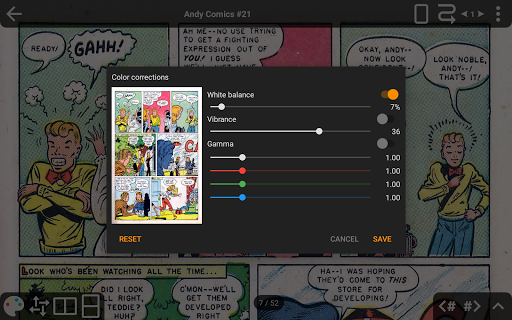
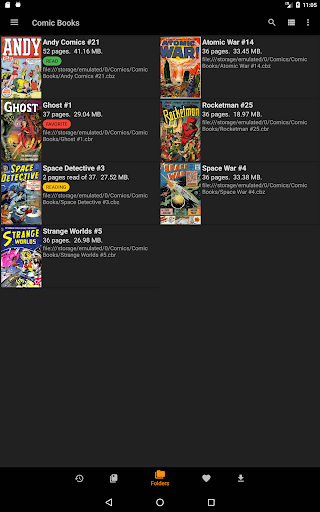
CDisplayEx Comic Reader is a premier comic book reader designed for enthusiasts who demand both quality and functionality. This application supports all major comic formats including .cbr, .cbz, and .pdf, making it versatile for various reading preferences. Its hallmark is the fluid and comfortable reading experience, achieved through immediate loading and advanced page scaling options.
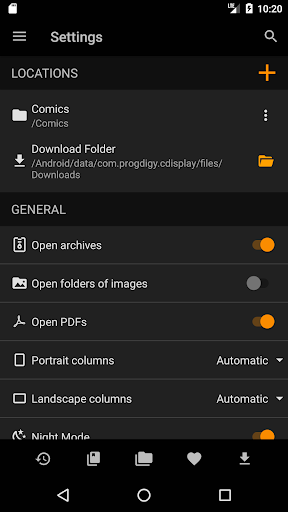
The app's Pro version extends its capabilities by offering access to cloud services like Onedrive and Dropbox, alongside unique features such as continuous pages in horizontal and vertical orientations, S-Pen support, and night mode. With integrated library management, users can organize their collections by series or easily find the next volume to read. The search function and network share connectivity further enhance accessibility and convenience.
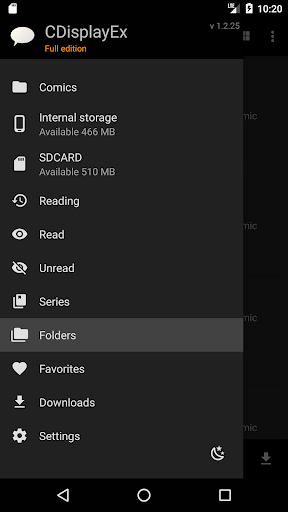
CDisplayEx Comic Reader stands out with its comprehensive feature set tailored for comic aficionados. One of its notable features is the ability to browse through folders effortlessly, allowing users to locate and read their comics with ease. For those seeking more organization, the integrated library management system categorizes comics by series and suggests the next album to read.
Advanced functionalities include network file opening without full downloads, image export options, and bookmark support, ensuring a personalized and uninterrupted reading journey. Additionally, the app provides an immersive experience with its CASA Level 3 Assessment certified secure access to multiple cloud services, though Google Drive support is being phased out. Users also benefit from interface language customization and an ad-free environment, elevating their overall engagement with the content.
User-friendly interface
Supports multiple formats
Integrated library management
Cloud service integration
Advanced page scaling
No Google Drive support
Pro version is paid
Limited free features
Requires internet for some functions
Occasional bugs reported
Become a real PKM Card Maker, create or custom any Poke TCG cards and share them
 4.10
4.10
Instantly create comic-style art with AI.
3.90
Draw the comics with glow brushes! Easy and relax!
4.40
The best app for digital comics - Welcome to Lezhin!
3.10
More fun from BOM! Hurry up and do the following self-test, if you meet more than one item, come and experience the brand new world of comics!
3.40
Goat sound simulator. This app makes for fun.
4.4
The ultimate app for comic lovers
4.50
The pure application on the Manga SWAT website
4.80
Browse and read all your comics and mangas from YACReaderLibrary
4.20
File management and show images, comics and pictures in compressed cbr, pdf file
4.70
Scan comics instantly! Find comic value, price, and key collector details fast.
4.50
TMOLector is an app to read all kinds of manga and stories!
4.50
Comic Book Identifier Value - Scan comics & prices. Your comic book price guide!
4.50
Webtoons, comics, web novels, and e-books are all here! RIDI, my own space to enjoy stories
4.30
Anime TV App: Watch all anime online,anime tv subtitles online with big anime tv
3.80
from HipComic: Value Your Comic Book Collection with Just the Snap of a Photo.
3.80
Hot-blooded / Romance / Science Fiction All themes, Smart Recommendation + HD Reading
3.10
A free paradise specially built for comic lovers. When you step into this comic universe full of surprises, it is like opening a door to endless joy. You are immediately immersed in the wonderful world brought by reading and enjoy the infinite charm of reading.
4.3
Read manga, comics, and manhwa
4.0


User Reveiws