
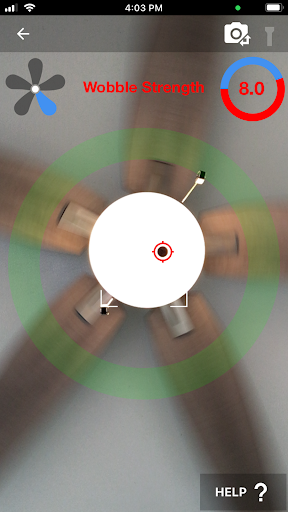

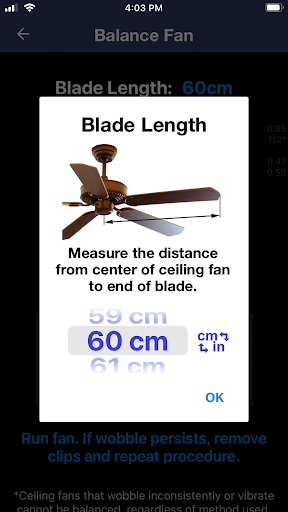
Ceiling Fan Balancer is a specialized application designed to help users resolve the wobble in their ceiling fans efficiently. This app utilizes your smartphone's capabilities to dynamically balance ceiling fans by determining which blades need counterweights and where to place them for optimal stability.
Before using the app, users are advised to clean the fan and tighten all screws as part of the preparation process. The app guides you through numbering the fan blades and placing a marked masking tape on the fan. By recording the fan's movement with your phone placed underneath, it analyzes the wobble and provides real-time feedback.
This innovative solution eliminates guesswork and trial-and-error methods, making the balancing process quick and easy. Whether you're a homeowner or a professional technician, Ceiling Fan Balancer offers a practical tool that enhances comfort and safety in any environment.
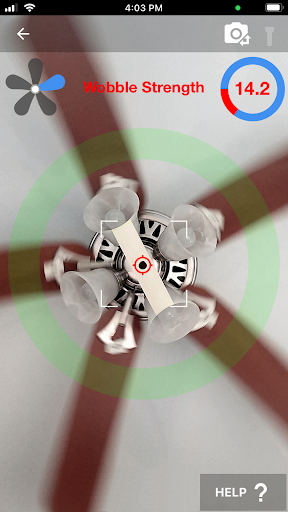
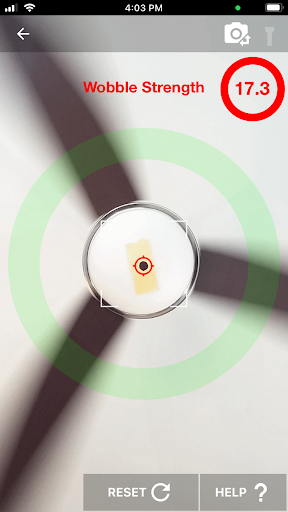
The Ceiling Fan Balancer app stands out due to its unique approach to solving a common household issue. It uses advanced algorithms to analyze the wobble pattern captured by your phone's camera. By pointing the camera at a marked spot on the fan, the app calculates the wobble strength in real time, providing precise data needed for effective adjustments.
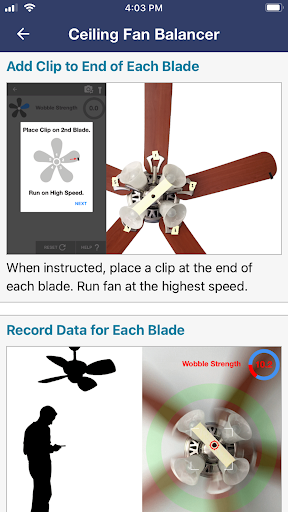
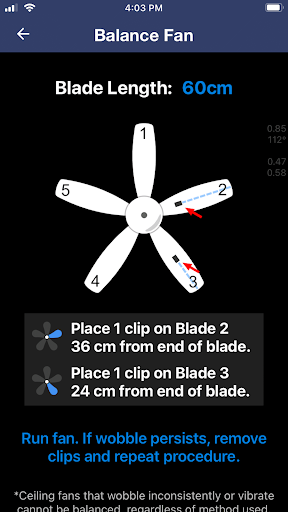
To balance the fan, users are instructed to attach clips to each blade and record the resulting wobble. The app then processes this information to determine the best positions for placing counterweights. This method ensures maximum stability and minimal vibration, significantly improving the fan's performance and lifespan.
Additional features include detailed instructions accessible via the app's website, ensuring users have comprehensive guidance throughout the balancing process. With an intuitive interface and clear step-by-step directions, Ceiling Fan Balancer simplifies what was once a complex task into an easy-to-follow procedure suitable for anyone.
User-friendly interface
Real-time wobble analysis
Precise counterweight placement
Eliminates guesswork
Comprehensive instructions
Requires manual input
Limited to ceiling fans
Dependent on phone camera quality
No automatic adjustments
Internet connection needed for full access
Use Home by ShowingTime to easily manage showings, tours, feedback and more
 3.60
3.60
Make Renting Easy
4.40
Turn your phone into a wifi cam with smart features and umlimited reach.
4.20
This Fire TV Remote control's your Fire TV Device and Insignia Fire TV Remote
3.70
Convert your Phone to HiSense Smart TV Remote Control
4.70
Resident Center, powered by Buildium, is designed with simplicity in mind.
4.50
Smart AI plant care schedules, Real plant experts, support & Thriving community!
4.20
Looking for the perfect apartment finder app? Find beautiful rental homes here!
4.60
Find homes for sale and apartments for rent in the best neighborhood.
4.70
Your guide to apartments & rental homes. Find your next place to rent with AG.
4.60
AI-powered home design, interior design, home decor, and room design solutions
4.50
AI Home Designer & Room Planner: Decorate your interior space with AI
4.40
WiZ smart light system
4.40
3D House Design and AI Room Planner - from floor plans to full interior design.
4.40
Schlage Lock Company LLC
4.00
Book your local plumber 24/7, track your service order & get exclusive coupons
4.00
An awesome mobile app for Home Security Surveillance - uses ZoneMinder
3.20
Universal TV remote Control for Roku TV brands via WiFi remote
4.4
Universal TV Remote for TV, control all Smart TVs with your mobile phone.
4.1


User Reveiws