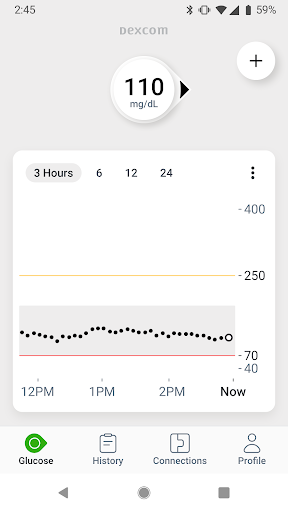
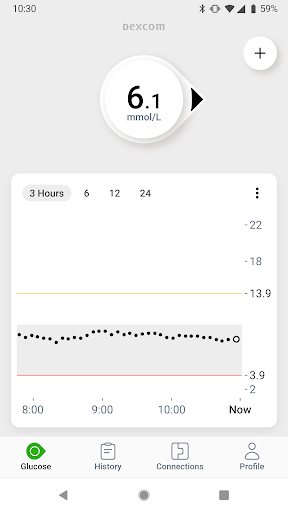
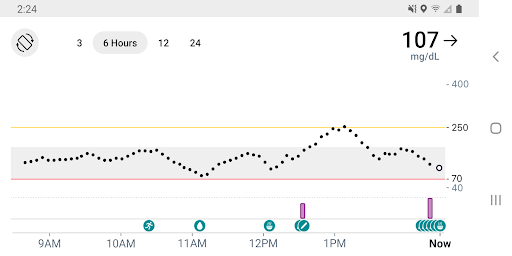
The Dexcom G7 app is a cutting-edge Continuous Glucose Monitoring (CGM) system designed for individuals managing diabetes. This Health & Fitness application provides real-time glucose readings every 5 minutes without the need for fingersticks, revolutionizing how users monitor their blood sugar levels. The app's core functionality centers around its wearable sensor that seamlessly transmits data to compatible devices.
What sets Dexcom G7 apart is its comprehensive approach to diabetes management. Users can customize alerts for high or low glucose levels while benefiting from remote monitoring capabilities that keep healthcare providers and loved ones connected. The system integrates multiple features including Clarity Clinic integration, estimated fasting glucose logging, and Digital Health app connections, making it an all-in-one solution for modern diabetes care.
This application proves especially valuable during travel or busy workdays when constant monitoring might be challenging. By providing accurate glucose readings and trend analysis through the Quick Glance feature on device lock screens, Dexcom G7 empowers users to make informed decisions about their health anytime, anywhere.
Dexcom G7 distinguishes itself through innovative features that enhance diabetes management. The system's hallmark is its ability to share glucose data with up to 10 followers through the Dexcom Follow app, facilitating support networks among family and healthcare professionals. This sharing capability requires internet connection but enables real-time monitoring by authorized parties.
A significant advancement is the integration of Clarity Clinic within the app's connections tab, streamlining data sharing with healthcare teams. The app also allows users to log estimated fasting glucose readings, helping identify long-term trends in blood sugar patterns. Furthermore, Digital Health integrations enable seamless data exchange with third-party health applications and lifestyle devices, creating a comprehensive health monitoring ecosystem.
Additional features include displaying health and activity data from connected apps on the G7 trend graph, integrating Dexcom Clarity summary insights directly into the app interface, and offering the Quick Glance function for instant glucose information on device lock screens. These capabilities demonstrate Dexcom G7's commitment to providing a sophisticated yet user-friendly diabetes management solution.
Real-time glucose monitoring
Customizable alert system
Remote monitoring options
Integrated health insights
User-friendly interface
Device compatibility limited
Requires professional guidance
Internet connection needed
Premium price point
Region-specific features
Meditation app, head space app provides calm music to help you meditate & sleep
 5.00
5.00
Using Recognise™ has been shown to reduce pain and improve performance
4.0
The OFFICIAL Couch to 5K® running training app! A 9 week walk-run workout plan.
4.50
3D Body Measurement System
3.60
Your AI pet BFF. Talk, play, and beat anxiety in this calming game.
4.60
Eat smarter with Eato, your personal calorie counter and nutrition tracker!
4.40
Walk, track, and burn calories with step counter & GPS walking tracker
4.20
The most accurate heart rate app to monitor and track your heart rate & pulse.
4.40
Pedometer that gives you sweatcoins for steps. It pays to walk!
4.10
Protect your healthy sleep
4.80
Easy access to health benefits
4.70
Build Healthy Habits!
4.60
Get lasting results with Chair Yoga, Wall Pilates, and Walking workouts!
4.60
Relax. Sleep Better. Feel Better.
4.50
Blood Pressure Log, HRV & Heartbeat Tracker. Pulse Checker.
4.40
This is an application that serves as a companion app for smart watch.
4.20
“Overcoming pain based on EMDR” helps you to alleviate chronic pain and stress.
4.10
beat yesterday.
4.00
Turn your steps into cash, gift cards & rewards with our step counting pedometer
3.80


User Reveiws