
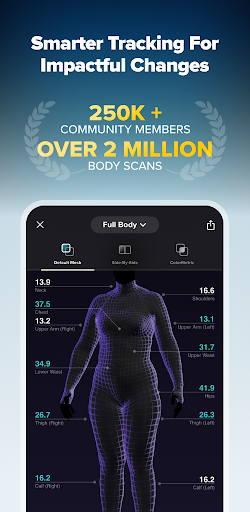
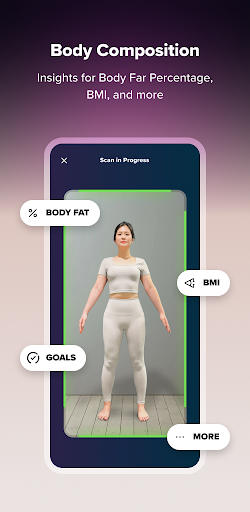
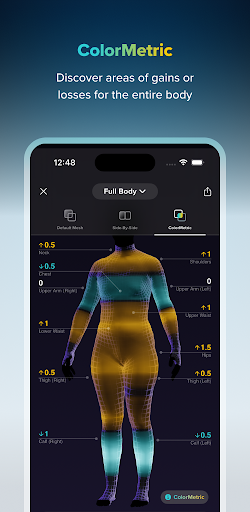
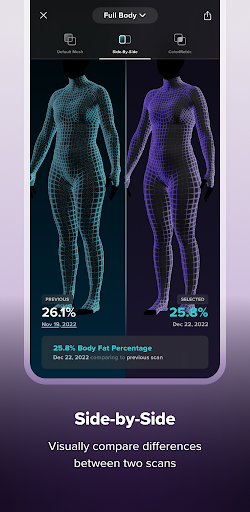
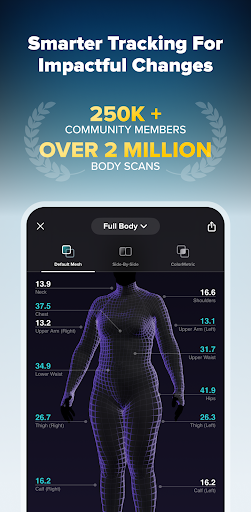

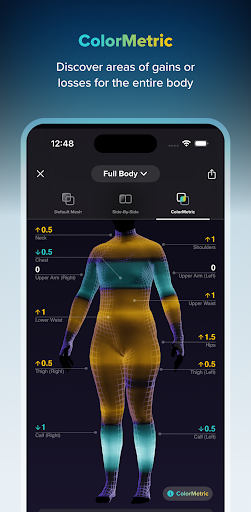
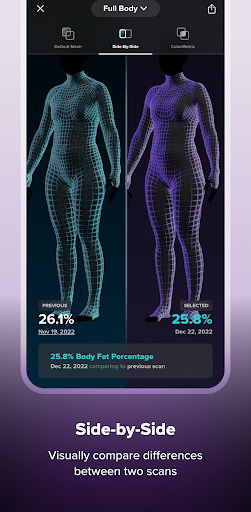
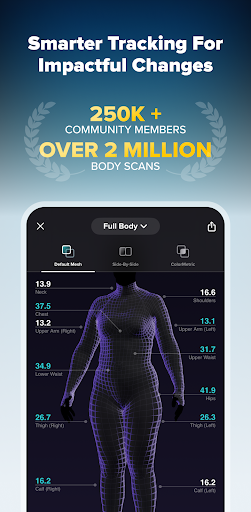
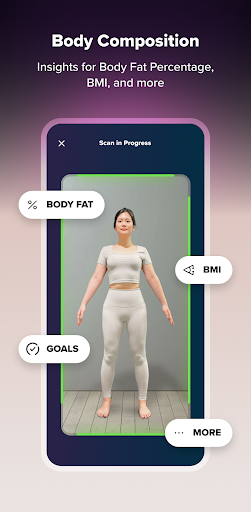
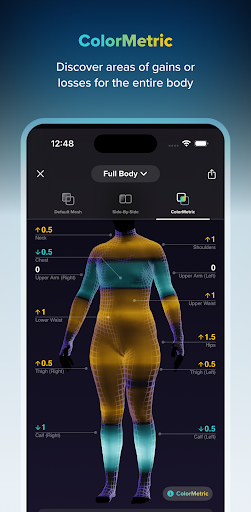

ZOZOFIT is an advanced fitness application that revolutionizes personal health tracking through innovative technology and comprehensive data collection. The app's core functionality centers around its 3D body scanning feature, which generates precise measurements for 12 key body locations and provides users with detailed insights into their physical transformation journey. Unlike traditional weight-based tracking methods, ZOZOFIT offers a more complete picture of body composition changes through its unique ColorMetric system and body fat percentage calculations.
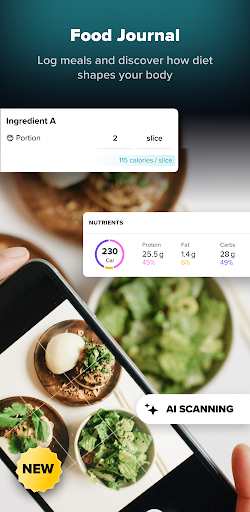
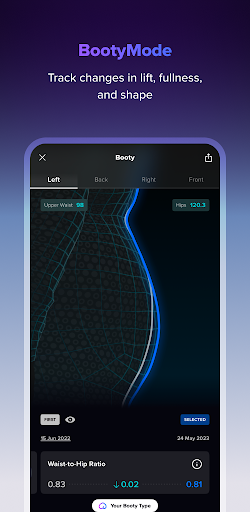
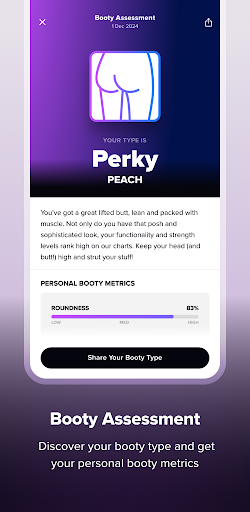
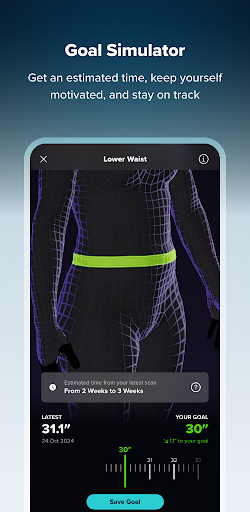
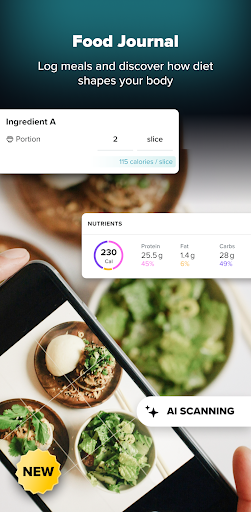
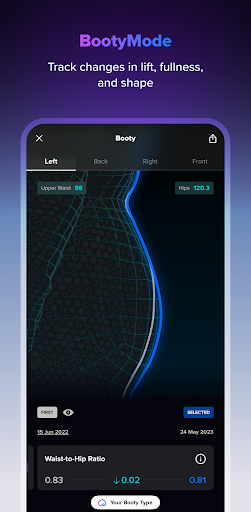
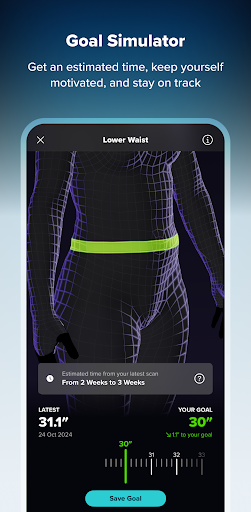
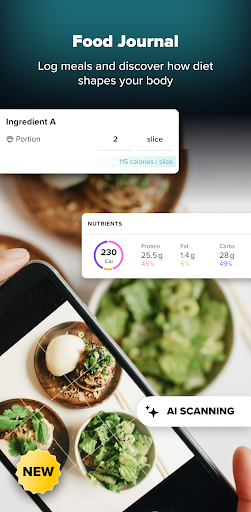
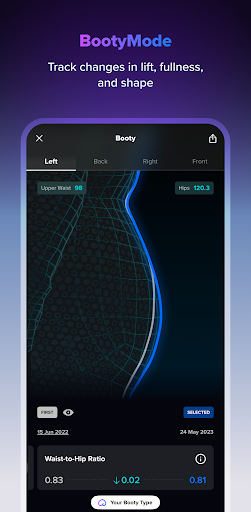
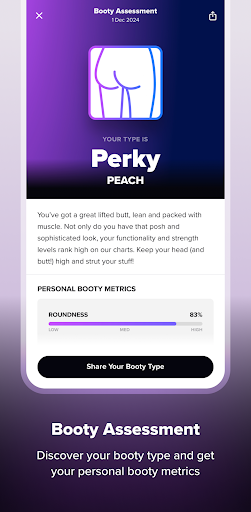
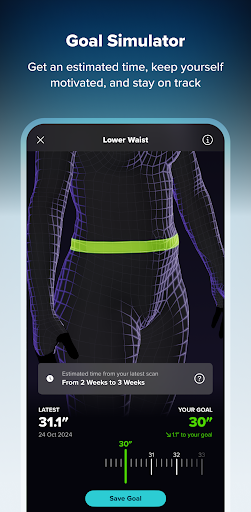
This digital fitness toolbox extends beyond basic measurement tracking by incorporating AI-powered nutrition management through its Food Journal feature. Users can effortlessly log meals using either photos or manual entry while monitoring macro nutrients and dietary patterns. The app supports various fitness goals through features like Goal Setting, Goal Simulator, and specialized tracking modes such as Booty Mode for targeted progress monitoring.
The value of ZOZOFIT lies in its ability to provide users with unprecedented control over their fitness journey. By combining precise measurement tools with comprehensive nutrition tracking, the app creates a holistic approach to personal health management. Available on select Android devices running OS 11 or later, ZOZOFIT caters to fitness enthusiasts who demand detailed data and sophisticated tracking capabilities in their pursuit of impactful physical changes.
ZOZOFIT offers a comprehensive suite of fitness tracking tools designed to help users achieve their personal health goals. The app's standout feature is its 3D body scanning capability, which provides precise measurements for 12 key body areas within minutes. This innovative technology creates a detailed 3D mesh model of the user's body, allowing for accurate tracking of physical changes over time.
The app includes several advanced features that enhance the fitness tracking experience. Users can utilize the ColorMetric system to visualize body changes through color gradients, set specific measurement goals, and even simulate potential body transformations. The newly introduced Food Journal feature uses AI-powered technology to simplify nutrition tracking, enabling users to log meals through photos or manual entry while monitoring macro nutrients and dietary trends.
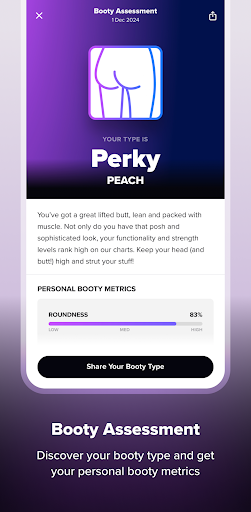
These features collectively provide users with unprecedented control over their fitness journey. The ability to compare scans side-by-side, track booty progress with specialized metrics, and maintain detailed nutritional records creates a holistic approach to health management. This comprehensive data collection empowers users to make informed decisions about their fitness routines and dietary choices.
Accurate body measurements
AI-powered nutrition tracking
Comprehensive fitness tools
Advanced visualization features
Detailed progress analytics
Device compatibility limited
Premium features costly
Occasional bugs reported
Steep learning curve
Subscription model required
Weight loss app: home workout for women to lose weight & burn calories.
 4.80
4.80
App to stop smoking slowly or now with a motivational badges and helpful tips
4.80
sobriety counter app to help and motivate people to stop drinking alcohol.
4.90
Personal Measurements - Track your gains!
4.50
a fun app full of surprises :)
4.70
Meditation app, head space app provides calm music to help you meditate & sleep
5.00
Histamine intolerance, low FODMAP diet and irritable bowel syndrome (IBS)
4.00
Download MadMuscles to start your positive body transformation!
4.30
Workouts for everyone
4.70
Medbridge GO gets you moving - get back to doing what you love, faster!
4.90
Protect your healthy sleep
4.80
The simplest way to track your 21 Day Program containers, exercises, and water.
4.50
For Absolute Novices to Strength Training. Simple. Effective.
4.40
Track heart rate & HRV in 30s! Get live health insights and anomaly alerts
4.40
Grow with self-tests and personal routine.
4.30
Looking to take control of your health? Our psychology-based programs can help.
4.10
Understand your body’s most meaningful messages and transform your health.
3.90
FitCloudPro takes care of your health every minute.
3.70
Using Recognise™ has been shown to reduce pain, and improve performance.
4.3


User Reveiws