Drone Remote Controller

3.70

Information

Category:

Libraries & Demo

Price:

Free

Rank:

54

Rating:

3.70

Overview

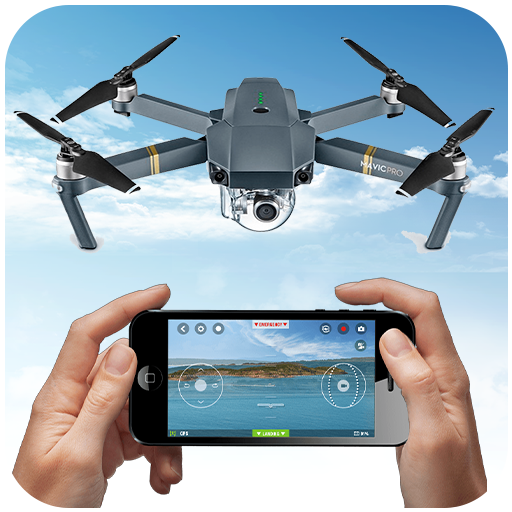
Drone Remote Controller is an innovative application that transforms your Android phone into a powerful drone control system. This app allows users to seamlessly operate various drones using their smartphones, replicating the functionality of traditional remote controls. With its intuitive interface and advanced features, it provides a comprehensive solution for both amateur enthusiasts and professional drone operators.

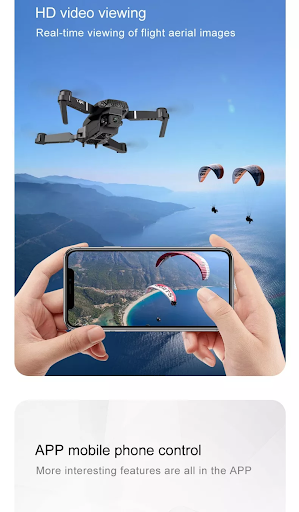
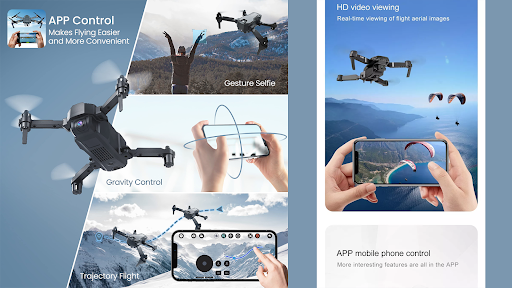
The application supports key functionalities such as flight planning, automated takeoff and landing, and live First Person View (FPV) streaming. It also enables camera control for capturing photos and videos during flights. Whether you're looking to manage your own drone fleet or gain control over friends' drones for collaborative projects, this app offers the tools needed to maximize your drone flying experience.

Features

Drone Remote Controller stands out with its diverse feature set designed to enhance drone operation. The app's primary advantage is its universal compatibility, allowing it to work with most modern drones while supporting essential functions like flight automation and real-time video streaming. Users can create detailed flight plans on their devices and execute complex missions with minimal effort.

Additional notable features include the ability to disable auto-flight modes instantly, capture high-quality images and videos through the integrated camera controls, and maintain uninterrupted mapping sessions for large areas. The app also supports WiFi camera connections, enabling users to receive live video feeds and control recording functions directly from their phones. These capabilities make Drone Remote Controller an indispensable tool for anyone seeking precise and versatile drone management.

Functionality completeness & coverage

The Drone Remote Controller application offers a comprehensive suite of functionalities that transform an Android phone into a versatile drone remote control. This app's functionality completeness is evident in its ability to cater to various drone models, providing users with the capability to configure and use their smartphones as they would a traditional RC drone controller. The coverage spans from basic controls to advanced features such as creating flight plans on any device, automating takeoff and landing processes, and capturing images during flights. Additionally, it supports live streaming in First Person View (FPV), which enhances the user experience by offering real-time visuals directly from the droneu2019s perspective. Users can also disable auto-flight modes and regain manual control with a single tap, ensuring safety and flexibility during operation. Furthermore, the app facilitates uninterrupted flights for mapping large areas, making it suitable for both recreational and professional uses. With added functionalities like video control and capture FPS options, this application ensures that users have all necessary tools at their disposal for effective drone management. The value proposition lies in its ability to replace physical controllers while maintaining ease of use and expanding operational possibilities through digital means.

Usability & operational smoothness

Drone Remote Controller stands out not only for its extensive feature set but also for its exceptional usability and operational smoothness. Designed with user convenience in mind, the app simplifies the process of converting an Android phone into a drone remote control. Its intuitive interface allows even novice users to quickly grasp how to operate their drones effectively. Configuration is straightforward, requiring minimal setup before users can start flying their drones. Once configured, the mode of use mirrors traditional RC drones, ensuring familiarity for seasoned pilots. Operational smoothness is further enhanced by seamless integration with latest drone models, enabling features like live FPV streaming and automated flight tasks such as takeoff, image capture, and landing. Moreover, the app provides robust connectivity options, allowing users to connect to WiFi camera devices effortlessly. This connection grants access to camera views, enabling photo captures, video recordings, and overall drone control. Despite some compatibility issues with older hardware, the app maintains high standards of performance across supported devices. By prioritizing usability and ensuring smooth operations, Drone Remote Controller delivers a reliable solution for anyone looking to enhance their drone piloting experience using modern technology. Whether controlling personal drones or managing fleets for commercial purposes, this app empowers users with efficient and enjoyable drone handling capabilities.

Props

User-friendly interface

Wide drone compatibility

Advanced FPV streaming

Automated flight options

Free to use

Cons

Not compatible with older hardware

Limited physical controls

Requires stable internet

Occasional connection issues

No offline support
Features and Functions

What is this app and what can I use it for?

A drone control app turning your phone into a universal remote for various drones

How do I download and install this app on my device?

Visit Google Play Store, search for Drone Remote Controller, and tap Install

How do I get started after opening the app for the first time?

Grant necessary permissions, pair with your drone via WiFi, and follow on-screen instructions

What are the main features and capabilities of this app?

Flight planning, FPV streaming, camera control, and automated mission execution

How can I customize my experience and adjust preferences?

Adjust settings through the app's configuration menu to personalize your experience

How do I save or bookmark my favorite content for later access?

Use in-app bookmarks to save preferred flight paths and camera angles for future use

How can I share content with friends or on social media?

Share captured media directly from the app to social platforms or messaging apps

How do I access detailed information and explore more content?

Access detailed drone telemetry and explore additional content in the app's data section

What permissions does this app need and how do I manage them?

The app needs camera and location permissions; manage these in your device settings

How do I check for updates and keep the app running smoothly?

Enable automatic updates in Google Play Store to keep the app running optimally
Show more

User Reveiws

{{ comment.reviewer_name }}
{{ comment.review_date_formatted}}
{{ comment.review_content }}
{{ tab.name }}
{{ comment.reviewer_name }}
{{ comment.review_date_formatted}}
{{ comment.review_content }}
No reviews with this rating