Samsung Galaxy SmartTag

3.60

Information

Category:

Libraries & Demo

Price:

Free

Rank:

50

Rating:

3.60

Overview

Samsung Galaxy SmartTag is a powerful Bluetooth tracking device that helps you locate lost items with ease. Designed specifically for Samsung Galaxy users, this compact device utilizes Bluetooth Low Energy (BLE) technology to connect to your smartphone.

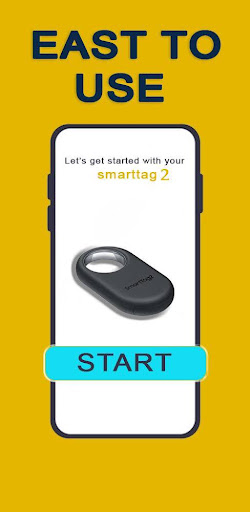
The accompanying app provides comprehensive setup guidance and management tools for your SmartTag devices. From general settings to battery replacement information, the app ensures you have everything needed to maximize the functionality of your SmartTag 2 or SmartTag+. Though not an official Samsung app, it offers educational content sourced from reliable references.

Features

The Galaxy SmartTag app delivers a range of features designed to enhance your experience with Samsung's tracking devices. It allows users to configure their SmartTag 2 or SmartTag+ devices, providing detailed instructions on setup, arrangement, and usage.

One standout feature is its smart beacon functionality, which enables precise location tracking. The app also includes advice on optimizing SmartTag performance, tips for battery replacement, and guidance on using the device effectively. While it doesn't provide direct tracking services, it serves as an educational resource for understanding how to use and maintain your SmartTag devices efficiently.

Functionality completeness & coverage

The Samsung Galaxy SmartTag app provides a comprehensive suite of functionalities that cater to the full spectrum of user needs when it comes to managing and utilizing SmartTag devices. Functionality completeness refers to the app's ability to offer all necessary features that allow users to not only connect with their SmartTag devices but also configure, troubleshoot, and optimize them for the best possible performance. This includes setting up new devices, configuring smart tags, replacing batteries, arranging multiple devices, and getting advice on using the SmartTag effectively. The coverage aspect ensures that these functions are applicable across all supported models, including both the Galaxy SmartTag2 and SmartTag+. By offering such extensive functionality, the app empowers users to maintain control over their belongings with minimal hassle. The inclusion of educational content sourced from reliable origins further enhances the user experience by providing step-by-step guidance, ensuring that even those unfamiliar with smart tracking technology can utilize their devices to the fullest. This holistic approach to functionality ensures that users have everything they need within a single application, making the process of finding lost items more efficient and less stressful.

Usability & operational smoothness

Usability and operational smoothness are critical factors in determining the overall user experience of any application, and the Samsung Galaxy SmartTag app excels in these areas. Usability refers to how easily users can navigate the app and perform desired actions without encountering confusion or unnecessary complexity. The app achieves this through an intuitive interface design that logically organizes its features, allowing users to quickly access device setup instructions, general settings, and troubleshooting guides. Operational smoothness pertains to the seamless execution of tasks within the app, such as connecting to SmartTag devices via Bluetooth Low Energy (BLE) technology, configuring smart tags, and managing multiple devices simultaneously. The app ensures that these processes occur without glitches or delays, contributing to a frustration-free user experience. Additionally, the availability of detailed information about battery replacement and device arrangement demonstrates a commitment to supporting users throughout the entire lifecycle of their SmartTag devices. By prioritizing usability and operational smoothness, the Samsung Galaxy SmartTag app significantly reduces the learning curve associated with adopting new technology while enhancing user satisfaction through reliable performance and straightforward interactions.

Props

User-friendly interface

Comprehensive setup guide

Reliable BLE tracking

Detailed maintenance tips

Educational content

Cons

Limited to Samsung devices

Not an official app

No direct tracking

Dependent on external sources

Battery not included

Features and Functions

What is this app and what can I use it for?

A Bluetooth tracker for locating lost items

How do I download and install this app on my device?

Search 'Samsung Galaxy SmartTag' in Google Play and install

How do I get started after opening the app for the first time?

Follow the app's step-by-step setup guide

What are the main features and capabilities of this app?

Device configuration, beacon usage, and maintenance tips

How can I customize my experience and adjust preferences?

Adjust settings via the app's detailed options menu

How do I save or bookmark my favorite content for later access?

Save locations directly within the app's interface

How can I share content with friends or on social media?

Share device locations through supported apps

How do I access detailed information and explore more content?

Access detailed guides and FAQs in the app

What permissions does this app need and how do I manage them?

Requires location and Bluetooth permissions

How do I check for updates and keep the app running smoothly?

Enable auto-updates in Google Play Store settings
Show more

User Reveiws

{{ comment.reviewer_name }}
{{ comment.review_date_formatted}}
{{ comment.review_content }}
{{ tab.name }}
{{ comment.reviewer_name }}
{{ comment.review_date_formatted}}
{{ comment.review_content }}
No reviews with this rating