
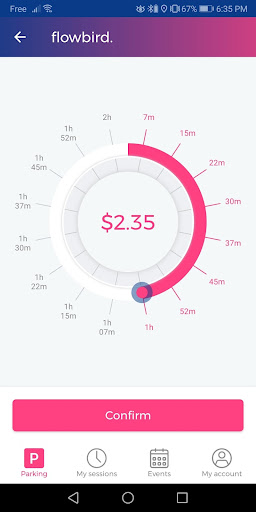
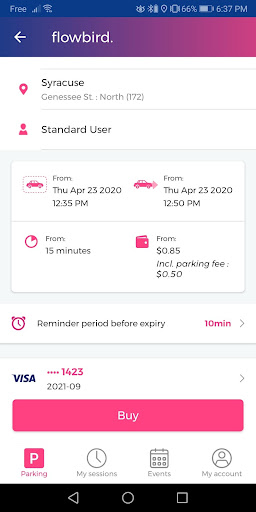
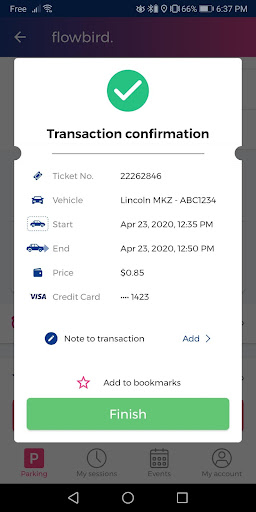
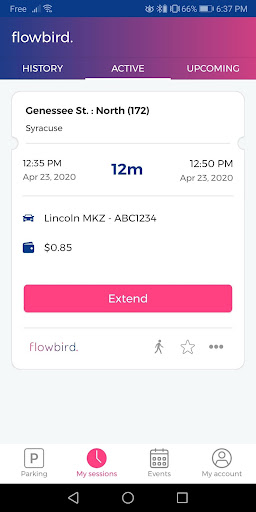
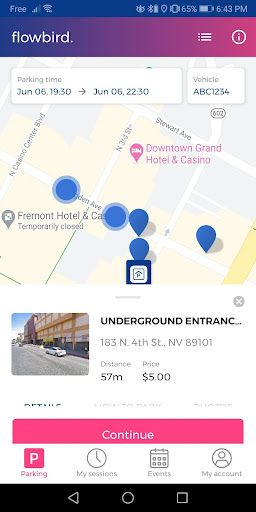
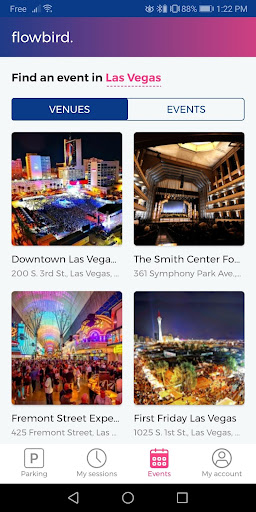
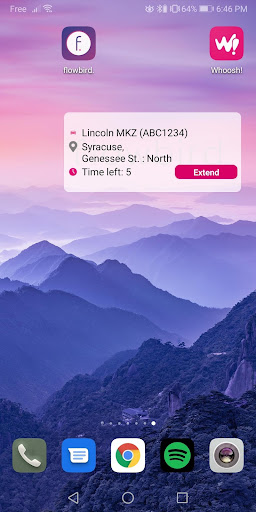
Flowbird Parking is a mobile application designed to simplify the parking experience for users. With this app, you can pay for parking directly from your smartphone, receive notifications when your parking time is about to expire, and extend your parking session without needing to return to a physical meter. The app offers additional features such as displaying parking pressure in certain areas, helping users locate their parked cars, and enabling fingerprint login for quick access. Available for free registration, Flowbird Parking provides a secure and convenient way to manage parking needs across various locations.
The app's core functionality revolves around mobile payments, making it easy for users to pay for parking through their phones or via the web. It also supports finding your car in crowded parking lots and uses advanced security measures to protect user data. By adhering to Payment Card Industry Data Security Standards and undergoing third-party audits, Flowbird ensures that all transactions are safe and secure. This makes it an ideal choice for anyone looking to streamline their parking experience while maintaining peace of mind regarding payment security.
Flowbird Parking boasts several key features that enhance the user experience. One of its standout capabilities is the ability to make mobile payments seamlessly through a smartphone or web interface. This feature not only saves time but also eliminates the need to carry cash or search for a parking meter. Additionally, the app provides real-time notifications before your parking session expires, allowing you to extend your time remotely and avoid fines.
Another notable feature is the Parking Pressure display, which helps users identify less congested areas for parking. For those who tend to forget where they've parked, the 'Find my Car' function is invaluable. Furthermore, the app supports fingerprint login, ensuring quick and secure access. These features collectively contribute to a more efficient and stress-free parking experience, setting Flowbird apart from traditional parking solutions.
User-friendly interface
Secure payment processing
Real-time notifications
Convenient remote extensions
Free registration
Limited location availability
Requires internet connection
Parking rules vary by area
No offline functionality
Dependent on third-party services

Attention! This is the theme for the Car Launcher app
 4.4
4.4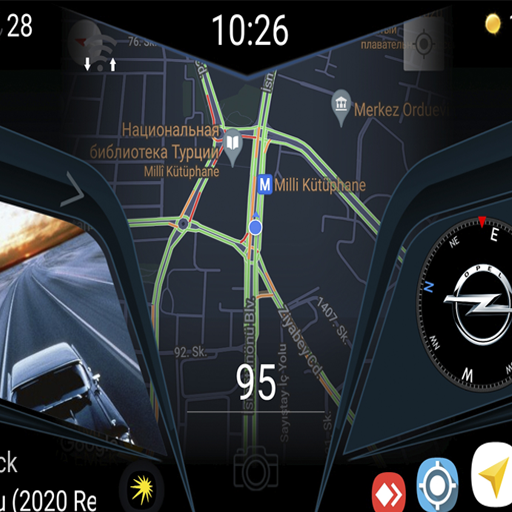
Theme for Car Launcher
4.5
Club Car Wash Mobile App—the fast lane to managing your wash membership.
3.30
Digital Car Key/Launcher, Screen Mirror, Android Dashboard, Remote Wireless Link
4.40
BlueDriver® is a Premium Diagnostic OBD2 Scan Tool. www.BlueDriver.com
3.90
Instantly redesign your car with AI. From sporty to futuristic, try it all.
4.50
Your Path to Driving Licensing Success Begins Here! Develop your driving skills.
4.40
Shop cars & see your financing
4.60
Marathon ARCO Rewards members earn rewards & apply the rewards for fuel savings!
4.80
Your go-to app for car, truck & SUV parts, DIY tools, and expert repair help.
4.70
View your car’s service records and find out when maintenance is due.
4.70
Find Fast EV Chargers | Charge Your Vehicle at 1,100+ Fast Car Charging Stations
4.60
A full featured, real-time transit locator system
4.30
AI Powered - Automotive Mechanic Assistant
4.30
Realtime Charts is a plugin for the Torque Pro App (OBD 2 & Car)
4.20
* This app needs an adapter cable and a certain OBD2 adapter to work *
4.20
Get your personalized financing options and shop for used cars today!
4.20
PayByPhone: A quick and easy way to pay for parking.
3.80
Earn and save with Fuel Rewards®
3.20


User Reveiws