Gamers GLTool with Game Tuner

4.50

Information

Category:

Libraries & Demo

Price:

Free

Rank:

65

Rating:

4.50

Overview

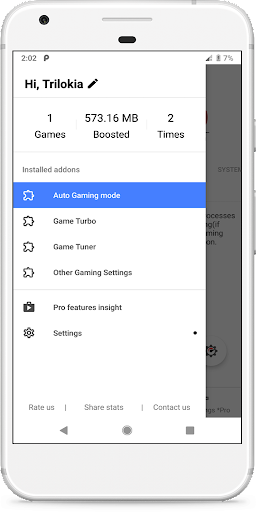
Gamers GLTool with Game Tuner is a powerful optimization tool designed for mobile gamers. The app automatically configures optimal gaming settings based on your device specifications, ensuring the best performance during gameplay. With features like Game Turbo and Game Tuner, it enhances system performance and provides advanced graphics settings.

In addition to its core optimization capabilities, the app offers various utility functions such as Quick Boost, Quick Launch, and Smart Widget. These features help users streamline their gaming experience by providing quick access to essential tools. Whether you're a casual or competitive gamer, Gamers GLTool ensures your device runs smoothly while playing resource-intensive games.

Features

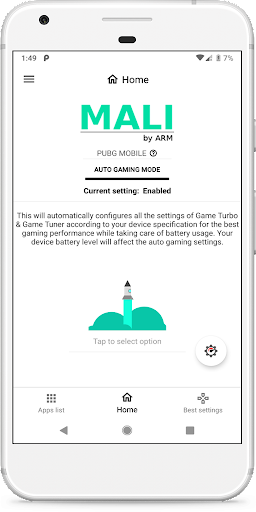
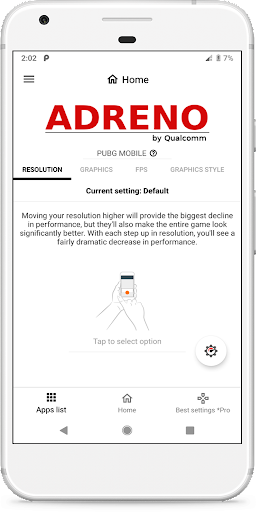
The app's standout feature is its Auto Gaming Mode, which intelligently adjusts settings to match your device's capabilities. The Game Turbo function optimizes system resources, while Game Tuner offers advanced graphics customization options similar to GFX Tool. These features work together to deliver a seamless gaming experience.

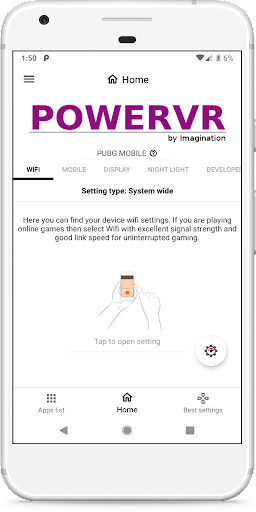
Beyond its main optimization tools, Gamers GLTool includes several convenience features. Users can benefit from Quick Boost to free up memory, Quick Launch for faster game access, and a Smart Widget for easy control. The app also requires specific permissions to function properly, including storage access for graphics modification and internet connection for server-based settings.

While this free version offers substantial benefits, it comes with certain limitations. Some advanced features are restricted, and the app may display advertisements. For full functionality without ads, users can upgrade to the paid version through the Google Play Store.

Functionality completeness & coverage

The functionality completeness and coverage of Gamers GLTool with Game Tuner represent a comprehensive suite of tools designed to optimize gaming performance on mobile devices. This app goes beyond basic game enhancement by integrating both Game Turbo and Game Tuner features, which together ensure that users experience the best possible gaming environment tailored to their specific device capabilities. The Auto Gaming Mode is particularly noteworthy as it automatically adjusts settings based on the hardware specifications of the user's device, ensuring optimal performance without manual intervention. Additionally, the inclusion of System Performance Tuner within Game Turbo allows for fine-tuning of system resources, prioritizing gaming processes to minimize lag and maximize frame rates. Meanwhile, the Game Tuner component incorporates functionalities from GFX Tool, providing advanced graphics settings adjustments that can significantly enhance visual quality and performance. Beyond these core features, Gamers GLTool also offers supplementary functions such as Quick Boost for immediate performance enhancement, Quick Launch for faster game startup, and Smart Widgets for easy access to frequently used tools. These additional features contribute to a holistic approach to gaming optimization, covering various aspects from resource management to quick accessibility. The free version, although containing ads and having limited features compared to the paid version, still provides substantial value by offering essential optimization tools that cater to casual and hardcore gamers alike. Overall, the extensive range of features demonstrates the app's commitment to providing complete functionality coverage, making it an invaluable tool for anyone looking to improve their mobile gaming experience.

Usability & operational smoothness

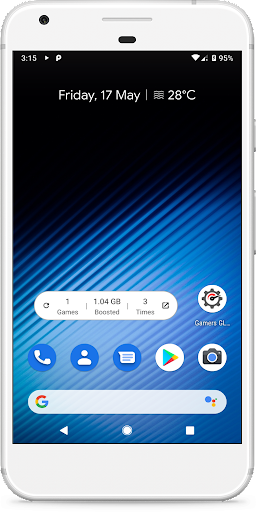
Usability and operational smoothness are crucial factors that determine how effectively users can interact with and benefit from an application like Gamers GLTool with Game Tuner. This app excels in providing a seamless user experience through its intuitive interface design and efficient operational flow. Upon launching the application, users are greeted with a clean layout that organizes various tools and settings into easily navigable sections. The Auto Gaming Mode exemplifies this smooth operational experience by eliminating the need for complex manual configurations, instead automatically detecting and applying optimal settings based on the user's device specifications. This feature not only simplifies the optimization process but also ensures that even less technically inclined users can achieve professional-level tuning results. Furthermore, the integration of Quick Boost and Quick Launch features demonstrates the app's focus on enhancing usability through time-saving shortcuts. Users can instantly boost their device's performance or launch their favorite games with minimal effort, streamlining their gaming sessions. The inclusion of Smart Widgets adds another layer of convenience, allowing users to access frequently used functions directly from their home screen without needing to open the full application. Despite being a feature-rich tool, the app maintains operational smoothness through well-optimized code and efficient resource management. Even when performing intensive tasks such as modifying graphics settings or killing background apps to free up memory, the application remains responsive and stable. The permission requirements for storage, internet access, and background app management are clearly explained and justified within the app's description, contributing to transparent and trustworthy user interactions. While the free version contains advertisements, they are strategically placed to avoid disrupting the core functionality or user experience. This careful balance between monetization and usability ensures that users can fully utilize the app's capabilities without feeling overwhelmed or inconvenienced by unnecessary interruptions.

Props

Optimizes game performance

Easy-to-use interface

Comprehensive settings

Quick access tools

Smart configuration

Cons

Limited free features

Possible ad interruptions

Requires permissions

No advanced tuning

Device compatibility

Features and Functions

What is this app and what can I use it for?

A gaming optimization tool that boosts device performance during gameplay

How do I download and install this app on my device?

Search Gamers GLTool in Google Play Store and tap Install

How do I get started after opening the app for the first time?

Grant necessary permissions and enable Auto Gaming Mode

What are the main features and capabilities of this app?

Includes Game Turbo System Performance Tuner and GFX Tool features

How can I customize my experience and adjust preferences?

Adjust settings through the app's configuration menu

How do I save or bookmark my favorite content for later access?

Use Quick Launch for fast access to favorite games

How can I share content with friends or on social media?

Share app via Play Store or social media links

How do I access detailed information and explore more content?

Explore detailed settings in the app's main menu

What permissions does this app need and how do I manage them?

Needs storage internet and background app permissions

How do I check for updates and keep the app running smoothly?

Check Play Store or app settings for updates
Show more

User Reveiws

{{ comment.reviewer_name }}
{{ comment.review_date_formatted}}
{{ comment.review_content }}
{{ tab.name }}
{{ comment.reviewer_name }}
{{ comment.review_date_formatted}}
{{ comment.review_content }}
No reviews with this rating