
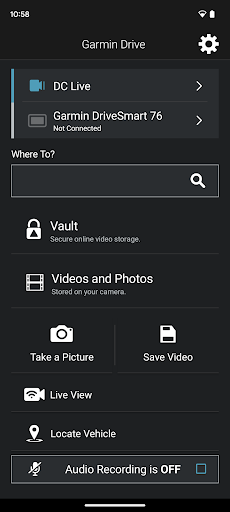
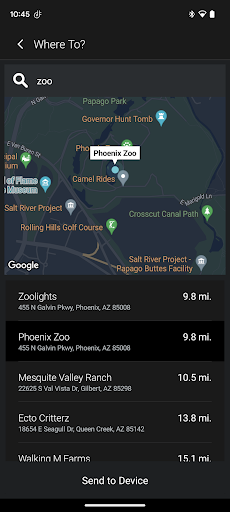
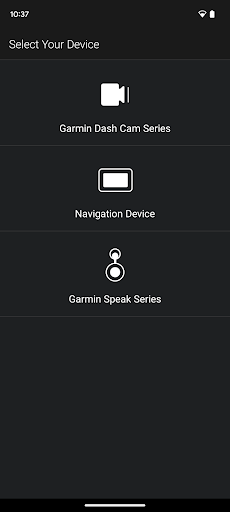

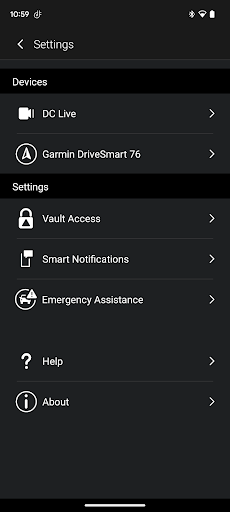
Garmin Drive is a versatile mobile application designed specifically for Garmin automotive navigators and dash cams. The app serves as a central hub for real-time traffic updates, parking information, advanced weather alerts, and access to photoLive traffic cameras. Additionally, it seamlessly integrates with your Bluetooth-enabled mobile device, allowing users to manage calls, texts, and notifications directly from their vehicle's navigator.
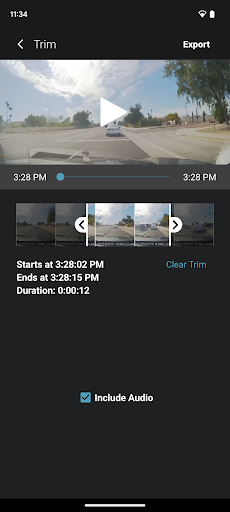
For dash cam users, the app provides comprehensive camera controls and settings management. It supports the Dash Cam Auto Sync feature, enabling wireless connection of up to four dash cams for complete vehicle coverage. This functionality allows users to create 'picture-in-picture' videos from multiple camera perspectives, making video review and sharing more efficient. Whether you need to share footage with insurance agencies or legal authorities, Garmin Drive ensures you have the necessary tools at your disposal.
Garmin Drive offers an array of sophisticated features tailored for both navigators and dash cams. For navigators, the app delivers real-time traffic data, parking availability, and advanced weather information, ensuring drivers are well-informed on the road. The integration with Bluetooth-enabled devices enhances the driving experience by providing hands-free communication capabilities.
When used with compatible dash cams, Garmin Drive excels in offering quick access to camera controls and recorded footage. The Dash Cam Auto Sync feature stands out by supporting up to four wireless dash cams, delivering multi-angle coverage around the vehicle. This feature not only aids in capturing various viewpoints but also simplifies video management through its 'picture-in-picture' functionality. Users can easily review and share videos, adding a layer of security and convenience to their driving experience.
User-friendly interface
Real-time traffic updates
Multi-camera support
Comprehensive vehicle coverage
Seamless Bluetooth integration
Limited device compatibility
Requires stable internet
Subscription fees may apply
Complex setup for beginners
Battery consumption is high

OBDII - ELM327 Terminal tool for 96-00 Volvos
 4.50
4.50
The Texaco App allows you to pay for fuel from the comfort of your car!
4.80
Get your personalized financing options and shop for used cars today!
4.20
Boost profits and hit your goals faster with GigU's amazing tools for gigworkers
4.00
Control maps, media and messaging, with the Google Assistant while you drive
4.10
Get more out of your AAWireless adapter with this companion app | aawireless.io
4.80
Shop cars & see your financing
4.60
Earn and save with Fuel Rewards®
3.20
Easy connect & control your cars from afar. Remote Lock & unlock car and carplay
4.60
Shop, finance, or sell today.
4.80
OBD1 ECMs application. Data log or tune directly from your phone or tablet!
4.60
Get price alerts, vehicle history details and more for cars near you!
4.50
Secure mobile payments & fuel savings at Phillips 66®, Conoco® and 76® stations
4.40
A smarter way to park and reserve your spot ahead of time.
4.40
Taximeter; the professional's choice
4.30
A full featured, real-time transit locator system
4.30
Available in select states.
4.00
Club Car Wash Mobile App—the fast lane to managing your wash membership.
3.30
DIY Vehicle Wheel Alignment
4.0


User Reveiws