Android Auto

4.10

Information

Category:

Auto & Vehicles

Price:

Free

Rank:

51

Rating:

4.10

Overview

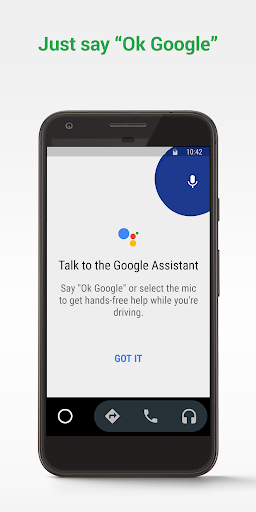
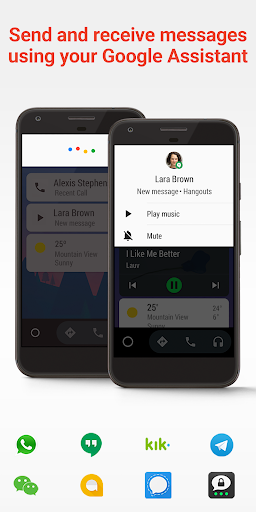
Android Auto is a driving-focused companion app that seamlessly integrates your smartphone with your vehicle's infotainment system. It provides a simplified interface with large, easy-to-tap buttons and voice commands powered by the Google Assistant.

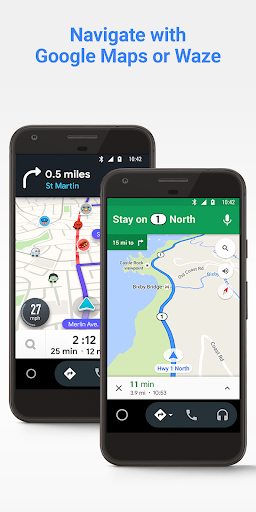
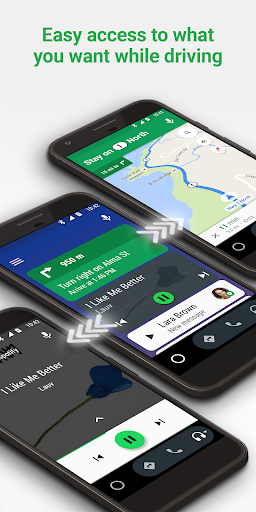
The app enables real-time GPS navigation using Google Maps or Waze, hands-free calling, and access to music and messaging apps while keeping drivers focused on the road. Android Auto also supports a growing list of compatible apps, making it a versatile tool for safer driving.

Features

Android Auto offers an array of features designed to enhance the driving experience. The app's voice-activated controls allow users to navigate, send messages, and play music without taking their hands off the wheel.

Key functionalities include real-time traffic updates, calendar integration, customizable do-not-disturb settings, and support for various media and messaging apps. These features work together to minimize distractions and provide essential information at a glance.

Additionally, Android Auto's compatibility with over 400 car models and its constantly expanding app ecosystem make it a valuable tool for modern drivers seeking convenience and safety.

Detailed vehicle information

Detailed vehicle information is a crucial aspect of any automotive application as it provides users with essential data about their vehicles performance and status Android Auto offers comprehensive details about the connected cars functionalities by integrating with the vehicles onboard systems Through this integration users can access important metrics such as fuel levels tire pressure engine temperature and maintenance alerts This feature ensures that drivers are always informed about their vehicles health allowing them to address any issues promptly Moreover Android Auto supports over four hundred car models which means it can provide detailed information across a wide range of vehicles The app achieves this through its compatibility with various infotainment systems ensuring that regardless of the vehicle make or model users receive accurate and relevant information Additionally the apps interface is designed to present this data in an easily digestible format using large buttons and clear visuals so that drivers can quickly understand their vehicles status without being distracted from the road This focus on clarity and accessibility enhances the overall driving experience by keeping the driver informed and confident in their vehicles performance Furthermore regular updates to the app ensure that it remains compatible with new vehicle models maintaining its ability to deliver precise and up to date vehicle information to the user

Price transparency

Price transparency in the context of an automotive application like Android Auto refers to the clear presentation of costs associated with using the apps features While Android Auto itself is free to download and use understanding any potential costs related to its usage is important for users The application operates by connecting a users smartphone to their cars infotainment system which requires an active data connection Users should be aware of possible data charges from their mobile network provider especially when using navigation or streaming services However Android Auto helps mitigate unexpected expenses by optimizing its operations to reduce data consumption For instance offline maps and cached content minimize the need for constant internet access Additionally the app provides information on compatible apps and their respective pricing models ensuring that users can make informed decisions about which services to utilize Whether accessing music streaming platforms or using navigation tools Android Auto ensures that users know what they are signing up for in terms of cost There are no hidden fees within the app itself making it a trustworthy choice for drivers who want to enjoy connected services without worrying about unforeseen charges By clearly communicating these aspects Android Auto maintains a high level of price transparency empowering users to manage their expenses effectively while enjoying a seamless connected driving experience

Props

User-friendly interface

Voice command support

Wide app compatibility

Real-time navigation

Hands-free functionality

Cons

Limited to Android devices

Requires USB connection

Dependent on data plan

Not all cars supported

Functionality varies by car

Features and Functions

What is this app and what can I use it for?

A smart driving companion for Android phones

How do I download and install this app on my device?

Search Android Auto on Google Play and install

How do I get started after opening the app for the first time?

Connect phone via USB and launch the app

What are the main features and capabilities of this app?

Navigation, media control, hands-free calls

How can I customize my experience and adjust preferences?

Adjust settings in the app's preferences menu

How do I save or bookmark my favorite content for later access?

Save locations in Google Maps for later use

How can I share content with friends or on social media?

Use share button to post content to social media

How do I access detailed information and explore more content?

Tap details for more info and related content

What permissions does this app need and how do I manage them?

Needs location, contacts, and notifications access

How do I check for updates and keep the app running smoothly?

Check Google Play for updates regularly
Show more

User Reveiws

{{ comment.reviewer_name }}
{{ comment.review_date_formatted}}
{{ comment.review_content }}
{{ tab.name }}
{{ comment.reviewer_name }}
{{ comment.review_date_formatted}}
{{ comment.review_content }}
No reviews with this rating