



Makeup Camera & Selfie Editor is a comprehensive beauty app designed to enhance your natural features and create stunning selfies. This all-in-one beauty camera offers makeup tools, face editing, trendy filters, and AR effects, allowing users to achieve flawless looks effortlessly.
The app provides powerful yet easy-to-use makeup tools that cater to various styles, from subtle enhancements to bold transformations. Users can experiment with different makeup products like lipstick, blush, and eyeshadow, or utilize preset makeup styles for instant full-face makeovers. Additionally, the selfie editor and face retouching features ensure every photo looks polished and professional.
Perfect for beauty enthusiasts and selfie lovers, this app helps capture beautiful moments anytime, anywhere. Whether you're preparing for a special occasion or simply enhancing everyday photos, Makeup Camera & Selfie Editor empowers users to express their unique style and beauty.
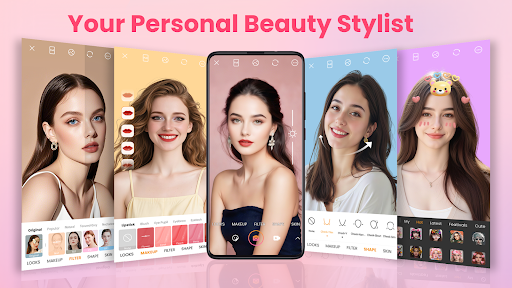
One of the standout features of Makeup Camera & Selfie Editor is its extensive range of makeup tools. The app includes options for lipstick, blush, colored contacts, eyebrows, eyelashes, eyeliner, eyeshadow, highlight, contour, and foundation. These tools allow users to create personalized looks tailored to their preferences.
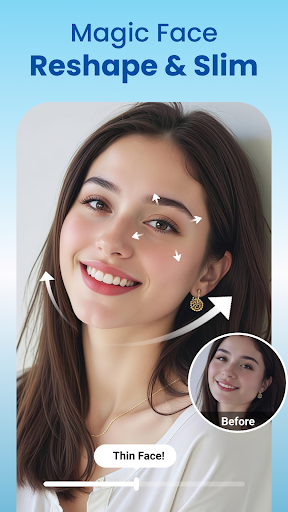
In addition to makeup tools, the app offers advanced selfie editing capabilities. Users can smooth skin, reshape faces, enhance eyes, and whiten teeth with precision. The inclusion of trendy filters and cute AR stickers adds a playful element to photos, making them fun and unique.
Furthermore, Makeup Camera & Selfie Editor provides robust photo editing functions such as cropping, rotating, adjusting brightness and contrast, and applying various artistic filters. These features cater to both beginners and experienced photo editors, ensuring everyone can achieve their desired results.
User-friendly interface
Wide variety of makeup tools
Real-time beauty effects
High-quality photo editing
Vibrant AR stickers
Some features may require in-app purchases
Occasional ads can be intrusive
Advanced tools might overwhelm new users
Filters can sometimes distort images
Limited customization for AR effects
A tool that brings skin care and technology together at your fingertips.
 4.50
4.50
Shop Smarter, Dress Better, and Shine Brighter!
4.10
Enjoy convenience wherever you are with the Tune Up, The Manly Salon app.
3.20
Crown Heart Emoji Photo Editor has given you the chance to look cute girl
4.40
Design your nails, manicure and pedicure with nail paint art and nail idea app
3.90
Selfiechat Filters for amazing photos with Funny face filters
4.60
True mirror app with zoom, LED light, for makeup & shaving anywhere!
4.20
Download Today
4.40
Beauty Camera - Selfie Camera with sweet selfie, makeup, filter, sticker, editor
4.50
Photo enhancer 360, image enhancement, restore old photos, colorize photo ai
4.70
Face Makeup Camera: Photo makeup app and perfect Lipstick app, beauty lip filler
4.70
HD Camera, Selfie Camera, Camera filters, is a fully featured 4K camera
4.60
Unleash your (Pro)tential with the hottest hair, nails and beauty brands!
4.60
Beauty camera for perfect selfie with makeup, sticker and filter
4.50
Beauty Mirror - True mirror app with light, shaving mirror, makeup mirror app
4.50
This application is for the Luvme Hair official website: shop.luvmehair.com .
4.30
Hair style app, Face shape finder, Face shape, Hair style, Face shape detector
4.30
Change your hairstyle and color instantly with AI-powered virtual makeovers.
3.90
Beauty/age defining ai coach guides you through the exercises in daily routine.
3.30


User Reveiws