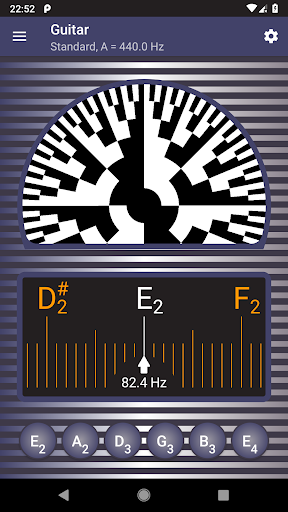
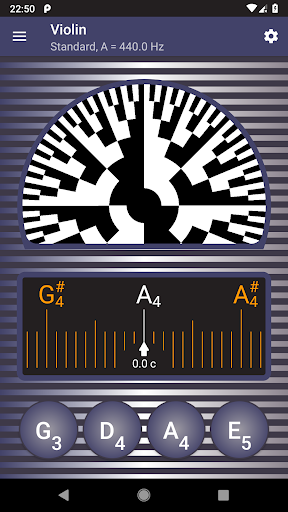

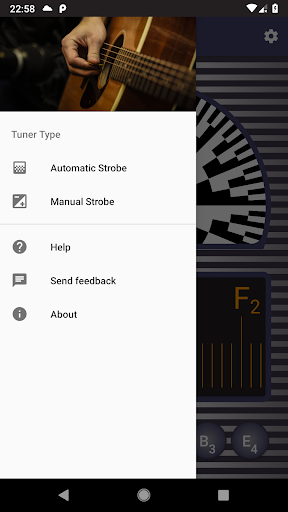
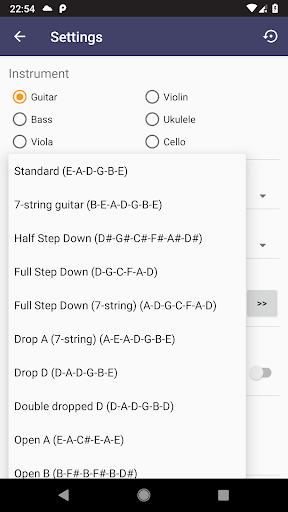
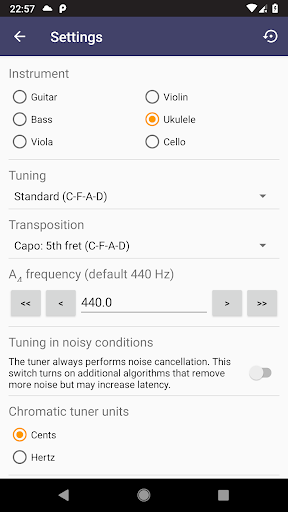
Strobe Tuner Pro is a highly accurate tuning application designed for musicians of all levels. It offers both chromatic and stroboscopic tuning capabilities, making it suitable for a wide range of instruments including guitars, violins, basses, ukuleles, cellos, banjos, and shamisens. The app replicates the precision of physical strobe tuners at a fraction of the cost.
The tuner's advanced algorithms provide extreme accuracy, allowing users to fine-tune their instruments with confidence. Beginners benefit from an intuitive interface and helpful tutorials, while professionals appreciate features like manual mode that mimics traditional strobe tuners. Additional functionalities include a built-in metronome, reference tone playback, and various tuning options.
This versatile tool is particularly valuable during practice sessions or live performances where precise intonation is crucial. By combining two independent tuning methods with noise cancellation technology, Strobe Tuner Pro ensures reliable performance even in challenging acoustic environments.
Strobe Tuner Pro stands out through its dual-tuner system comprising a chromatic tuner and a strobe tuner. The chromatic tuner uses Fast Fourier Transformation to detect frequencies across the musical spectrum, displaying them on a visual scale. This helps users quickly identify which strings need adjustment before switching to the strobe tuner for final calibration.
The strobe tuner emulates the classic stroboscopic effect using GPU-powered algorithms, providing unparalleled precision. When patterns rotate right, notes are sharp; when left, they're flat. Slower movement indicates better tuning. Both tuners work independently but share input from the device's microphone, ensuring consistent readings.
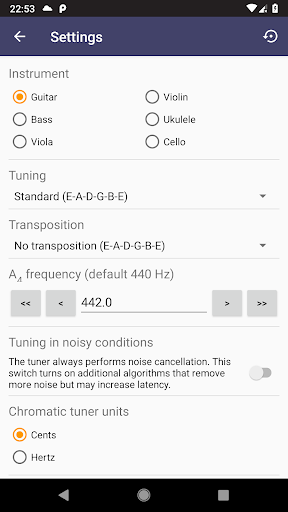
Additional notable features include advanced noise cancellation, support for alternate tunings, and multiple note-naming conventions (English, European, Solmization). Users can customize settings for different instruments, access a comprehensive help section, and utilize the integrated metronome for rhythm practice. These combined elements create a powerful, user-friendly tuning solution.
Highly accurate tuning
User-friendly interface
Advanced noise cancellation
Supports multiple instruments
Integrated metronome feature
Requires good microphone quality
May drain battery quickly
Interface can be complex for beginners
Limited offline functionality
Occasional lag in processing

Time Guru will strengthen your internal sense of musical time via random muting.
 4.30
4.30
Remove ads permanently from Music Visualizer
4.5
VB-AUDIO Software / VBAN-Receptor allows listening to any VBAN Streams
4.10
DJ Music Mixer - DJ Remix: remix songs, make beat music & record mix of DJ.
4.40
Enhance the sound quality of your devices, listen to what you want
4.50
Permanently backup Now Playing. Maps, filters & listening stats.
4.00
Play your hearts out on TouchTunes jukeboxes & connect with fellow music lovers.
4.80
Simple mp3 and mp4 player with advanced features.
3.40
Uninterrupted Tunes, Unmatched Vibes
3.90
24,000 free audio books and no ads!
4.90
Music, News & Sports Radio Tuner App. Tune in Live FM & AM Radio Stations.
4.80
Listen radio AM / FM Stations. Live AM / FM Radio App Station. Radio Com.
4.70
Guzheng Master supports many playing techniques as an acoustic Guzheng
4.50
Help you quickly get started with Shokz headphones
4.40
Bass Booster Pro takes auto-equalizing to the next level!
4.30
The alternative folder based music player.
4.20
A sleek, no-frills player designed for true music lovers.
4.20
The only true audiophile music player with Hi-Fi audio rendering and DSP engine
3.90
Sheet music reader, piano & music note player. Play music score & learn to read.
3.90


User Reveiws