

Now Playing History for Pixel is an innovative music tracking application designed specifically for Google Pixel users. This app automatically captures and saves every song detected by your phone's 'Now Playing' feature, creating a permanent and searchable archive of your life's soundtrack. With detailed album art and comprehensive metadata, it transforms the way you interact with your music history.
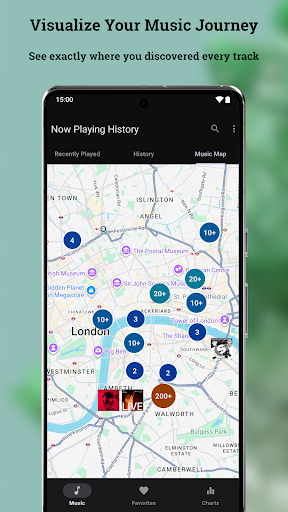
The app offers advanced features like Music Map, which allows you to see where you were when you heard specific songs, and Personal Charts that display your top artists and tracks. The built-in editor lets you correct any misidentified songs and choose from multiple album art options. Engineered for performance, the app ensures zero crashes, blazing-fast speed, minimal data usage, and less than 1% battery consumption.
This app is perfect for music enthusiasts who want to preserve their listening history and gain deeper insights into their music preferences. By using Now Playing History, you take full ownership of your music memories while enjoying a seamless and reliable experience.
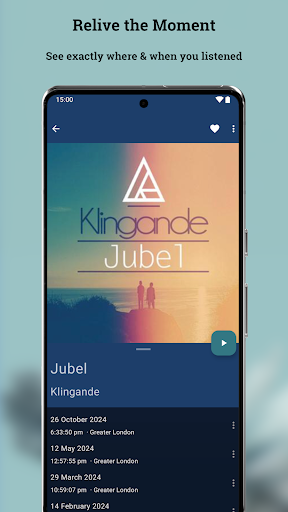
Now Playing History stands out with its robust set of features tailored for music lovers. One of its core functionalities is the automatic capture and storage of every song identified by the 'Now Playing' feature on Google Pixel devices. This creates a detailed and permanent archive that users can search and revisit anytime, ensuring no music memory fades away.
A unique aspect is the Music Map feature, allowing users to visualize where they were when certain songs played. This geo-tagging capability adds a new dimension to music discovery and nostalgia. Additionally, the Personal Charts feature provides in-depth analytics about your listening habits, showcasing top songs, artists, and genres. The metadata and album art editor empowers users to correct errors and customize their archives.
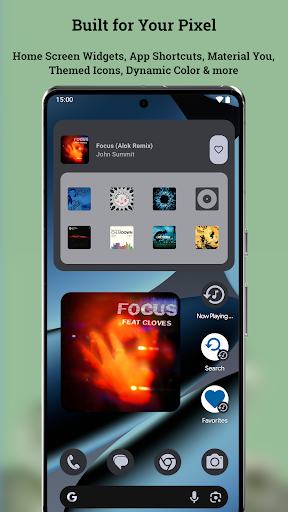
The app also emphasizes privacy and control. It operates without requiring user accounts or sharing data with external servers. All information is stored locally on the device, and users have full authority to manage their data. With optimized performance for Android 16 and Pixel devices, this app delivers a smooth, fast, and battery-efficient experience.
Automatic song logging
Detailed music analytics
Privacy-focused design
Robust backup options
Seamless Pixel integration
No pre-existing history import
Dependent on Google detection
Limited to Pixel devices
Optional location access
Third-party app status
DJ Music Mixer Pro is a real DJ controllers and DJ Music Studio to remix DJ.
 4.40
4.40
JBL PartyBox APP works with 110/310/710/120/320/520/Encore/Encore 2/Encore Ess 2
4.80
The only true audiophile music player with Hi-Fi audio rendering and DSP engine
3.90
The ultimate media player for Android devices
3.90
Next generation modular control surface
4.10
Music, News & Sports Radio Tuner App. Tune in Live FM & AM Radio Stations.
4.80
Manage your Sonos system directly from your home-screen!
4.40
Full featured mp3 and audio player with Chromecast and Android Auto support.
4.40
Make music and beats on the fly! Play tracks and mix sounds with Groovepad!
4.60
Voice recorder - Audio recorder. Best recorder for recording
4.90
Most Advanced AI Song Generator and Music Creator. Rap, Pop, Rock, Gospel & more
4.70
Pay Once, no monthly payment
4.60
Super Sound Editor, Song Maker & Mixer, Vocal Remover, Voice Recorder & Changer!
4.60
Recording studio w/ 10k beats, pro vocal FX and a network of 20M rappers & fans!
4.60
Offline Music Player&MP3 Player with themes, equalizer, lyrics, music play mode
4.60
Learn the notes on the guitar fretboard fast with this easy and fun app
4.60
Visualize the guitar fretboard, master scales & play through changes like a pro!
4.50
DJ Music Mixer - DJ Remix: remix songs, make beat music & record mix of DJ.
4.40
The Music Journey in Your Hands
4.30


User Reveiws