
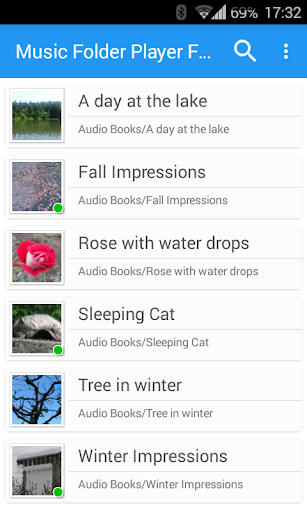
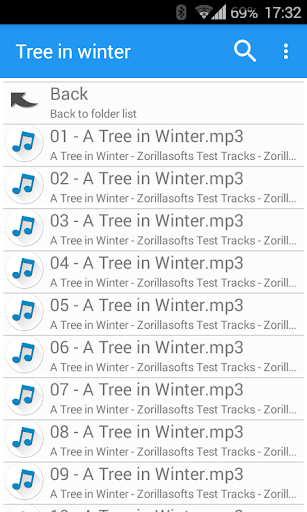
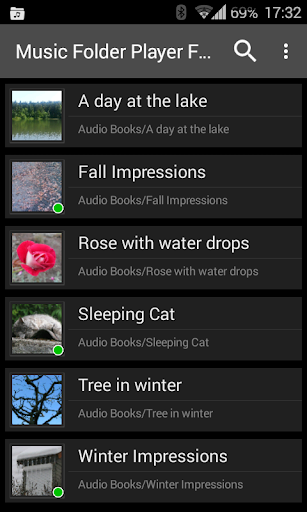
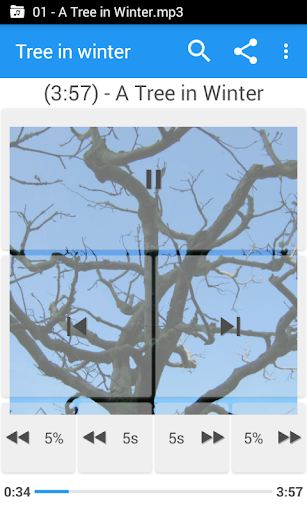

Music Folder Player Full is a versatile audio player designed for users who prefer organizing their music files in folders rather than traditional categories like artist or album. The app offers a unique folder-based playback experience, making it ideal for those with custom file organization systems.
Besides its core functionality, the app provides advanced features such as homescreen widgets, resume playback where you left off, and multiple display options for different collection sizes. With support for playlists, equalizer settings, and speed control with pitch correction, it caters to both casual listeners and audiophiles alike.
The application's value extends beyond basic playback. Users can enjoy specialized features like 432 Hz playback mode, virtual room effects, and pre-amplification for low-level recordings. Its intuitive interface and additional functionalities make it suitable for various scenarios, from daily commutes to professional audio management.
This audio player stands out with its comprehensive feature set tailored for diverse listening needs. The Material Design interface ensures a modern and user-friendly experience while offering three different homescreen widget options exclusively in the full version.
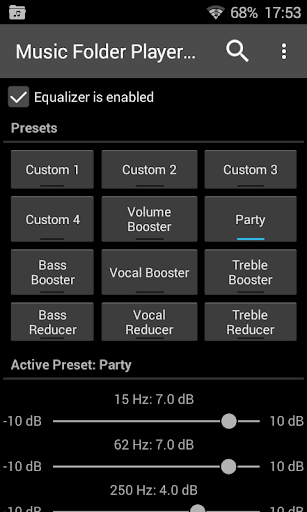
Advanced playback controls include four configurable seek buttons, perfect for navigating through podcasts or audiobooks. The equalizer comes with 4 customizable and 8 predefined settings, including Bass Booster and Vocal Booster. Users can also benefit from virtual room and reverb effects on Android 2.3 devices.
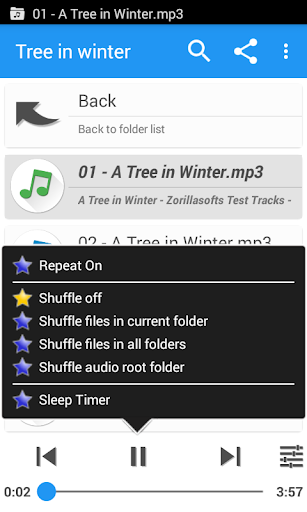
Additional notable features include speed control with pitch correction (Android 4.2+), pre-amplification for low-level audio, and a unique 432 Hz playback mode. The app supports Last.fm scrobbling, offers a sleep timer, and allows file management functions like delete and rename, providing an all-in-one solution for managing and enjoying your music library.
User-friendly folder organization
Advanced equalizer settings
Speed control with pitch correction
Unique 432 Hz playback mode
Comprehensive widget options
Lacks native cloud integration
Interface may feel complex to new users
Some features require newer Android versions
No built-in music streaming service
Occasional compatibility issues reported

Simply convert wav to mp3. Clear. Reliable. Safe.
 4.4
4.4
Your HD audio recorder on the go for music, meetings, ambience, animal sounds…
4.30
Walkout Song DJ is the most intuitive app to manage your sports music.
4.70
More downloads than any other metronome. Includes drum machine & tempo trainer.
4.80
Brian Eno and Peter Chilvers’ acclaimed music app Bloom, radically reinvented.
4.80
Ultimate Sonos Controller
4.70
Bass Booster Pro takes auto-equalizing to the next level!
4.30
Unleash your creativity! Turn simple prompts into full fledged songs.
4.70
Help you quickly get started with Shokz headphones
4.40
Offline Music Player&MP3 Player with themes, equalizer, lyrics, music play mode
4.60
Manage your Sonos system directly from your home-screen!
4.40
Full featured mp3 and audio player with Chromecast and Android Auto support.
4.40
Enjoy singing any song, no matter how high or low it is
4.30
Time Trainer: accurate metronome w tools to help you develop your internal time!
4.20
Network/Cloud Streaming, Visualization, Graphic Equalizer and Sound Effects.
4.20
Smart piano keyboard, Classical to Pop, Real-time multiplayer connection!
4.20
Turn your phone into a musical instrument from the future!
3.90
Control your MIDI USB or Bluetooth devices in app and avoid some trampling
3.30
MilkDrop for Android TV
3.00


User Reveiws