






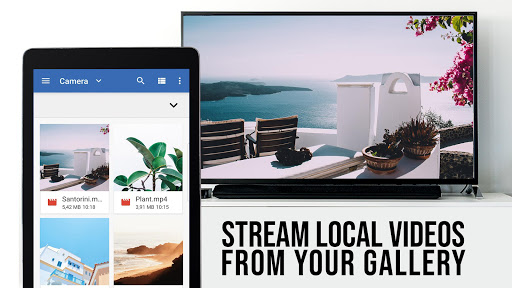



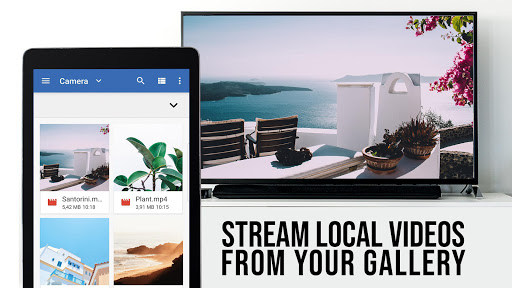

TV Cast Pro for VIDAA & VEWD is a premier entertainment application designed to enhance your smart TV experience. This app allows users to stream web videos, online movies, livestreams, and live TV shows directly on their Hisense VIDAA & VEWD Smart TVs without the need for an additional streaming box. Supporting formats like MP4, M3U8, IPTV, and HLS, it delivers content in Full HD and 4K quality. The PRO edition offers all premium features unlocked, catering to a wide range of TV brands including Toshiba, Philips, and more.
The app's functionality extends beyond simple video playback. Users can browse the web and cast any discovered video with a single tap, making it incredibly user-friendly. With support for major cable providers and an AI-powered chat offering 24/7 support, setting up and using the app is straightforward. It also includes advanced features such as an Ad-Blocker, bookmarks, desktop mode, and customizable homepage settings, ensuring a personalized and uninterrupted viewing experience.
TV Cast Pro transforms how you interact with online content on your TV. Whether you're looking to watch the latest web series or enjoy live sports, this app provides a seamless solution. Its compatibility with numerous TV models and its ability to deliver high-quality streams make it an essential tool for modern entertainment needs.
TV Cast Pro for VIDAA & VEWD boasts a comprehensive set of features that cater to diverse user requirements. One of its standout capabilities is the Playbar, which offers advanced video control options such as scrubbing, forward, rewind, play, pause, and stop while browsing. This feature enhances user interaction by providing precise control over video playback, thus improving the overall viewing experience.
In addition to the Playbar, the app includes an Ad-Blocker that eliminates ads and popups on most websites, ensuring an uninterrupted viewing session. This feature can be toggled on or off in the settings, giving users flexibility based on their preferences. The app also supports extensive bookmark management, allowing users to save and organize their favorite sites effortlessly. Furthermore, the Desktop Mode feature enables users to load desktop versions of websites, broadening the range of content that can be accessed and viewed on the big screen.
Customization is another key aspect of TV Cast Pro. Users can change the homepage to suit their personal preferences, creating a tailored starting point every time they open the app. These features collectively ensure that users have a versatile and personalized entertainment experience, making TV Cast Pro a valuable addition to any smart TV setup.
User-friendly interface
High-quality video streaming
Wide device compatibility
Advanced video controls
Effective ad-blocking
No DRM video support
Limited to VIDAA and VEWD systems
Additional receiver app needed
Premium version costly
Refunds only within 24 hours

Practice and master your ESP and intuition with five mode trainer.
 4.20
4.20
Triple A is a highly complex, kinetic, and interactive visualizer.
4.50
Direct access to the most complete Guitar Tab Archive in Spanish: LaCuerda.net
4.60
Stream Live TV, News & Documentaries. Watch Full Seasons with PBS Passport.
4.80
Series,Películas y Telenovelas
4.50
NFL, NBA, NHL, MLB, local sports coverage, shows, movies & news!
3.20
Premium version to enjoy your favorite anime
4.60
Companion app for Elden Ring to track quests, bosses, progress and more.
4.70
Your Avatar, Endless Fun
4.60
5 funny and lovely ponies waiting for you to style them!
4.80
Live TV, sports & holiday movies — stream on phone, tablet & TV
4.60
Everything FOX in one place. Watch FOX News, NFL, MLB, TV shows and more.
4.50
Browser for Chromecast to stream webvideos, online movies, IPTV & HD livestreams
4.40
Rain and lightning effects for your Philips Hue lights
4.30
Fire effects for your Philips Hue lights
4.20
Connect. Discover. Control.
3.60
Create your Songs. Cover Maker with any Voice, Song Generator
3.30
Explore the unknown!
3.00
The classic game of rock, paper, scissors
4.1


User Reveiws