
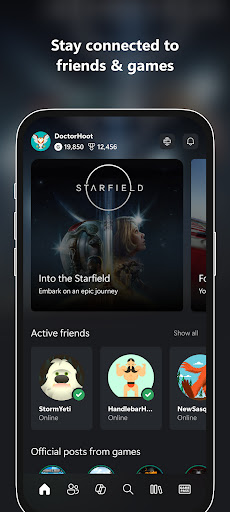
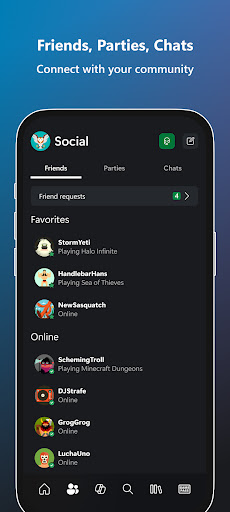

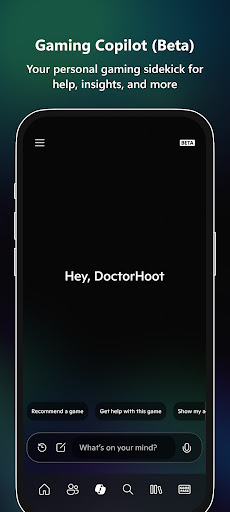
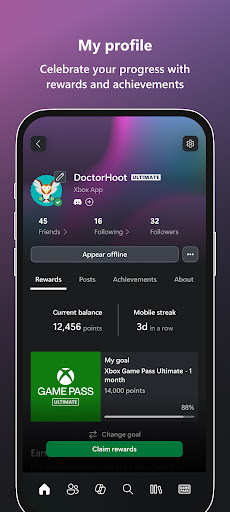
Xbox app is your ultimate entertainment companion, bringing the power of Xbox gaming to your mobile device. With seamless integration across platforms, it allows users to stay connected with friends through voice and text chat, regardless of whether they are on console or PC. The app provides real-time notifications for achievements, messages, and game invites, ensuring you never miss important updates.
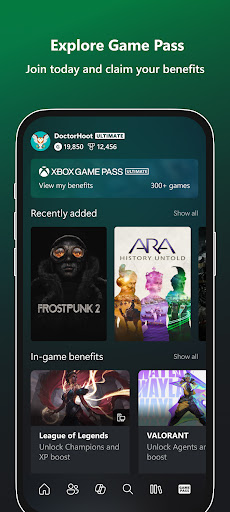
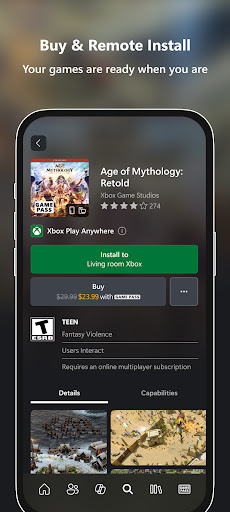
One of the standout features is the ability to purchase games and add-on content directly from the app, eliminating the need to switch devices. Users can also explore the Game Pass catalog, redeem exclusive Perks, and share their gaming highlights effortlessly to social networks. With Gaming Copilot (Beta), players receive personalized recommendations and in-game assistance, helping them overcome challenges and enhance their gameplay experience.
This app is perfect for gamers who want to stay engaged with their gaming community while on the go. Whether you're managing your game library, connecting with friends, or exploring new content, the Xbox app ensures you're always in the game, no matter where you are.
The Xbox app offers a comprehensive suite of features designed to enhance the gaming experience. One of its key strengths is the integrated voice and text chat functionality, which enables seamless communication with friends across different platforms. This ensures that users can maintain their social connections without being tied to a specific device.
Another notable feature is the ability to purchase games and add-on content directly within the app. This streamlined process saves time and enhances convenience, allowing users to expand their gaming library without interrupting their gameplay session. Additionally, the app provides access to the extensive Game Pass catalog, offering a wide selection of games to explore and enjoy.
The inclusion of Gaming Copilot (Beta) sets this app apart by providing personalized assistance and insights. This innovative feature helps players navigate challenges, improve their skills, and discover new content tailored to their preferences. With these robust features, the Xbox app delivers a versatile and engaging entertainment experience.
User-friendly interface
Seamless cross-platform integration
Extensive game library access
Real-time notifications
Personalized gaming assistance
Limited offline functionality
Occasional connectivity issues
Subscription required for full access
High data usage
Beta features may be unstable

Ultimate VR movie player for android mobile videos
 4.4
4.4
EVP Recorder / Voice Recorder for ghost hunting, to communicate with ghosts.
4.3
Fun brain twisting challenge with trending Whirlpool Filter.
4.70
Colorful flows will relax and calm you down, or get you trippy and creative!
4.90
Premium version to enjoy your favorite anime
4.60
Hand-drawn, cartoon OC creator - original character creator
4.70
With the Steam Mobile App, you can take Steam with you anywhere.
3.00
An app made just for kids
4.20
Scary prank camera & on face app: Shoot videos, selfies with spiders & scorpions
4.60
Fetch money rewards all just for playing games. Cash out for gift cards in app.
4.50
Create melty bead designs by numbers, photos or your imagination
4.40
Earn gift cards for playing games. Become a real game tester!
4.40
Practice and master your ESP and intuition with five mode trainer.
4.20
Start EVP/Spirit Box tonight: real EMF, offline, recording. One-time purchase.
4.10
Create your Songs. Cover Maker with any Voice, Song Generator
3.30
Explore the unknown!
3.00
Watch everything you want.
2.90
Christmas Globe: Transform your Wear OS device into a festive timekeeper!
4.1
Raise Christmas Magic with daily missions, magical scanners, and kindness.
4.2


User Reveiws