
Autumn Photo Frames for WearOS

4.5

Information

Category:

Lifestyle

Price:

$ 1.99

Rank:

30

Rating:

4.5

Overview

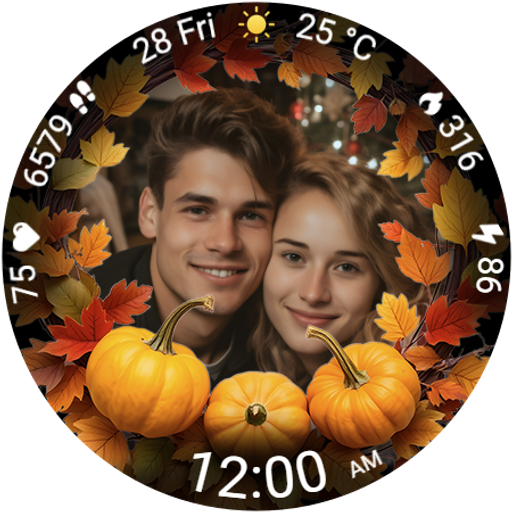
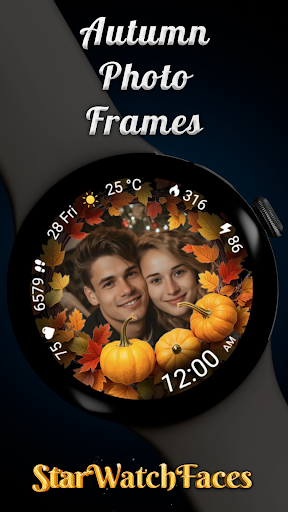
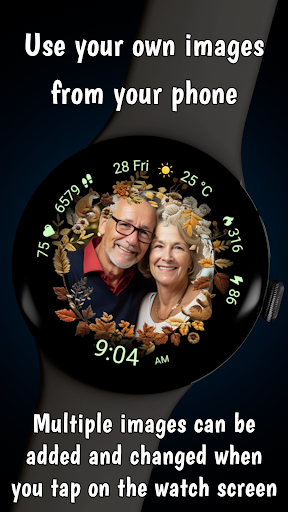
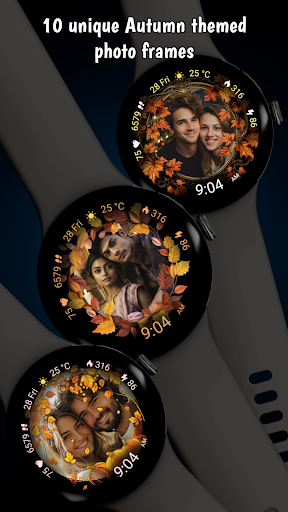
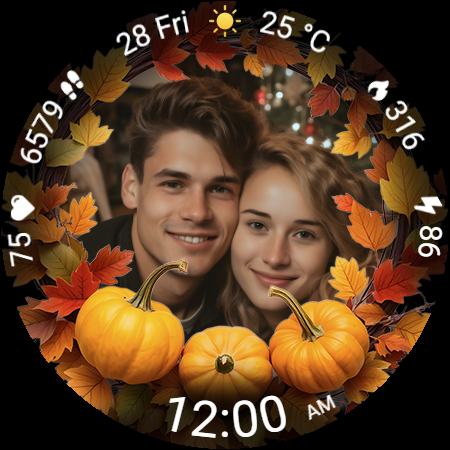
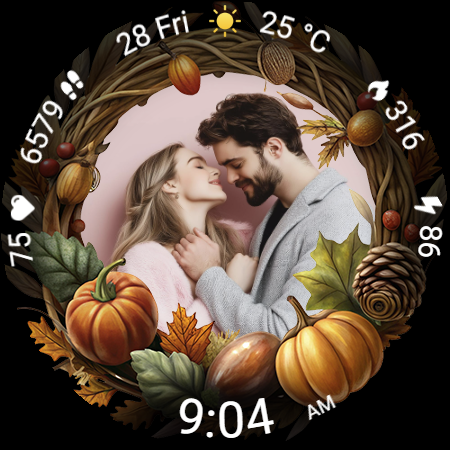
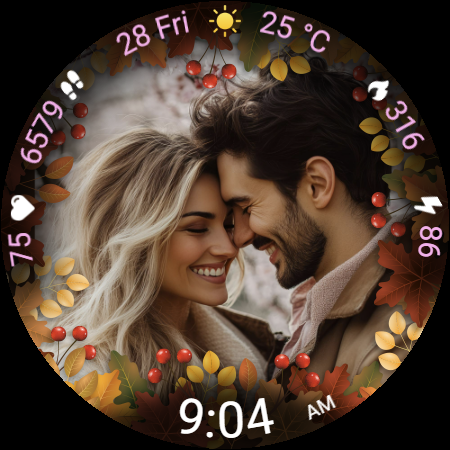
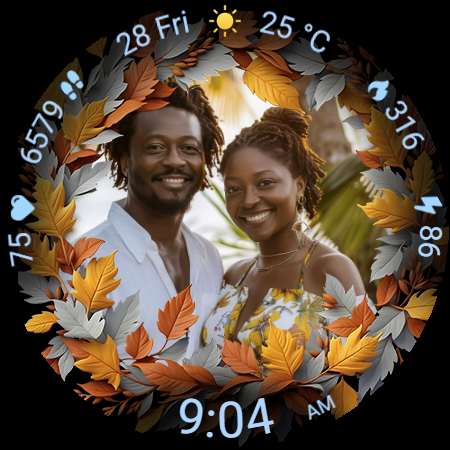
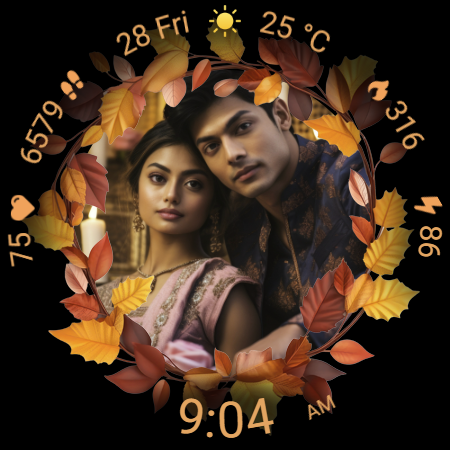
Autumn Photo Frames for WearOS is a lifestyle-enhancing watchface that combines seasonal aesthetics with personalization. This app allows users to display cherished memories on their smartwatches through beautifully designed autumn-themed photo frames. With 10 unique frames and the ability to customize photos directly from your phone, it creates an emotional connection while offering practical functionality.

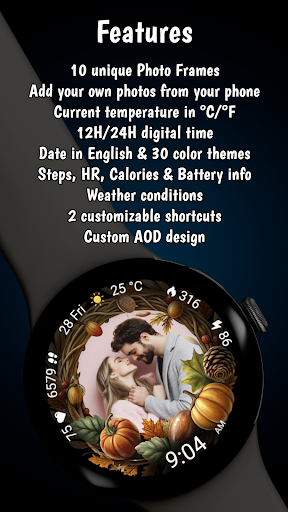
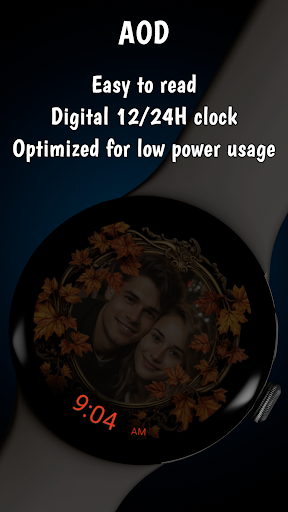
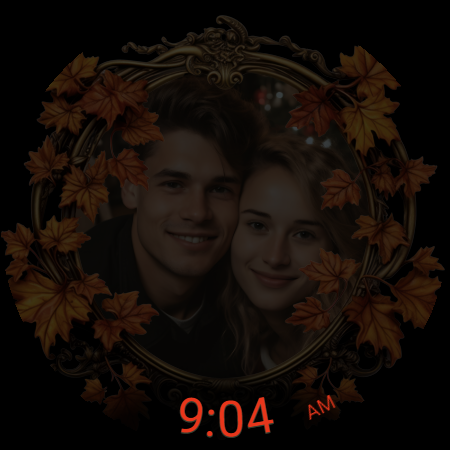
The watchface also features essential metrics like heart rate, step counter, calories burned, and weather information. Compatible with Wear OS 6 or newer, it supports both 12h/24h digital clock formats, date display, battery status, and Always-On Display (AOD) optimization. These elements ensure users enjoy both style and utility on their wrists.

Whether you're celebrating family moments or showcasing artistic photos, Autumn Photo Frames transforms your smartwatch into a personal gallery. Its rich customization options, including 30 color themes and two customizable shortcuts, make it ideal for users seeking both sentimental value and premium smartwatch performance.

Features

Autumn Photo Frames stands out with its robust feature set tailored for personal expression and practical use. The core functionality lets users insert custom photos into elegantly designed autumn-themed frames, creating a unique blend of seasonal beauty and personal significance. With support for multiple photos and easy management via companion apps like Wearable or Pixel Watch, customization has never been easier.

Beyond photo integration, the app offers comprehensive smartwatch features. Users can access real-time health metrics such as heart rate, step count, and calories burned. Weather updates with temperature in °C/°F and accurate condition icons provide daily convenience. The inclusion of 30 color themes ensures seamless coordination with individual styles, while the Always-On Display (AOD) balances visibility with battery efficiency.

Additional highlights include two customizable shortcuts for instant app access and low-battery optimization to maintain performance throughout the day. Whether you're tracking fitness goals or simply enjoying the aesthetic appeal, these features collectively deliver a personalized yet highly functional wearable experience.

Lifestyle category coverage

Lifestyle category coverage refers to the extent and diversity of content that an application provides in relation to various aspects of daily life including health fitness beauty travel food and personal interests The Autumn Photo Frames watchface for Wear OS exemplifies comprehensive lifestyle category coverage by integrating multiple facets of personalization and utility into a single cohesive experience This watchface not only embraces the aesthetic appeal of autumn with its themed photo frames but also incorporates essential smartwatch functionalities such as heart rate monitoring step counting calorie tracking and weather updates By doing so it caters to users who seek both emotional connection through personalized imagery and practical assistance in managing their day to day activities The inclusion of 10 unique autumn themed frames alongside 30 color themes ensures that users can tailor their watchface to reflect their personal style or mood Furthermore the ability to display photos of loved ones pets or memorable moments adds sentimental value transforming the smartwatch into more than just a timekeeping device It becomes a wearable gallery that moves with the user enhancing their lifestyle by keeping what matters most at the forefront Additionally features like digital clock formats date display battery status and customizable shortcuts contribute to a holistic lifestyle management tool on the wrist This thoughtful combination of aesthetics personal significance and functional utility demonstrates how the Autumn Photo Frames watchface achieves extensive lifestyle category coverage providing users with a versatile platform that adapts to various aspects of their lives from sentimental keepsakes to health metrics and environmental awareness

Content authenticity & expert credibility

Content authenticity and expert credibility are crucial factors in establishing trust and reliability in any application When it comes to the Autumn Photo Frames watchface for Wear OS these elements are evident in several ways First the promotional materials clearly state that all images used in screenshots are AI generated ensuring transparency about the visual representation of the product This honesty builds initial trust with potential users Second the watchface itself allows users to upload their own authentic images creating a personal connection and guaranteeing that the content displayed is genuine and meaningful to the individual Moreover the technical specifications and feature descriptions provided appear accurate and well defined suggesting a level of expertise behind the development process Features such as heart rate monitoring step counting calorie tracking and weather information rely on precise data collection and interpretation which implies collaboration with knowledgeable professionals in relevant fields like health technology and meteorology Additionally the availability of customer support through email for BOGO promotions indicates a commitment to user satisfaction and further reinforces the perception of credibility Lastly the integration of advanced customization options including color themes photo frames and complications showcases a deep understanding of user preferences and smartwatch capabilities This sophisticated approach to design and functionality suggests that the creators possess substantial experience and expertise in developing applications for wearable technology thereby enhancing the overall perception of content authenticity and expert credibility

Props

Customizable photo frames

Real-time health metrics

30 color themes

Always-On Display

Weather updates

Cons

Limited to Wear OS

Requires companion app

Premium cost

Complex setup

Battery intensive

Features and Functions

What is this app and what can I use it for?

A customizable Wear OS watchface featuring autumn-themed photo frames and essential metrics.

How do I download and install this app on my device?

Search 'Autumn Photo Frames' on Play Store, tap Install, and follow prompts.

How do I get started after opening the app for the first time?

Use the companion app to set photos and customize watchface settings.

What are the main features and capabilities of this app?

Custom photo frames, health metrics, weather info, and color themes.

How can I customize my experience and adjust preferences?

Adjust preferences via the companion app or watch settings menu.

How do I save or bookmark my favorite content for later access?

Save favorites by adding photos to frames through the companion app.

How can I share content with friends or on social media?

Share screenshots via social media or messaging apps directly from your phone.

How do I access detailed information and explore more content?

Tap watch screen or use companion app to explore detailed content options.

What permissions does this app need and how do I manage them?

App needs storage and photo permissions; manage in device settings.

How do I check for updates and keep the app running smoothly?

Check Play Store for updates and enable auto-updates in device settings.
Show more

User Reveiws

{{ comment.reviewer_name }}
{{ comment.review_date_formatted}}
{{ comment.review_content }}
{{ tab.name }}
{{ comment.reviewer_name }}
{{ comment.review_date_formatted}}
{{ comment.review_content }}
No reviews with this rating