
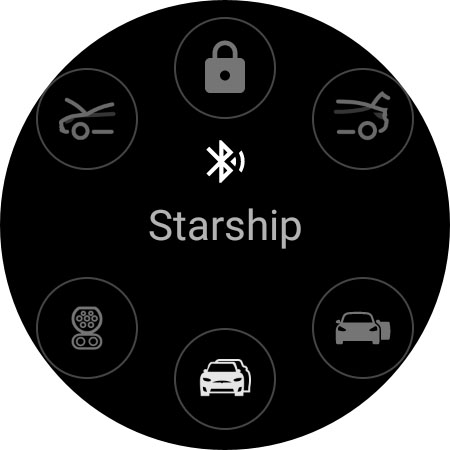


Watt Key is a cutting-edge Wear OS application that transforms your smartwatch into a key fob for Tesla vehicles. Designed specifically for Tesla models with Bluetooth key functionality, including Model 3, Model Y, and the refreshed Model S/X, this app offers seamless interaction with your vehicle.
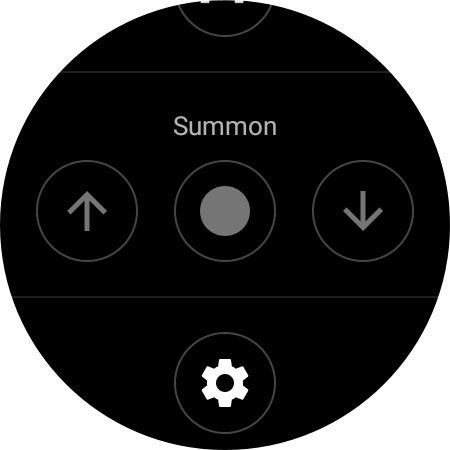
The application enables automatic locking and unlocking as you approach or move away from your Tesla. It also allows users to unlatch doors, open the frunk and trunk, and manage the charge port directly from their Wear OS device. With quick-access tiles and support for summon features, Watt Key provides an immediate and reliable connection to your Tesla without requiring an internet connection.
Best suited for Samsung Galaxy Watch 4, Google Pixel Watch, and other Wear OS devices running version 2 or higher, Watt Key ensures secure authentication through encrypted keys stored directly on your watch. This makes it an essential tool for Tesla owners seeking enhanced convenience and security in their daily driving experience.
Watt Key stands out with its comprehensive feature set tailored specifically for Tesla owners. The app's core functionality revolves around its ability to connect directly to Tesla vehicles via Bluetooth, enabling instant command execution without noticeable delay.
Key features include automatic lock/unlock functionality based on proximity, individual door control for all vehicle doors, and specialized commands for managing the frunk, trunk, and charge port. The inclusion of quick-access tiles provides intuitive control, while the optional summon feature (available through settings) adds advanced maneuvering capabilities for vehicles equipped with Enhanced Autopilot or Full Self-Driving packages.
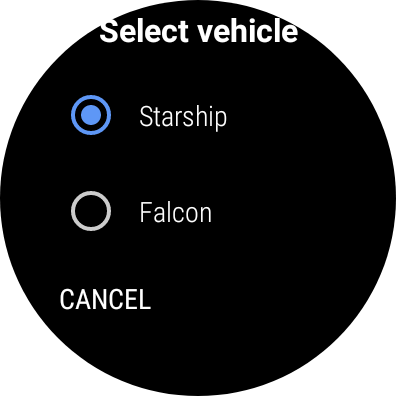
What sets Watt Key apart is its commitment to security and privacy. The app generates unique cryptographic keys for each vehicle, stored encrypted on the user's watch. These keys can be managed both through the app's settings and Tesla's native interface, ensuring complete control over vehicle access permissions at all times.
Instant Bluetooth connection
Comprehensive vehicle control
Enhanced security features
Seamless Wear OS integration
Multi-language support
Limited device compatibility
Tesla-specific functionality
Requires Wear OS 2+
No iOS support
Bluetooth dependency

Stay connected with your loved ones & vehicles | Share live GPS location updates
 4.60
4.60
Play fun games, complete quick surveys, and earn money. It's fun and easy!
4.40
Zodiac & Horoscope Launcher: Daily Sign Predictions & Astrology
4.40
Colorful selection floral watch face with gyro for Wear OS
4.60
Celebrate the holidays with Advent Calendar: daily surprises and festive fun!
4.2
Futuristic watchface inspired by Back to the Future: sleek, retro, timeless
4.1
Going above and beyond known spirit communication
3.60
Share opinions, get paid cash
4.30
Control your Tapo smart devices from anywhere.
4.60
My Diary - Daily Journal with lock: Diary journal app and secret diary with lock
4.80
Kasa Smart is your portal to your TP-LINK Smart Home.
4.70
Smart & Healthy Living
4.60
Redecor your home with Home AI interior design, room planner and home designer.
4.50
This is a simple and highly functional alarm clock "Smart Alarm" paid version.
4.20
Unique informative Dial with Live Moon Phase at a glance!
3.60
BILT interactive 3D instructions help you get the job done right
3.50
View over 160,000 line dance stepsheets from the CopperKnob website.
3.30
A uniquely designed isometric digital watch face made for Wear OS
4.2
Wear your favorite memories, loved ones, pets or travel photos on your watch
4.5


User Reveiws