bimmer-tool

4.00

Information

Category:

Auto & Vehicles

Price:

$ 19.99

Rank:

10

Rating:

4.00

Overview

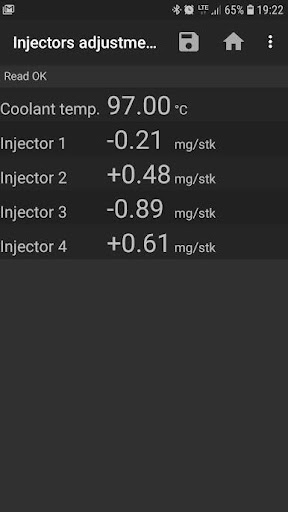
bimmer-tool is a comprehensive diagnostic application specifically designed for BMW vehicles. The app allows users to read and clear fault codes, request DPF regeneration, and access real-time engine data. It supports a wide range of functionalities including monitoring exhaust fumes pressure, reading injector adjustments, and logging data to CSV files for further analysis.

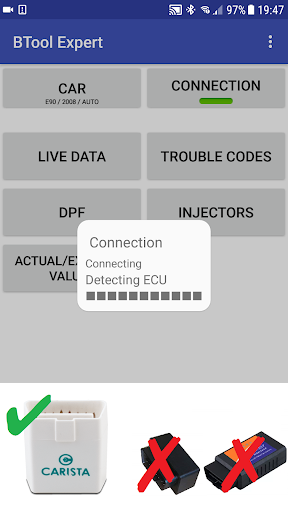
The application is compatible with various OBD adapters, although its functionality may be limited for cars manufactured before 2008. For optimal performance, a reliable OBD adapter such as K+DCan USB cable or ENET adapter is recommended. bimmer-tool provides an invaluable toolset for BMW owners and mechanics seeking advanced vehicle diagnostics and maintenance capabilities.

Features

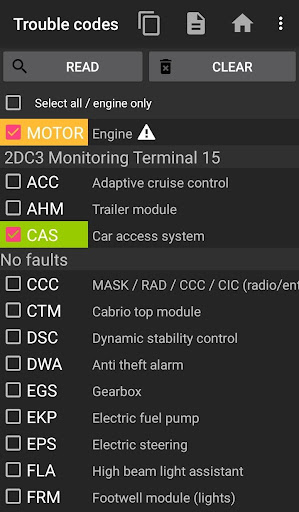
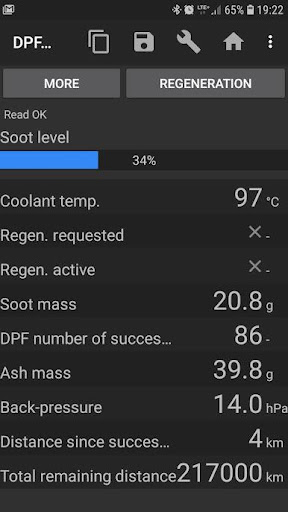
bimmer-tool offers an extensive set of features tailored for BMW car diagnostics. One of the standout capabilities is the ability to read and clear fault codes, which empowers users to identify and resolve issues without visiting a service center. Additionally, the app facilitates DPF regeneration requests and allows resetting DPF adaptation values after filter replacement, ensuring optimal vehicle performance.

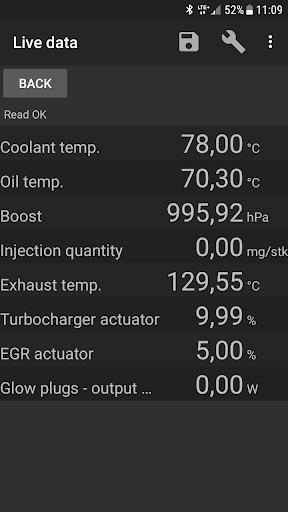
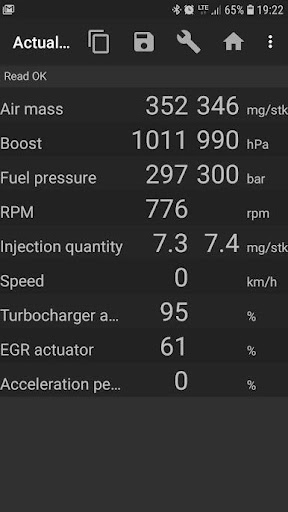
Another significant feature is the live data monitoring that lets users view real-time parameters like air mass, intake manifold pressure, and fuel pressure. This function is crucial for both troubleshooting and performance tuning. Furthermore, the app supports logging these parameters into CSV files, enabling detailed analysis on a computer. With support for multiple connection types including USB, Bluetooth, and WiFi, bimmer-tool ensures flexibility and convenience in various diagnostic scenarios.

Detailed vehicle information

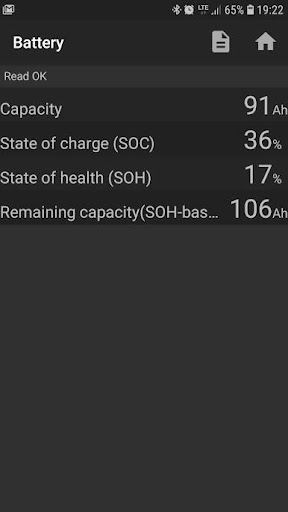
Access to detailed vehicle information is crucial for effective car maintenance and diagnostics allowing users to understand the exact condition and performance metrics of their vehicles The bimmer-tool application excels in this area by providing BMW owners with comprehensive data about their cars This includes the ability to read engine live data such as exhaust fumes pressure injectors adjustments and actual versus expected values for air mass intake manifold pressure and fuel pressure These readings give users a clear picture of their engine's health and performance Additionally the app supports logging data to CSV files enabling further analysis which is particularly useful for those who want to track changes over time or share the data with mechanics The application also allows users to register battery replacements without altering battery properties and reset oil brakes service and change intervals For older models specifically those below 2008 the app requires a K+DCan cable connection to access the engine ECU ensuring that even owners of these models can benefit from the detailed insights provided by the app With support for various OBD adapters including K+D-Can USB ENET adapters and select Bluetooth and WiFi options bimmer-tool ensures compatibility across a wide range of BMW vehicles By offering such detailed vehicle information bimmer-tool empowers users to make informed decisions regarding maintenance and repairs ultimately extending the lifespan and enhancing the performance of their vehicles

Price transparency

Price transparency in automotive applications refers to the clear presentation of costs associated with vehicle maintenance and diagnostic services bimmer-tool addresses this aspect by offering a free version called bimmer-tool lite which allows users to test the app's compatibility with their BMW and OBD adapter before committing to any purchases This approach provides potential users with the opportunity to evaluate the app's functionality and determine its value for their specific needs without any financial risk Furthermore the full version of bimmer-tool offers extensive features at a reasonable cost considering the advanced capabilities it provides such as reading and clearing fault codes requesting DPF regeneration and resetting various service indicators Users can clearly see what they are paying for through the detailed descriptions available on the Google Play Store page which outlines all functionalities supported by the app Additionally the recommended OBD adapters come with direct purchase links and price information enabling users to make cost-effective choices when selecting accessories necessary for using the app While the app itself does not display prices within its interface the transparency in feature listing and compatibility testing ensures that users fully understand the value proposition before downloading or purchasing thereby promoting trust and satisfaction with their investment in bimmer-tool

Props

User-friendly interface

Comprehensive diagnostic tools

Real-time data monitoring

Wide adapter compatibility

CSV data logging

Cons

Limited pre-2008 support

Requires specific adapters

Occasional connectivity issues

No automatic updates

Complex setup process

Features and Functions

What is this app and what can I use it for?

A diagnostic tool for BMW cars, used for reading fault codes and monitoring vehicle data

How do I download and install this app on my device?

Search 'bimmer-tool' on Google Play Store and install it on your Android device

How do I get started after opening the app for the first time?

Connect your OBD adapter, turn ignition on, pair the device, and select your car model in the app

What are the main features and capabilities of this app?

Read/clear fault codes, request DPF regeneration, monitor live data, log data to CSV

How can I customize my experience and adjust preferences?

Adjust settings through the app's configuration menu to customize your diagnostic experience

How do I save or bookmark my favorite content for later access?

Log necessary data to CSV files directly from the app for future reference

How can I share content with friends or on social media?

Share diagnostic reports via email or other apps from the CSV files created

How do I access detailed information and explore more content?

Access detailed information through live data monitoring and saved CSV logs

What permissions does this app need and how do I manage them?

Storage, Bluetooth, and location permissions needed for full functionality

How do I check for updates and keep the app running smoothly?

Check Google Play Store for updates and regularly restart the app for smooth performance
Show more

User Reveiws

{{ comment.reviewer_name }}
{{ comment.review_date_formatted}}
{{ comment.review_content }}
{{ tab.name }}
{{ comment.reviewer_name }}
{{ comment.review_date_formatted}}
{{ comment.review_content }}
No reviews with this rating