Body Measurement Tracker

4.50

Information

Category:

Health & Fitness

Price:

$ 2.49

Rank:

N/A

Rating:

4.50

Overview

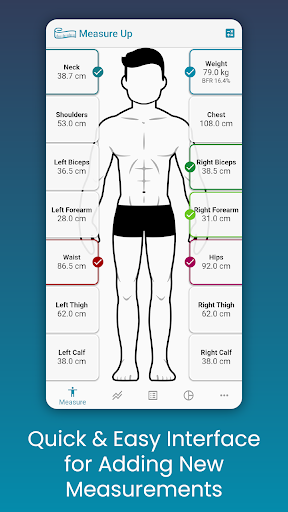
Body Measurement Tracker is a streamlined health and fitness application designed to help users monitor their weight loss or muscle gain journey with ease. The app offers a simple interface for recording daily body measurements, ensuring that users can efficiently track their progress without the hassle of manual note-taking or complex spreadsheets.

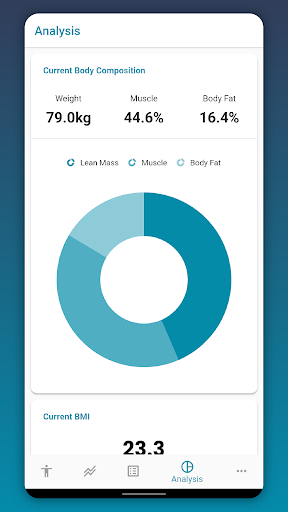
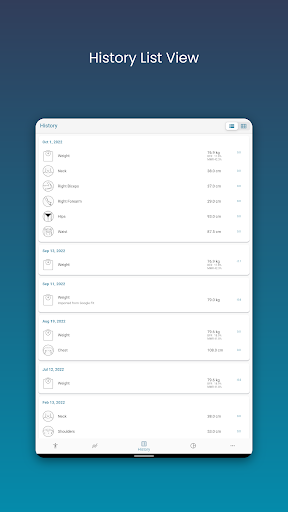
With its unique features, Body Measurement Tracker stands out by providing visual aids such as charts, tables, and lists to interpret data clearly. Users can integrate their stats with Google Fit, making it an essential tool for those who wish to maintain a comprehensive overview of their health metrics in one accessible location.

Features

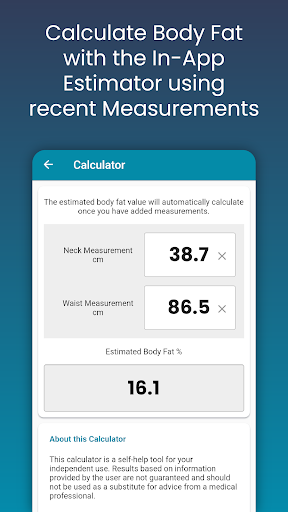
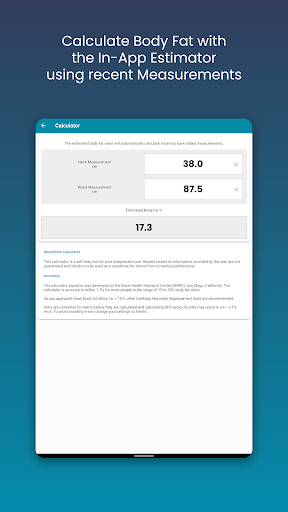
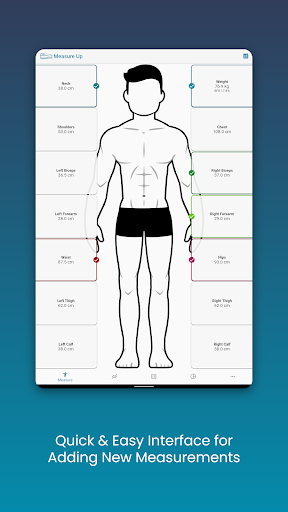
The Body Measurement Tracker boasts an array of features aimed at simplifying the tracking process. Its easy measurement input allows users to swiftly enter data, add historical entries, and even estimate body fat using an in-app calculator.

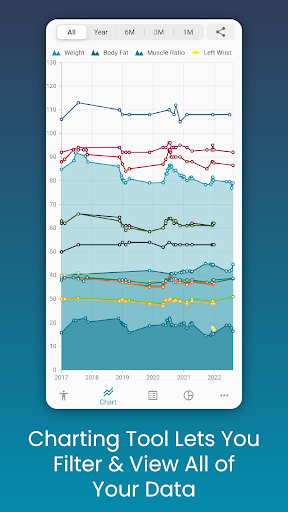
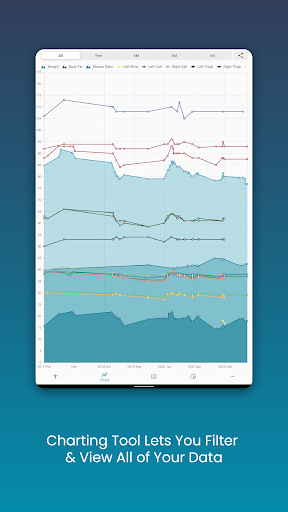
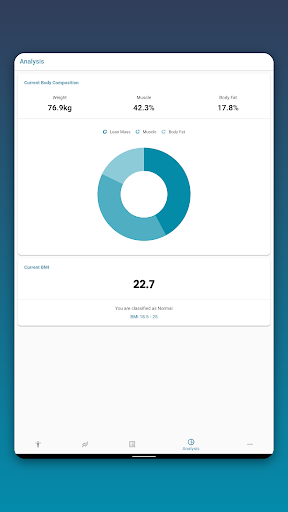
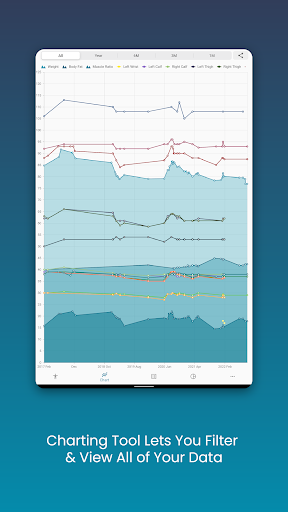
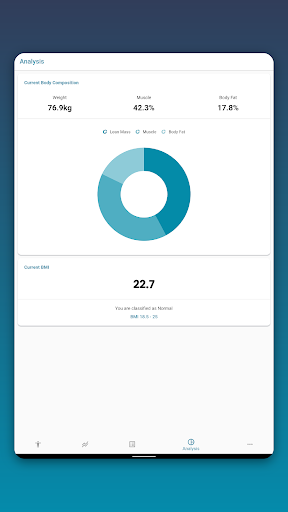
Users can analyze their progress through intuitive chart analysis, which includes toggling different metrics on and off, stacking lean mass and body fat for clear goal visualization, and exporting charts as PNG files for sharing. Additionally, customizable options enable personalization of measurement types and color schemes, while data backup ensures information security.

Personalized planning

In the realm of health and fitness applications like Body Measurement Tracker personalized planning plays a pivotal role in ensuring users achieve their wellness goals effectively. Personalized planning refers to the app's ability to tailor fitness strategies according to individual user data which includes body measurements weight loss or muscle gain targets and other personal health indicators. This feature is crucial as it transforms generic advice into actionable insights specific to each user's unique journey. Body Measurement Tracker excels in this area by offering an intuitive interface that allows for swift recording of various body metrics. The app goes beyond mere data collection by integrating past measurement history and enabling users to adjust dates for entries thus creating a comprehensive timeline of their fitness journey. Additionally its body fat calculator provides instant estimations empowering users with immediate feedback on their progress. By leveraging such detailed personal data the application generates customized plans that evolve with the user's ongoing input. This dynamic approach ensures that whether the goal is weight loss muscle gain or maintenance users receive timely relevant suggestions that align with their current status and objectives. The true value of personalized planning in Body Measurement Tracker lies in its capacity to demystify complex health data into clear understandable guidance. Users benefit from visual tools such as charts and tables that present their information in an accessible manner facilitating better understanding of their progress. Moreover integration capabilities with platforms like Google Fit extend the personalization aspect by syncing with broader health ecosystems thereby enriching the data pool from which personalized insights are drawn. Ultimately this level of customization not only enhances user engagement but also significantly increases the likelihood of achieving desired health outcomes through targeted actionable recommendations.

Progress visualization

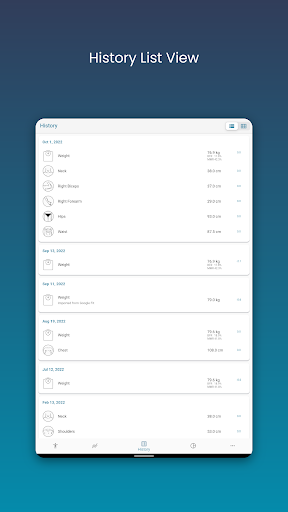
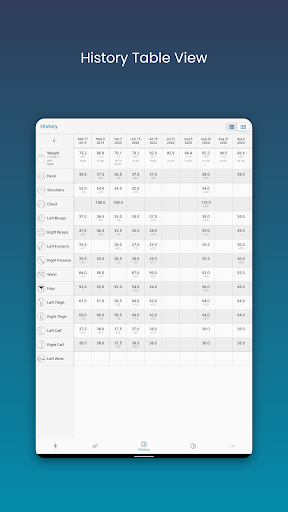
Progress visualization stands as a cornerstone feature within health and fitness applications particularly in solutions like Body Measurement Tracker where monitoring advancement towards personal goals is essential. This functionality involves presenting user data through graphical representations that make it easier to comprehend trends patterns and achievements over time. The importance of progress visualization cannot be overstated as it transforms raw numbers into meaningful stories about one's fitness journey. Body Measurement Tracker addresses this need by providing diverse visualization options including charts tables and lists each designed to cater to different preferences for data interpretation. The appu2019s chart analysis feature exemplifies this by allowing users to view all their measurements in one consolidated space. With capabilities to toggle different metrics on and off from the legend toolbar individuals can focus on specific aspects of their progress such as lean mass body fat or muscle gains. This selective viewing facilitates a clearer understanding of how various elements contribute to overall fitness goals. Furthermore the option to stack these metrics offers a holistic view of physical transformation over time reinforcing motivation through visible results. Beyond static displays Body Measurement Tracker enhances progress visualization with export functionalities enabling users to save their charts as PNG images and share them via popular platforms. This sharing capability not only promotes accountability but also celebrates milestones with peers or coaches who can provide additional support and feedback. The table and list views complement these features by offering alternative ways to explore historical data ensuring that users can access their information in the format they find most useful. Customization further enriches progress visualization allowing users to modify colors and add custom measurements which makes tracking more engaging and personally relevant. Overall Body Measurement Tracker leverages robust progress visualization tools to empower users with insights that are both informative and inspiring driving continued commitment to their health objectives.

Props

User-friendly interface

Comprehensive chart analysis

Customizable measurement options

Google Fit integration

Data backup functionality

Cons

Limited to Android platform

No automatic sync with all devices

Premium features may require subscription

Occasional bugs reported

Learning curve for advanced features

Features and Functions

What is this app and what can I use it for?

A tool to track weight loss or muscle gain easily.

How do I download and install this app on my device?

Visit Google Play Store, search for the app, and install it on your device.

How do I get started after opening the app for the first time?

Open the app, set up your profile, and start entering measurements.

What are the main features and capabilities of this app?

Easy input, chart analysis, history tracking, and customization.

How can I customize my experience and adjust preferences?

Adjust measurement types and colors within settings.

How do I save or bookmark my favorite content for later access?

Save data locally or back up to cloud storage.

How can I share content with friends or on social media?

Export charts and share via social media or messaging apps.

How do I access detailed information and explore more content?

Use detailed charts and toggle metrics for deeper insights.

What permissions does this app need and how do I manage them?

Needs basic device permissions; manage in settings.

How do I check for updates and keep the app running smoothly?

Check Google Play for updates and ensure auto-update is enabled.
Show more

User Reveiws

{{ comment.reviewer_name }}
{{ comment.review_date_formatted}}
{{ comment.review_content }}
{{ tab.name }}
{{ comment.reviewer_name }}
{{ comment.review_date_formatted}}
{{ comment.review_content }}
No reviews with this rating