


Fig

4.50

Information

Category:

Health & Fitness

Price:

Free

Rank:

41

Rating:

4.50

Overview

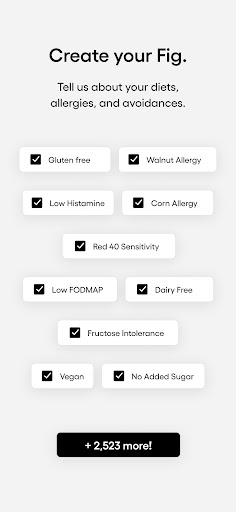
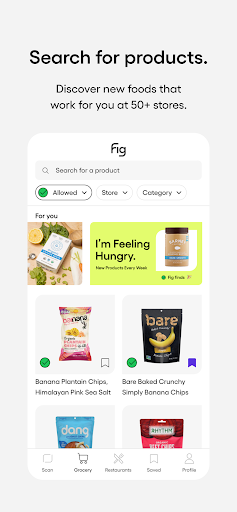
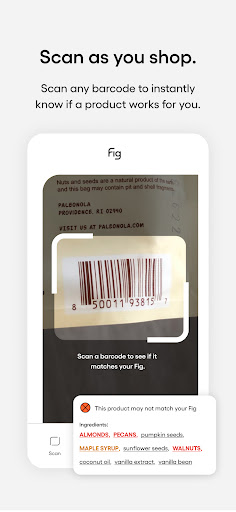
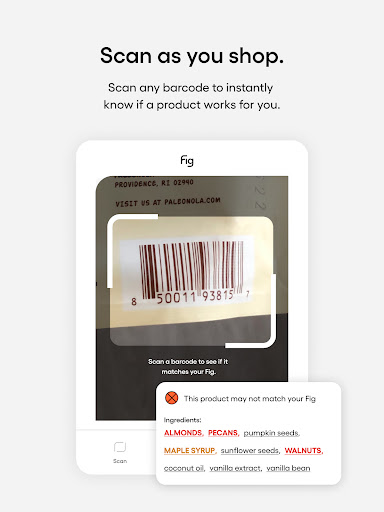
Fig is a revolutionary health and fitness application designed to assist users with dietary restrictions and allergies in finding suitable food options. This app supports over 2800 dietary preferences including Gluten-Free Vegan Low Histamine and more. With Fig users can confidently navigate grocery stores and restaurants knowing they are choosing foods that align with their specific dietary needs. The app's powerful barcode scanner checks product compatibility in under a second while expert dietitian ratings provide deeper insights into ingredients. Available on mobile platforms Fig eliminates the need for tedious label reading and empowers users to reclaim their love for food while hitting nutrition goals.

Features

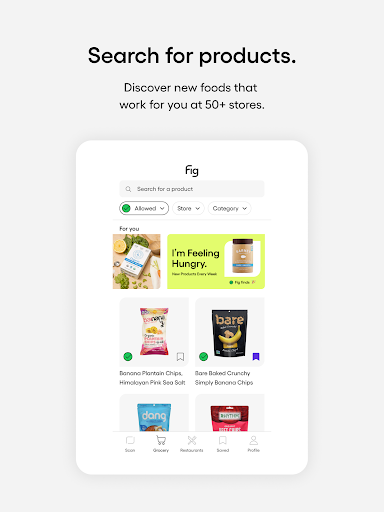
Fig stands out as an exceptional dietary management tool offering numerous valuable features. Here are five key highlights 1. Universal Dietary Support - Fig accommodates every possible dietary restriction from common allergies to specialized diets like Low FODMAP or Alpha-Gal ensuring no user is left behind. 2. Advanced Barcode Scanner - Users can quickly scan product barcodes to instantly determine if the item fits their dietary requirements saving time during shopping. 3. Expert-Backed Ingredient Analysis - With insights from 11+ professional dietitians Fig provides reliable information about complex ingredients helping users make informed choices. 4. Multiple Profile Management - Create individual profiles for family members or friends managing various dietary needs all within one convenient app. 5. Comprehensive Food Database - Access an extensive list of approved foods across 100+ grocery stores and restaurants making it easier than ever to plan meals and shop efficiently.

Personalized planning

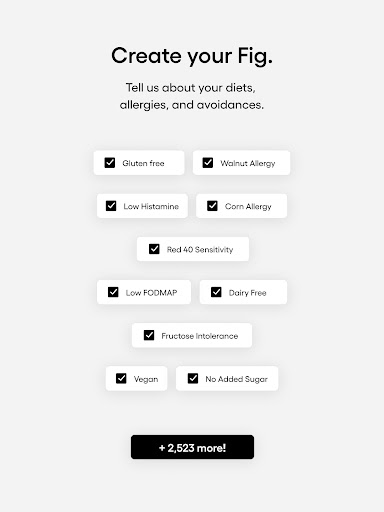
Personalized planning in the context of dietary management refers to the ability of an application to tailor its services and recommendations according to the unique dietary needs and restrictions of each user. This feature is crucial as it ensures that individuals with specific health conditions, allergies, or lifestyle choices are provided with accurate and safe food options. Fig achieves personalized planning by allowing users to input their specific dietary requirements, which can range from common restrictions like gluten-free or vegan diets to more complex conditions such as Low FODMAP or Alpha-Gal. The app then uses this information to filter food products and restaurant menus, ensuring compatibility with the user's profile. By doing so, Fig empowers users to make informed decisions about their food choices without the fear of adverse reactions. The value of personalized planning in an app like Fig is immense. Users no longer have to spend time deciphering food labels or researching ingredients; instead, they can rely on Fig's expertly curated database to guide them towards suitable options. This not only saves time but also enhances safety for individuals who need to adhere strictly to their dietary limitations. Moreover, personalized planning aids users in reaching their nutritional goals by consistently providing them with viable food alternatives that align with their health objectives.

Progress visualization

Progress visualization involves the representation of a user's journey or achievements within an application in a graphical or easily understandable format. In the realm of health and fitness apps like Fig, this feature plays a pivotal role in keeping users motivated and engaged with their dietary management. Progress visualization allows users to see how far they've come in terms of adhering to their dietary plans, trying new foods, or avoiding allergens. Fig implements progress visualization through various means such as tracking the number of successful scans, maintaining a history of discovered safe foods, and highlighting milestones achieved in managing one's diet effectively. These visual cues serve as positive reinforcement for users who can clearly see the benefits of using the app over time. The advantages of progress visualization extend beyond mere motivation. It provides users with tangible evidence of improvement in their dietary habits and overall health outcomes. For instance, someone following a Low Histamine diet might notice a correlation between using Fig regularly and experiencing fewer symptoms related to histamine intolerance. Such insights encourage continued use of the app while fostering a sense of accomplishment. Additionally, progress visualization helps identify patterns or areas needing attention, enabling users to refine their approach to dietary management continually. Overall, this feature significantly enhances user engagement and satisfaction by making personal growth visible and rewarding.

Features and Functions

What is this app and what can I use it for?

Fig is a dietary management app that helps users with allergies and specific diets find suitable food options.

How do I download and install this app on my device?

Download Fig from the App Store or Google Play Store then follow standard installation procedures for your device.

How do I get started after opening the app for the first time?

Upon first opening create a personalized profile selecting your dietary restrictions and preferences to customize the app experience.

What are the main features and capabilities of this app?

Key features include a barcode scanner expert dietitian insights multiple profiles and a comprehensive food database.

How can I customize my experience and adjust preferences?

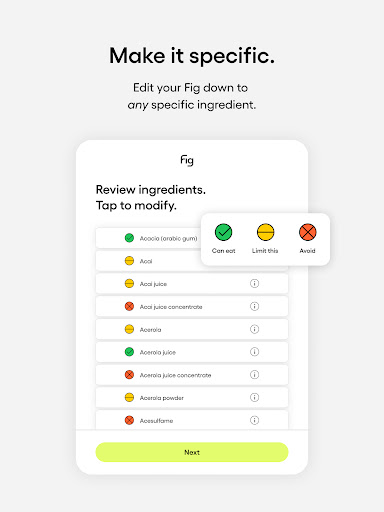
Customize Fig by setting up individual profiles adjusting dietary preferences and creating personalized shopping lists.

How do I save or bookmark my favorite content for later access?

Save favorite foods by creating shopping lists or marking approved items for quick reference during future shopping trips.

How can I share content with friends or on social media?

Share suitable food options or restaurant finds with friends via social media or direct messaging through your phone's sharing capabilities.

How do I access detailed information and explore more content?

Access detailed ingredient information and explore new food options using the app's comprehensive database and filtering tools.

What permissions does this app need and how do I manage them?

Fig requires camera access for barcode scanning and storage permissions for saving data manage these in your device settings.

How do I check for updates and keep the app running smoothly?

Check for updates through the app store and maintain smooth operation by regularly clearing cache and updating the app.
Show more

User Reveiws

{{ comment.reviewer_name }}
{{ comment.review_date_formatted}}
{{ comment.review_content }}
{{ tab.name }}
{{ comment.reviewer_name }}
{{ comment.review_date_formatted}}
{{ comment.review_content }}
No reviews with this rating