Blood Pressure Tracker

4.50

Information

Category:

Health & Fitness

Price:

Free

Rank:

1

Rating:

4.50

Overview

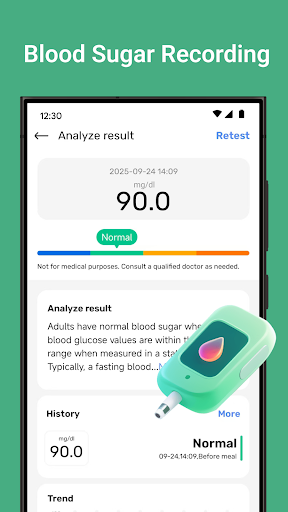
Blood Pressure Tracker is a comprehensive health companion app designed to help users monitor and manage their heart rate, blood pressure, and blood sugar levels. The app provides smart trend analysis through visual charts, allowing users to easily understand their health patterns over time.

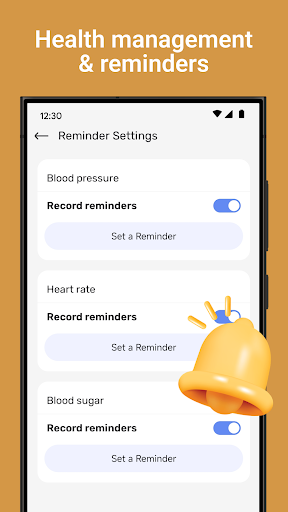
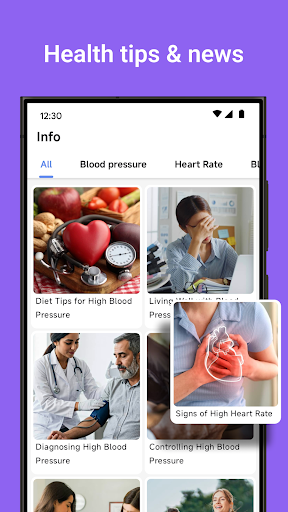
In addition to vital sign tracking, the app offers wellness reminders for hydration, exercise, and rest, along with weight management tools and nutrition tips. It also includes mindfulness features such as guided meditation and breathing exercises to help reduce stress. With personalized recommendations and daily health insights, Blood Pressure Tracker aims to be an essential tool for those looking to maintain a healthier lifestyle.

Features

Blood Pressure Tracker stands out with its all-in-one approach to health monitoring. Users can log their heart rate, blood pressure, and blood sugar readings effortlessly, receiving precise records of daily fluctuations. The app's smart trend analysis presents data in easy-to-understand visual charts, making it simple to spot trends in your health metrics.

The app goes beyond basic tracking by offering features like wellness reminders, weight management support, and nutrition advice tailored to individual needs. Additionally, users can engage in mindfulness activities with guided meditations and breathing exercises. Personalized recommendations based on user input ensure that each person receives relevant tips for improving their overall well-being.

Personalized planning

Personalized planning in health and fitness applications refers to the app's ability to create tailored health management plans based on individual user data and goals This feature is crucial as it allows users to address their unique health needs effectively Blood Pressure Tracker achieves personalized planning through several key mechanisms First it enables users to log various health metrics such as heart rate blood pressure and blood sugar levels over time By consistently tracking these parameters the app can identify patterns and trends specific to each user Furthermore the application provides smart trend analysis presenting data through visual charts that offer instant clarity on health patterns These insights allow users to understand how different factors like diet exercise and stress influence their health metrics The app also offers personalized recommendations based on the logged data For instance if a user consistently notices high blood pressure readings after certain meals the app might suggest dietary adjustments Additionally Blood Pressure Tracker includes wellness reminders for activities like drinking water exercising and taking rest These reminders are customized based on user habits and health data ensuring timely interventions Users benefit significantly from this personalized approach Firstly they receive actionable insights that are specifically relevant to their health conditions This targeted information helps them make informed decisions about lifestyle changes Secondly the tailored recommendations increase the likelihood of adherence to health plans as they are realistic and aligned with personal routines Lastly by receiving customized advice users can better manage chronic conditions or prevent potential health issues Overall personalized planning in Blood Pressure Tracker empowers users to take control of their health through data driven and individualized strategies making health management more effective and engaging

Progress visualization

Progress visualization in health and fitness apps involves presenting user data in graphical formats that are easy to interpret This feature plays a vital role in helping users understand their health journey by transforming raw data into meaningful insights In Blood Pressure Tracker progress visualization is implemented through multiple sophisticated features One of the primary ways the app achieves this is via smart trend analysis Users can view visual charts that display their logged health metrics such as heart rate blood pressure and blood sugar levels over time These charts highlight fluctuations and long term trends enabling users to grasp complex data at a glance For example a user might notice a correlation between increased physical activity and improved blood pressure readings The app also employs color coding and intuitive design elements to enhance data readability Important health milestones or thresholds are marked clearly allowing users to quickly identify significant changes or potential concerns Moreover Blood Pressure Tracker provides detailed reports that summarize overall progress These reports not only show historical data but also compare current metrics against past records offering a comprehensive view of health improvements Additionally the app includes features like weight management tracking where users can visualize changes in their body weight alongside other health metrics This holistic approach to data presentation helps users understand the interconnectedness of various health factors The benefits of progress visualization are substantial for users Firstly it enhances motivation by providing clear evidence of improvement When users see positive trends in their health metrics they are more likely to stay committed to their health plans Secondly visual representations make it easier to communicate health status with healthcare professionals Users can share these visual reports during medical consultations facilitating more informed discussions about treatment plans Lastly progress visualization promotes better health literacy by educating users about how different lifestyle factors impact their well being Overall Blood Pressure Tracker's robust progress visualization capabilities transform raw health data into actionable insights empowering users to make smarter health choices and achieve better outcomes

Props

User-friendly interface

Comprehensive health tracking

Personalized recommendations

Smart trend analysis

Mindfulness exercises

Cons

No direct measurement

Limited medical use

Requires manual entry

Premium features may cost extra

Dependent on user consistency

Features and Functions

What is this app and what can I use it for?

A health app for tracking heart rate, blood pressure, and offering wellness tips.

How do I download and install this app on my device?

Visit Google Play Store, search 'Blood Pressure Tracker', tap Install.

How do I get started after opening the app for the first time?

Open the app, follow setup prompts, start entering health data.

What are the main features and capabilities of this app?

Tracks heart rate, blood pressure, offers trend analysis, wellness tips.

How can I customize my experience and adjust preferences?

Adjust notification settings, set preferences in-app for customization.

How do I save or bookmark my favorite content for later access?

Save favorite content by marking entries or setting reminders.

How can I share content with friends or on social media?

Share progress via social media or email directly from the app.

How do I access detailed information and explore more content?

Access detailed info through visual charts and trend reports.

What permissions does this app need and how do I manage them?

App needs health data access; manage permissions in settings.

How do I check for updates and keep the app running smoothly?

Check Google Play Store regularly for updates and enable auto-update.
Show more

User Reveiws

{{ comment.reviewer_name }}
{{ comment.review_date_formatted}}
{{ comment.review_content }}
{{ tab.name }}
{{ comment.reviewer_name }}
{{ comment.review_date_formatted}}
{{ comment.review_content }}
No reviews with this rating