Seconds Pro

4.20

Information

Category:

Health & Fitness

Price:

$ 6.99

Rank:

14

Rating:

4.20

Overview

Seconds Pro Interval Timer stands as the most advanced interval training timer available for mobile devices, designed to cater to fitness enthusiasts who demand precision and flexibility in their workout routines. With over 2 million downloads and more than 7000 5-star reviews, it outshines other interval timers in terms of quality, features, and ease of use.

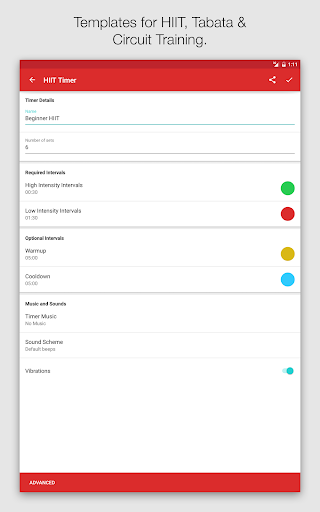
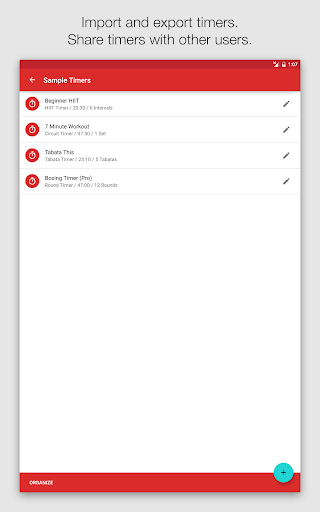
The app offers a large, clear timer display with color coding, templates for popular training methods like HIIT, Tabata, and Circuit Training, custom timer creation, text-to-speech functionality, soothing alerts, music integration, and the ability to share or import timers. It runs seamlessly in the background, ensuring uninterrupted timing during workouts.

Whether you are a professional trainer or someone who enjoys home workouts, Seconds Pro provides an invaluable tool that enhances your exercise regimen by offering unmatched customization and convenience.

Features

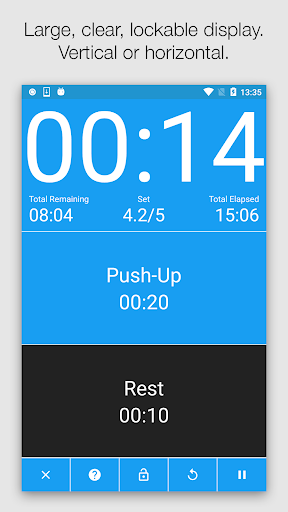
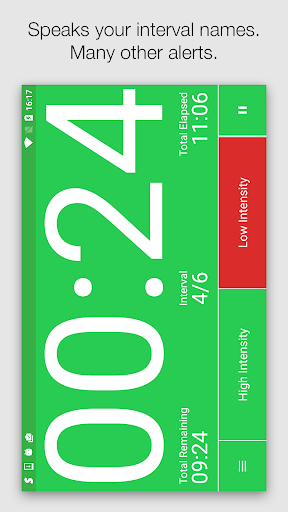
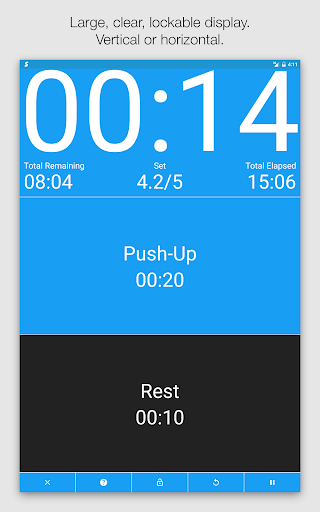
Seconds Pro boasts a comprehensive set of features tailored to enhance interval training experiences. The app's large clear timer display is complemented by color coding, making it easy to read from a distance and understand the current and upcoming intervals without needing to focus on the screen.

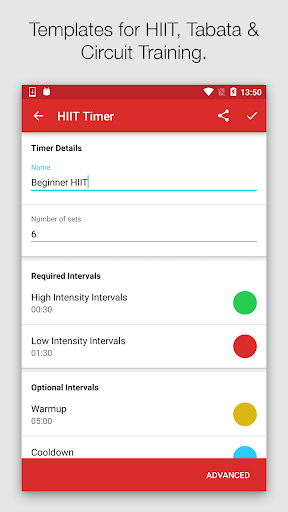
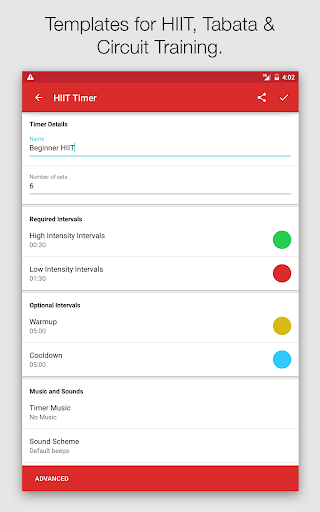
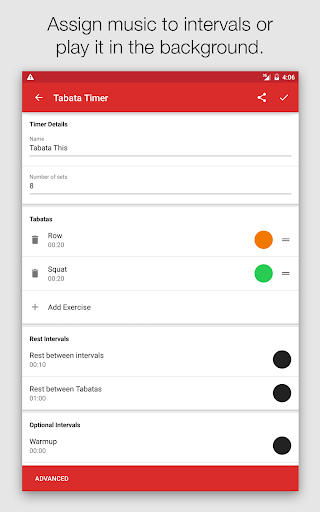
Templates for High-Intensity Interval Training (HIIT), Tabata, and Circuit Training simplify the process of setting up timers for various workouts. For users seeking advanced options, Seconds allows the creation of completely custom timers, one interval at a time, or combining multiple timers into compound sequences.

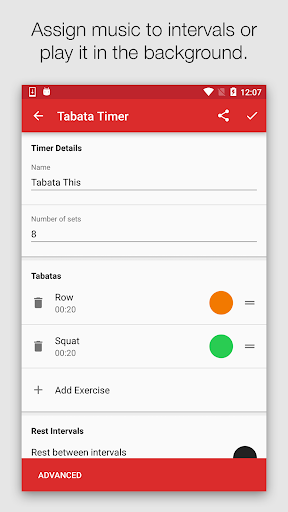
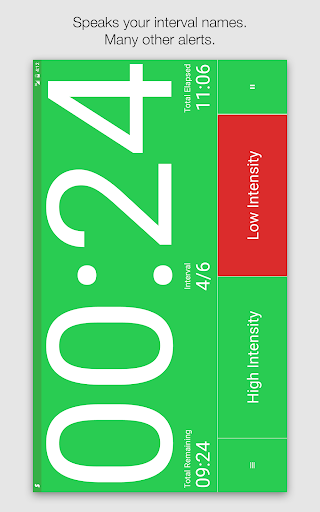
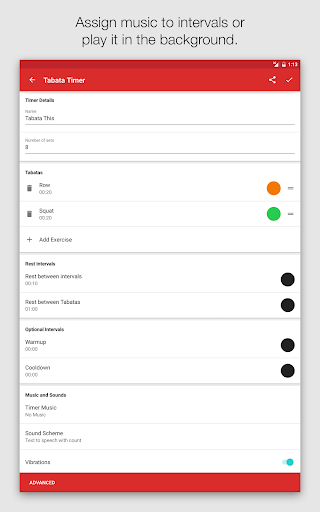
Innovative functionalities such as text-to-speech announcements and customizable alerts ranging from simple beeps to MMA air horns ensure users stay informed about their workout progress. Music integration enables matching the intensity of the playlist to the workout phase, while the ability to share timers with friends via email or through the companion website adds a social dimension to personal fitness routines.

Personalized planning

Personalized planning in fitness applications refers to the ability to create tailored workout schedules and interval training plans that match an individual's specific fitness goals and capabilities. This feature is crucial as it allows users to optimize their exercise routines for better results while minimizing the risk of injury by adapting to their personal needs and progress. Seconds Pro Interval Timer excels in personalized planning by offering a wide array of customizable templates for various training methods such as HIIT, Tabata, and Circuit Training. Users can easily modify these templates or create entirely new custom timers from scratch to suit any workout structure they desire. The app supports intricate customization options where each interval can be fine-tuned with specific durations, names, and even spoken alerts using text-to-speech functionality. This level of detail ensures that every aspect of a workout is meticulously planned and communicated. Additionally, the capability to coordinate music with intervals adds another layer of personalization, allowing users to match their playlist's intensity with their workout phases. By providing such comprehensive tools for personalized planning, Seconds Pro empowers users to design highly effective and engaging workouts that evolve with their fitness journey, ensuring sustained motivation and continuous improvement.

Progress visualization

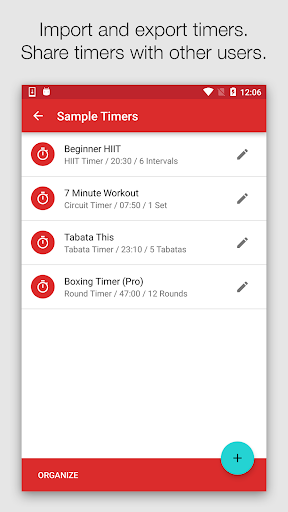
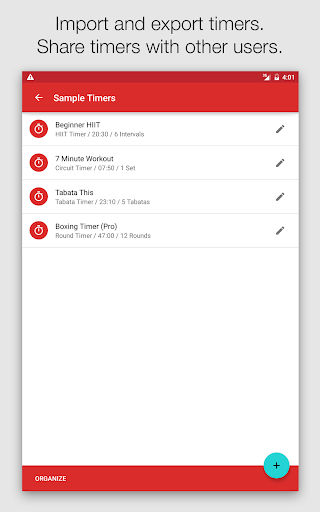
Progress visualization in fitness apps involves presenting users' workout data and achievements in a clear and engaging manner, typically through charts, graphs, or milestone markers. This feature is essential as it provides tangible evidence of improvement over time, which can significantly boost motivation and adherence to fitness routines. Seconds Pro Interval Timer offers robust progress visualization by prominently displaying workout metrics on its large, easy-to-read timer screen. The app uses color coding for different intervals, making it simple for users to quickly identify and understand their current phase in the workout at a glance. Beyond visual cues during workouts, Seconds Pro enables users to track their overall progress through saved timers and sessions, effectively creating a historical record of their fitness journey. The ability to share custom-created timers with others via email or through the companion website adds a social dimension to progress tracking, allowing users to compare and collaborate on workout plans. Furthermore, the app's capacity to import and export timers facilitates long-term progress analysis, as users can revisit past workouts and assess how their interval structures have evolved. These visualization and tracking features not only enhance user engagement but also provide valuable insights into workout patterns and improvements, helping users make informed decisions about their fitness strategies and celebrate milestones along their journey.

Props

User-friendly interface

Customizable timers

Text-to-speech alerts

Music synchronization

Shareable timers

Cons

Premium version costly

Complex for beginners

Limited free features

No offline support

Occasional bugs

Features and Functions

What is this app and what can I use it for?

Seconds Pro is an advanced interval timer for fitness workouts.

How do I download and install this app on my device?

Download Seconds Pro from Google Play Store on your Android device.

How do I get started after opening the app for the first time?

Follow on-screen instructions to set up your first workout timer.

What are the main features and capabilities of this app?

Main features include custom timers, text-to-speech, and music integration.

How can I customize my experience and adjust preferences?

Adjust preferences in settings to customize your experience.

How do I save or bookmark my favorite content for later access?

Save favorite timers locally or share them via email.

How can I share content with friends or on social media?

Share content directly through the app's sharing feature.

How do I access detailed information and explore more content?

Access detailed info by exploring the appu2019s repository and settings.

What permissions does this app need and how do I manage them?

App needs permissions for audio and notifications; manage in settings.

How do I check for updates and keep the app running smoothly?

Check updates in the Play Store to keep the app running smoothly.
Show more

User Reveiws

{{ comment.reviewer_name }}
{{ comment.review_date_formatted}}
{{ comment.review_content }}
{{ tab.name }}
{{ comment.reviewer_name }}
{{ comment.review_date_formatted}}
{{ comment.review_content }}
No reviews with this rating