brightwheel: Childcare App

4.70

Information

Category:

Education

Price:

Free

Rank:

38

Rating:

4.70

Overview

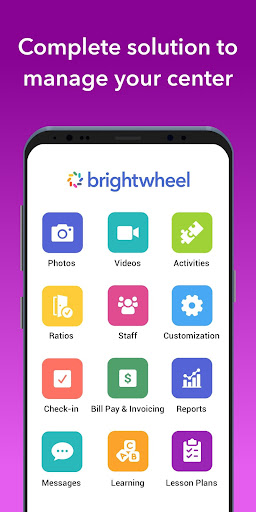
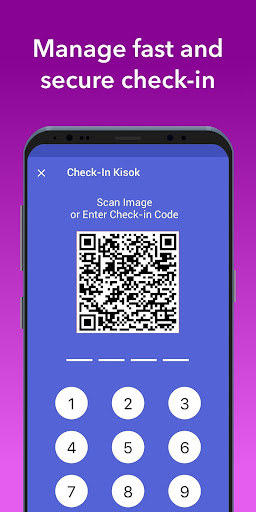
Brightwheel is a comprehensive childcare management software designed to streamline operations for early education providers. This all-in-one platform combines essential functions such as billing, attendance tracking, family communication, lesson planning, and reporting, enabling educators to focus more on children and less on administrative tasks.

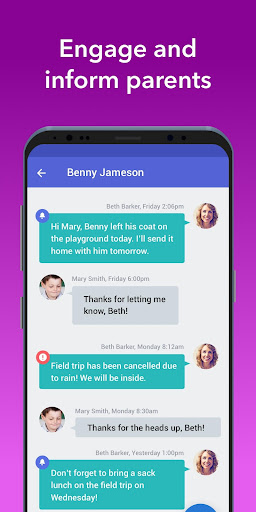
The app's intuitive design ensures quick setup and ease of use for both staff and families. With features like automated billing, real-time family communication, photo and video sharing, and detailed reporting, brightwheel enhances operational efficiency while strengthening family connections. Backed by a dedicated support team and robust security measures, the platform ensures reliable performance and data protection.

Features

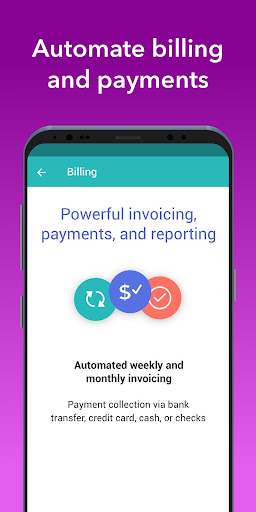
Brightwheel stands out with its extensive feature set tailored for early education providers. The platform offers advanced billing and finance management, allowing customizable reports and automated payments. Its user-friendly interface facilitates seamless communication through real-time messaging, newsletters, and alerts.

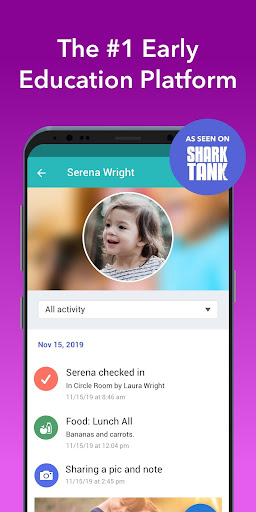
Unique to brightwheel is its comprehensive daily reporting system that logs activities such as naps, meals, and bathroom visits, providing families with personalized updates. The app also supports educational growth through digital lesson plans and assessment tools aligned with state standards. With real-time syncing across devices and 99% uptime reliability, brightwheel ensures educators have constant access to critical information.

Content accuracy & authority

In the realm of early education and childcare management software like Brightwheel it is imperative to ensure content accuracy and authority as these elements form the backbone of trust and reliability for educators and families alike Content accuracy refers to the precision and correctness of the information provided within the platform while authority pertains to the credibility and expert validation of this content Brightwheel achieves content accuracy through meticulous data handling and real time syncing which ensures that all information from attendance records to billing details is up to date and reliable Furthermore the platform incorporates pre loaded state standards and a DRDP Desired Results Developmental Profile tool which are recognized authoritative frameworks in early childhood education These tools enable educators to make informed observations about children s progress and achievements ensuring that the assessments align with established educational benchmarks The authority of Brightwheel s content is further reinforced by its robust security measures such as two factor authentication and compliance with the highest data protection standards This not only safeguards sensitive information but also assures users that the data they interact with is authentic and has not been tampered with Additionally Brightwheel s dedicated support team provides 24 7 access to resources such as tutorials webinars and a community forum where educators can seek guidance and share best practices This ecosystem of support fosters a culture of continuous learning and improvement thereby enhancing the overall authority of the content available on the platform For educators and families the benefits of content accuracy and authority are manifold Accurate and authoritative content enables educators to deliver high quality education and care as they can rely on the integrity of the information they use for lesson planning assessment and reporting Families on the other hand gain peace of mind knowing that the updates they receive regarding their child s activities and development are trustworthy and based on credible educational standards In summary Brightwheel s commitment to content accuracy and authority ensures that its platform remains a trusted and indispensable tool for early education providers and families fostering an environment where children can thrive

Personalized learning paths

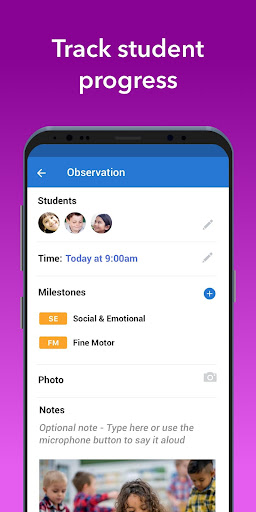
Personalized learning paths represent a transformative approach to education allowing for tailored educational experiences that cater to the unique needs interests and abilities of each learner In the context of Brightwheel a childcare management software designed for early education providers personalized learning paths are integral to enhancing program quality and supporting individualized child development The creation of personalized learning paths within Brightwheel begins with comprehensive assessment tools that allow educators to document and analyze each child s progress achievements and activities These assessments are aligned with established educational standards ensuring that the learning paths are not only customized but also grounded in recognized developmental frameworks Educators can utilize Brightwheel s lesson planning features to design and share tailored curricula that adapt to the evolving needs of each child The platform s flexibility enables teachers to incorporate digital lessons alongside hands on learning materials providing a balanced and engaging educational experience Moreover Brightwheel facilitates seamless communication between educators and families allowing for collaborative input in shaping a child s learning journey Through real time messaging photo and video sharing and daily reports families remain informed and involved in their child s educational progress This partnership ensures that learning paths are continuously refined based on both professional insights and parental feedback The advantages of personalized learning paths are significant for both children and educators Children benefit from an education that respects their individuality fostering engagement motivation and a love for learning By addressing specific learning styles and paces personalized paths help bridge gaps in understanding and promote holistic development For educators the ability to customize learning experiences enhances their effectiveness and job satisfaction as they witness tangible improvements in their students outcomes Furthermore personalized learning paths contribute to more accurate reporting and compliance with licensing requirements as detailed records of each child s educational journey are maintained within the platform In conclusion Brightwheel s emphasis on personalized learning paths empowers early education providers to deliver exceptional care and education that adapts to the dynamic needs of young learners ultimately preparing them for future academic success

Props

Comprehensive feature set

User-friendly interface

Reliable performance

Robust security measures

Dedicated support team

Cons

Occasional syncing delays

Limited free plan features

Advanced tools require premium

Initial setup can be complex

Some features need improvement

Features and Functions

What is this app and what can I use it for?

A childcare management app combining billing, communication, and reporting tools

How do I download and install this app on my device?

Visit Google Play Store, search 'brightwheel', and tap install to download the app

How do I get started after opening the app for the first time?

Create an account, set up your profile, and explore the intuitive dashboard and features

What are the main features and capabilities of this app?

Billing, attendance, communication, lesson planning, and reporting in one platform

How can I customize my experience and adjust preferences?

Adjust notification settings, customize reports, and personalize communication preferences

How do I save or bookmark my favorite content for later access?

Use the bookmark feature to save important messages, reports, or lesson plans

How can I share content with friends or on social media?

Share photos, videos, and updates directly through the app's messaging system

How do I access detailed information and explore more content?

Access detailed reports, lesson plans, and student progress through the main menu

What permissions does this app need and how do I manage them?

The app needs basic device permissions; manage them in your phone's settings

How do I check for updates and keep the app running smoothly?

Enable automatic updates in app store settings to keep brightwheel running smoothly
Show more

User Reveiws

{{ comment.reviewer_name }}
{{ comment.review_date_formatted}}
{{ comment.review_content }}
{{ tab.name }}
{{ comment.reviewer_name }}
{{ comment.review_date_formatted}}
{{ comment.review_content }}
No reviews with this rating