Car Scanner ELM OBD2

4.70

Information

Category:

Auto & Vehicles

Price:

Free

Rank:

23

Rating:

4.70

Overview

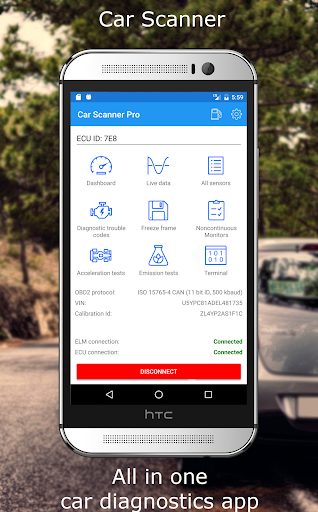
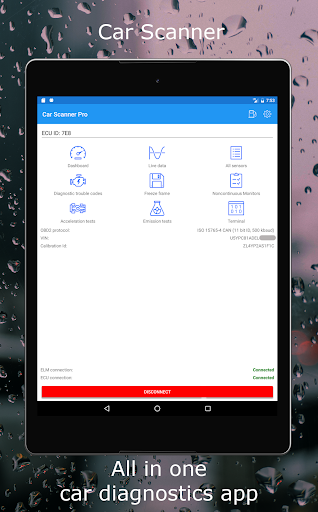
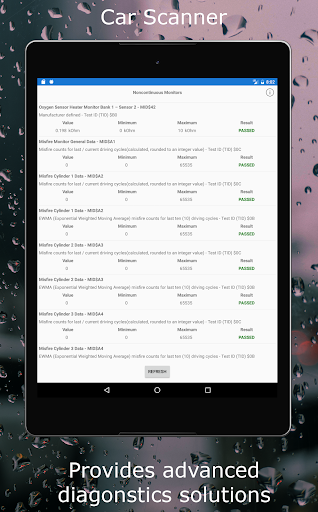
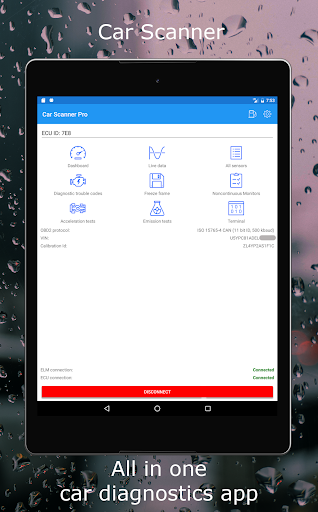
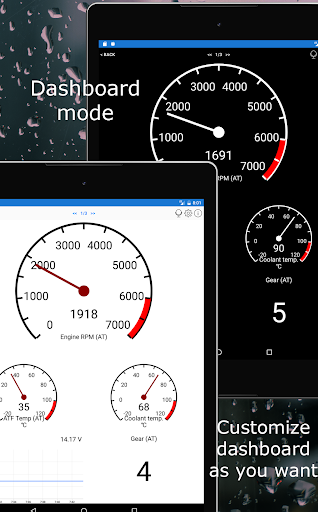
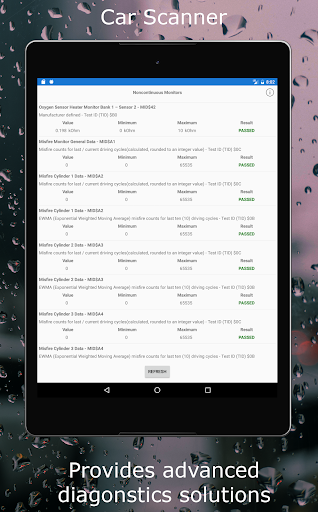
Car Scanner ELM OBD2 is a comprehensive vehicle diagnostics tool that connects to your car's OBD2 engine management system through a Wi-Fi or Bluetooth adapter. It provides real-time data on car performance, fault codes, and sensor information. The app allows users to create custom dashboards, read and reset DTC fault codes, and check emission test readiness. With support for Mode 06, it offers ECU self-monitoring results, aiding in cost-effective car maintenance.

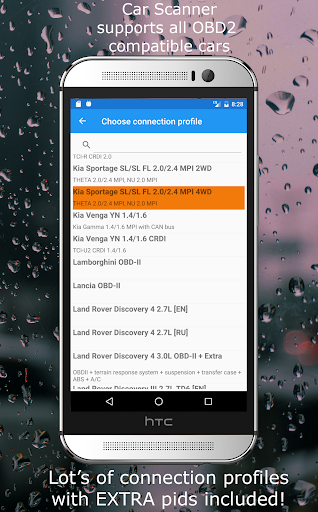
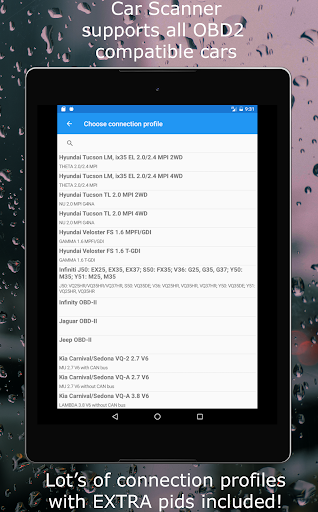
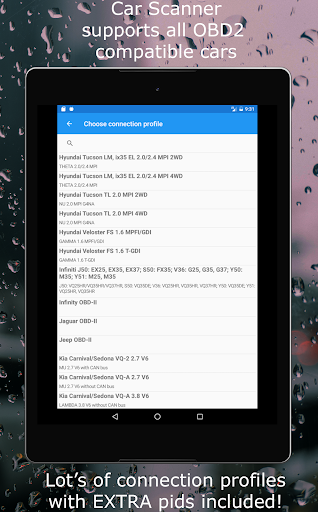
This application stands out with unique features such as free-frames reading, extended PIDs for uncovering hidden manufacturer information, and HUD mode for windshield data projection. Car Scanner also functions as a trip computer, displaying fuel consumption statistics and enabling very accurate acceleration measurements. Its extensive compatibility spans vehicles post-2000, with specialized connection profiles enhancing functionality for various brands including Toyota, Ford, Volkswagen, and more.

Features

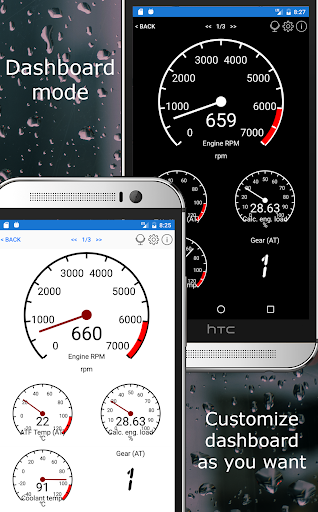
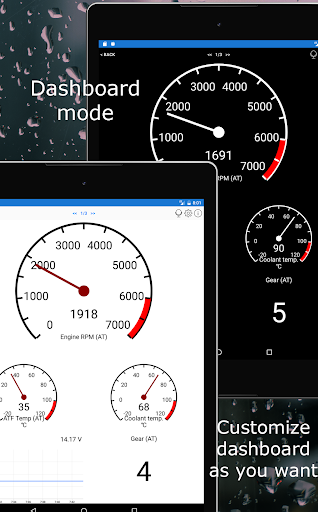
Car Scanner ELM OBD2 boasts an impressive array of features designed to enhance the vehicle diagnostics process. Users can personalize their experience by laying out their own dashboard with desired gauges and charts, ensuring they have access to the most relevant information at a glance. The inclusion of custom PIDs empowers users to retrieve data typically restricted by car manufacturers, offering unprecedented insight into vehicle operations.

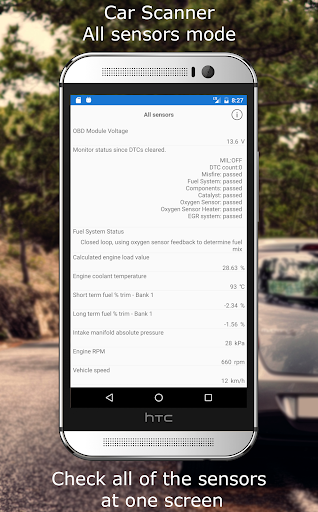
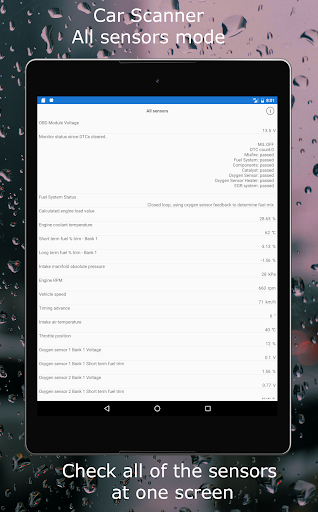
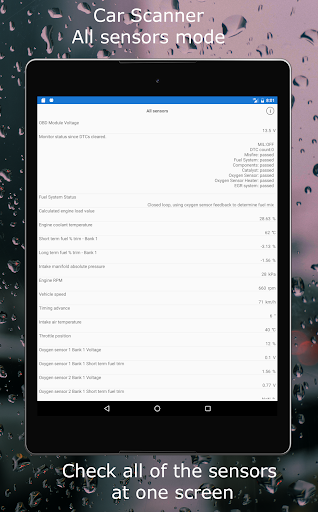
Among its capabilities, the app provides precise tools for measuring acceleration, checking sensor statuses on a single screen, and performing coding tasks to alter hidden car settings for certain models. Notably, it supports service functions across several car brands and includes exclusive options like Video in Motion (VIM) and Mirrorlink in Motion (MIM). These innovative features, coupled with the largest free feature set available on Play Market, make Car Scanner ELM OBD2 an invaluable tool for car enthusiasts and professionals alike.

Detailed vehicle information

Detailed vehicle information is a crucial feature for any automotive diagnostics tool as it provides users with comprehensive data about their vehicle's performance and status. Car Scanner ELM OBD2 excels in this area by offering an extensive range of data points that can be monitored in real-time. The application connects to the vehicle's onboard diagnostics system through an OBD II Wi-Fi or Bluetooth adapter, enabling users to access vital engine management information. This includes but is not limited to fault codes, live sensor data, and overall car performance metrics. One standout aspect of Car Scanner is its customizable dashboard which allows users to layout gauges and charts according to their preferences. This means drivers can prioritize the information most relevant to them such as RPM, speed, coolant temperature, or fuel consumption. Additionally the app supports extended PIDs giving access to information typically hidden by car manufacturers. With these capabilities users are empowered with a deeper understanding of their vehicle's health and performance allowing for timely maintenance and informed decisions regarding repairs. The inclusion of a vast database of DTC code descriptions further enhances user experience by providing clear explanations for each fault code encountered. Overall Car Scanner ELM OBD2 transforms the way drivers interact with their vehicles by making complex diagnostic information accessible and understandable.

Price transparency

Price transparency in automotive applications refers to the clarity and openness with which costs associated with vehicle operation and maintenance are presented to the user. While Car Scanner ELM OBD2 focuses primarily on diagnostics and performance tracking it indirectly contributes to price transparency by equipping users with detailed insights into their vehicle's condition and potential issues. By providing real-time access to fault codes and sensor data the app enables drivers to understand exactly what might be wrong with their car before visiting a mechanic. This knowledge helps prevent unnecessary repairs and unexpected expenses as users can verify diagnoses and make informed decisions about required services. Moreover Car Scanner offers features like checking if a car is ready for emission tests which could save owners from failing inspections and incurring additional charges. The app also functions as a trip computer displaying fuel consumption statistics which aids in budgeting for ongoing operational costs. Although Car Scanner itself is free to use across many features it requires an OBD2 ELM327 compatible adapter for connectivity. Here the application maintains transparency by recommending reputable adapter brands such as OBDLink Kiwi 3 V-Gate Carista LELink and Veepeak while cautioning against cheaper alternatives that may have compatibility issues. By clearly outlining these requirements upfront users can make cost-effective choices when acquiring necessary hardware. In essence Car Scanner ELM OBD2 promotes financial awareness among car owners by demystifying technical jargon and presenting actionable data that influences economic decisions related to vehicle upkeep.

Props

User-friendly interface

Extensive vehicle compatibility

Customizable dashboard

Free-frames reading

Comprehensive DTC database

Cons

Requires compatible adapter

Varies by car sensor support

Potential connection issues

Some features are brand-specific

Cheap adapters may cause instability

Features and Functions

What is this app and what can I use it for?

A car diagnostics tool providing real-time data and fault codes via OBD2 adapter.

How do I download and install this app on my device?

Find Car Scanner on Google Play, tap Install, and open after download.

How do I get started after opening the app for the first time?

Pair your OBD2 adapter, grant necessary permissions, and follow setup prompts.

What are the main features and capabilities of this app?

Real-time car data, DTC codes, customizable dashboards, and trip computer functions.

How can I customize my experience and adjust preferences?

Adjust preferences in Settings to tailor the app to your diagnostic needs.

How do I save or bookmark my favorite content for later access?

Use the app's interface to save or bookmark preferred diagnostic parameters.

How can I share content with friends or on social media?

Share diagnostic reports directly from the app via email or messaging apps.

How do I access detailed information and explore more content?

Access detailed info through the app's various diagnostic and reporting screens.

What permissions does this app need and how do I manage them?

The app requires Bluetooth and location permissions for OBD2 connectivity.

How do I check for updates and keep the app running smoothly?

Check Play Store for updates; ensure stable connection for smooth operation.
Show more

User Reveiws

{{ comment.reviewer_name }}
{{ comment.review_date_formatted}}
{{ comment.review_content }}
{{ tab.name }}
{{ comment.reviewer_name }}
{{ comment.review_date_formatted}}
{{ comment.review_content }}
No reviews with this rating