CUE Live

4.80

Information

Category:

Events

Price:

Free

Rank:

34

Rating:

4.80

Overview

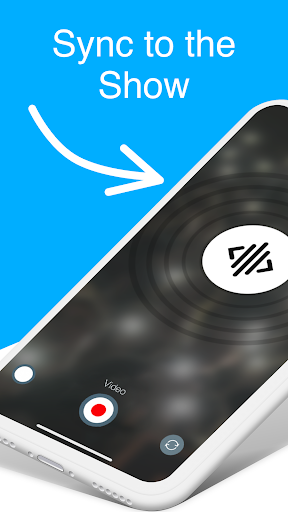
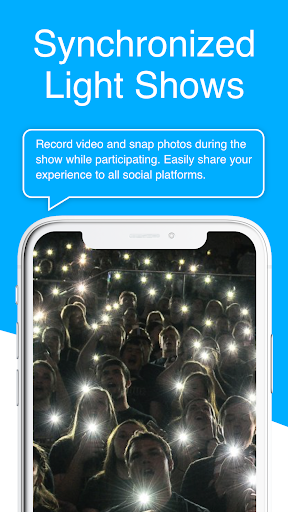
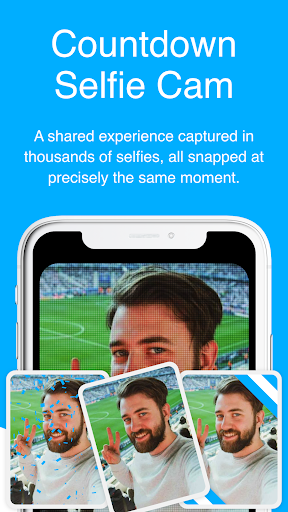
CUE Live is an innovative mobile application designed specifically for enhancing event experiences through ultrasonic technology. The app utilizes inaudible sound waves to transmit data and synchronize multiple devices simultaneously at CUE-enabled events. This unique feature allows both on-site attendees and remote participants to actively engage with the event by activating their smartphones to contribute to the overall atmosphere and visual presentation.

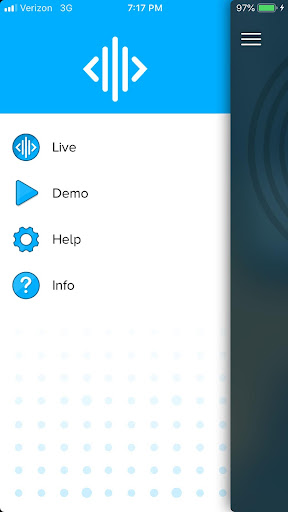
The application serves as a powerful engagement tool for event organizers, enabling them to create interactive experiences that merge physical and digital elements. Users can participate in live demos where they can trigger various visual effects and color changes on websites with simple button clicks. The app's capabilities extend to two specialized modes - UPN mode and DJ mode - which provide enhanced control options for creating more dynamic and immersive event environments.

Features

CUE Live offers several distinctive features that set it apart from traditional event applications. Its core functionality lies in its ability to use ultrasonic audio technology for device synchronization, eliminating the need for complex network setups or additional hardware. This feature enables seamless interaction between multiple participants' devices and the main event system, regardless of their physical location.

The application provides two specialized operational modes: UPN mode allows users to receive unique identification codes through sound waves, while DJ mode gives operators precise control over event elements such as lighting and visual effects. Additionally, the app supports real-time interaction with web-based content, enabling users to trigger specific actions or visual changes on websites instantly. These features collectively create a more engaging and participatory experience for event attendees.

Task creation & detail customization

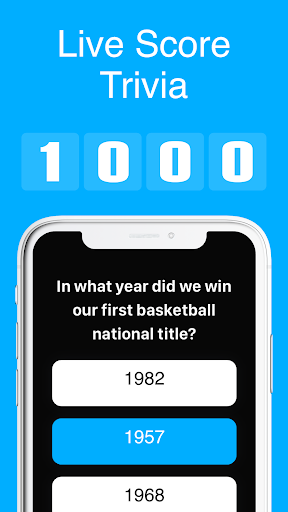
Task creation and detail customization in the context of event applications refers to the ability to design and manage various interactive elements that enhance audience engagement during events. CUE Live excels in this area by providing users with tools to create immersive experiences through ultrasonic sound waves which serve as triggers for synchronized activities on personal devices. This technology allows event organizers to craft detailed interactions such as changing visual themes or initiating specific actions within an app, all triggered by these inaudible signals. The level of customization offered is extensive, enabling not only basic tasks like setting off visual effects but also more complex integrations such as synchronizing light shows with music beats or even coordinating large-scale audience participation acts. For instance, attendees could use their smartphones to participate in live polls, quizzes, or games that are seamlessly integrated into the event's flow. By leveraging UPN (Universal Participation Network) and DJ Mode features, CUE Live further enhances task creation capabilities, allowing for real-time adjustments based on crowd response or predetermined schedules. These functionalities ensure that every participantu2019s device becomes an integral part of the show, creating a dynamic environment where each person contributes to the overall atmosphere. Such interactivity significantly enriches the attendee experience, making it memorable and engaging while offering unparalleled control over how content unfolds throughout the event.

Reminder settings

Reminder settings play a crucial role in ensuring participants do not miss out on key moments during events. In CUE Live, reminder functionalities go beyond simple notifications; they encompass sophisticated scheduling options designed to keep users engaged from start to finish. Event organizers utilizing CUE Live can set up multiple types of reminders tailored specifically to different segments of their audience. Whether itu2019s alerting attendees about upcoming performances, reminding them to activate certain features on their mobile devices at precise times, or prompting virtual participants to join live streams, the flexibility provided by CUE Live ensures no critical moment goes unnoticed. Moreover, the application supports customizable timing parameters, giving planners the ability to schedule alerts well in advance or trigger them spontaneously depending on the nature of the event. This adaptability extends to how reminders appear on user devicesu2014ranging from subtle vibrations to full-screen pop-ups accompanied by audio cuesu2014all aimed at capturing attention effectively without disrupting the ongoing activity. Additionally, CUE Live leverages its unique ultrasonic communication technology to deliver instantaneous prompts directly linked to whatu2019s happening onstage or within the venue itself. As a result, whether physically present or participating remotely, everyone stays connected and informed, enhancing both individual enjoyment and collective energy levels across the entire audience base. With robust reminder settings, CUE Live guarantees maximum participation rates and sustained interest throughout any gathering powered by its innovative platform.

Props

Unique ultrasonic technology

Real-time device synchronization

Seamless user engagement

Innovative UPN and DJ modes

Cross-platform compatibility

Cons

Limited to CUE-enabled events

Requires compatible hardware

Dependent on environmental factors

Specialized use case scenarios

Potential interference issues

Features and Functions

What is this app and what can I use it for?

CUE Live uses ultrasonic waves to sync devices at events for interactive experiences

How do I download and install this app on my device?

Download CUE Live from Google Play Store and follow installation prompts

How do I get started after opening the app for the first time?

Open the app and grant necessary permissions to begin using its features

What are the main features and capabilities of this app?

Main features include ultrasonic syncing and specialized UPN/DJ modes

How can I customize my experience and adjust preferences?

Adjust settings through the app's configuration menu for personalized experience

How do I save or bookmark my favorite content for later access?

Save favorite content using the app's bookmarking feature when available

How can I share content with friends or on social media?

Share event experiences via social media through the app's sharing function

How do I access detailed information and explore more content?

Access detailed information through the app's comprehensive help section

What permissions does this app need and how do I manage them?

The app requires standard device permissions managed through system settings

How do I check for updates and keep the app running smoothly?

Check Google Play Store regularly for updates and maintain optimal device conditions
Show more

User Reveiws

{{ comment.reviewer_name }}
{{ comment.review_date_formatted}}
{{ comment.review_content }}
{{ tab.name }}
{{ comment.reviewer_name }}
{{ comment.review_date_formatted}}
{{ comment.review_content }}
No reviews with this rating