

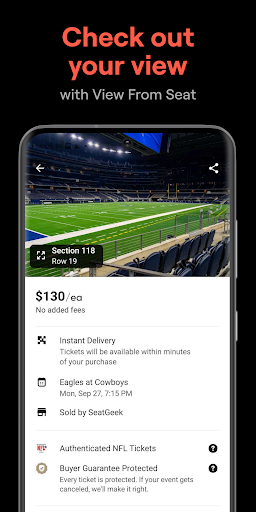
SeatGeek is a premier ticketing platform that provides users with a smart and secure way to purchase and resell tickets for a wide range of live events. With an extensive selection of sporting events including NFL, NBA, NHL, MLB, and MLS games, as well as concerts, festivals, and Broadway shows, SeatGeek ensures that every ticket is backed by a 100% buyer guarantee. The app's interactive features allow users to explore the best deals on seating charts enhanced with panoramic photographs, ensuring they know exactly what their view will be before making a purchase.
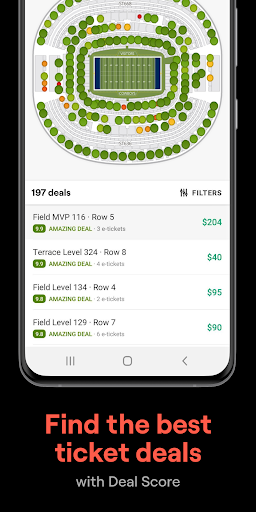
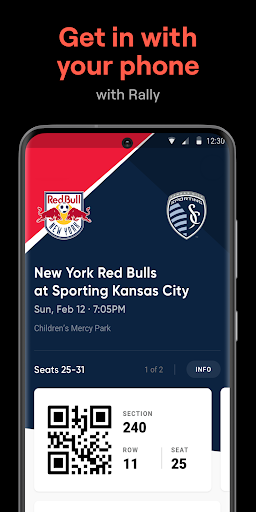
One of the standout features of SeatGeek is its Deal Score technology, which color-codes each deal from best to worst based on value, empowering users to make informed purchasing decisions. Additionally, the convenience of mobile tickets eliminates the need for printing, allowing seamless entry into venues directly from users' smartphones. Whether you're looking to buy tickets for an upcoming event or need to resell tickets you can no longer use, SeatGeek offers a comprehensive solution that caters to all your ticketing needs while providing peace of mind through its robust buyer protections.
SeatGeek stands out in the crowded ticketing market with its innovative features designed to enhance user experience. The app's interactive seating charts are a game-changer, offering panoramic views from every section so users can confidently select their seats. This feature not only improves transparency but also significantly enhances the buying experience by setting clear expectations about the view from each seat. Furthermore, the Deal Score system adds another layer of value by analyzing and rating deals, ensuring users get the best possible prices.
Another key feature is the ability to send tickets effortlessly to friends' phones, either for free or for a fee, streamlining the process of sharing tickets without the hassle of physical exchanges. For those needing to resell tickets, SeatGeek simplifies this process with one-tap listing and pricing recommendations to help sellers quickly find buyers. The app also supports convenient payment options like Google Pay and Credit Card, making transactions smooth and secure. Lastly, the Daily Tap feature adds an element of excitement by giving users the chance to win free tickets to nearby events, further enhancing engagement and loyalty among its user base.
User-friendly interface
Comprehensive event coverage
Secure payment options
Interactive seating charts
Deal Score value rating
Limited international support
Occasional service fees
Dependent on event availability
Requires internet connection
Mobile app only

Manage all your events, leads, ticketing, payments and check-ins.
 4.30
4.30
Mobile Event Guide for Greater NY Dental Meeting
4.4
Some connections are better kept private
4.0
Greeting card maker with photos best app| Birthday cards| All wishes eCards FREE
4.50
Instant photo sharing for every occasion
3.80
The official app of the Carmel Christkindlmarkt!
4.4
Text message invitations for birthday party, wedding, graduation, baby shower +
4.60
Birthday Greetings provides Birthday Card, Frames, Gifs & Father's day Wishes
4.80
Buy tickets for any event!
3.90
Fantasy of Lights Event App
5.00
Beautiful invitation cards + easy RSVP tracking for any event. Design Invites.
4.80
Buy and Sell Tickets for Concerts, Sports, and Theater.
4.70
Discover events & experiences in NYC, LA, Chicago, DC, Miami and more!
4.70
Here you can choose tickets for films, performances, concerts and other events
4.60
For weddings, parties & events
4.60
PheedLoop Go! is the mobile event app for events powered by PheedLoop.
4.40
Meet people over dinner
4.40
TV.Garden is a video player to play your own TV streams from around the world!
3.40
Browse events, find transportation, keep up with the latest news from your team
4.2


User Reveiws