Epic Freebie Games Radar

4.40

Information

Category:

Events

Price:

Free

Rank:

11

Rating:

4.40

Overview

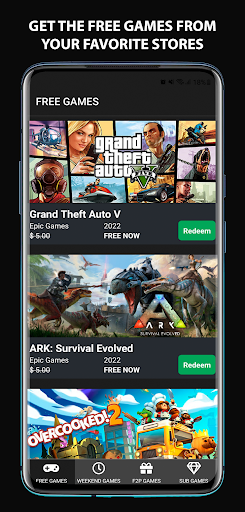
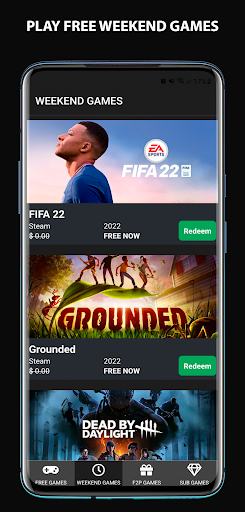
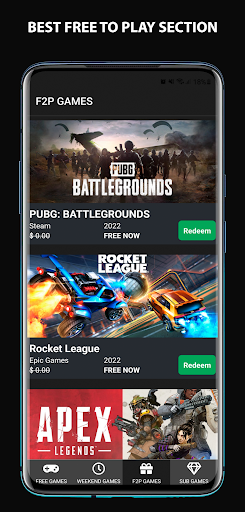
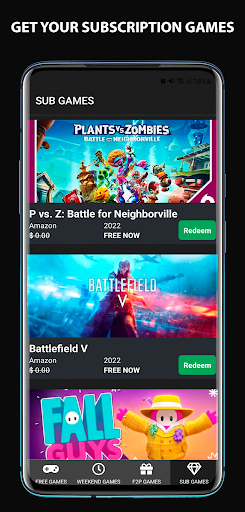
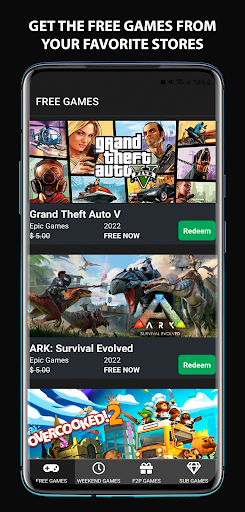
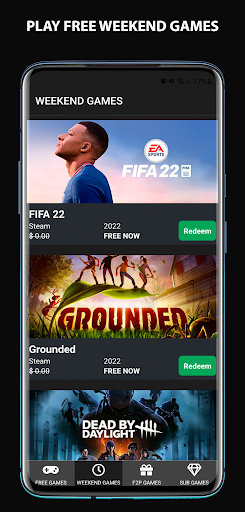
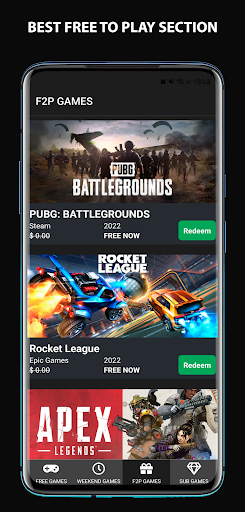
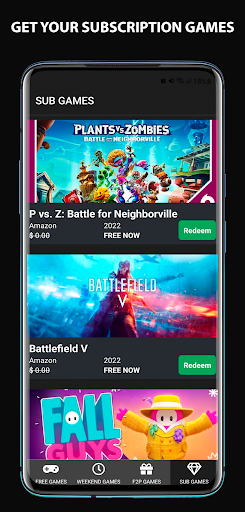
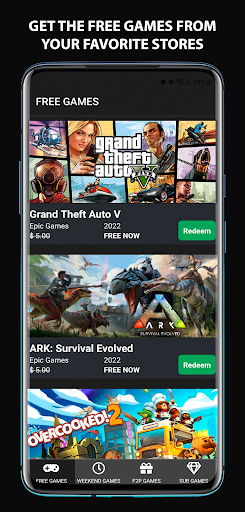
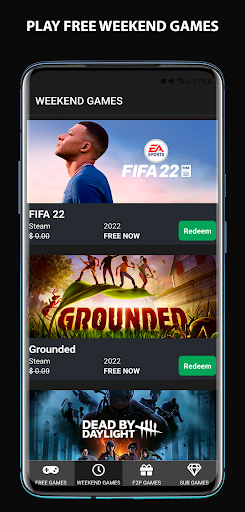
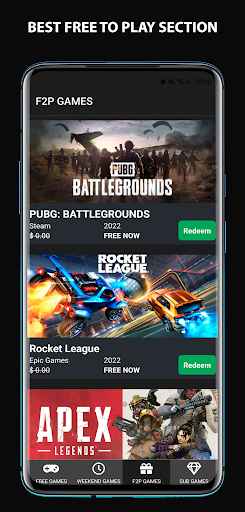
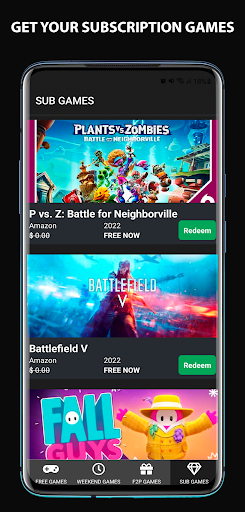
Epic Freebie Games Radar is your ultimate tool for discovering free games and gaming promotions across multiple platforms. This app provides daily updates on free games, DLCs, exclusive giveaways, and limited-time offers from top gaming stores like Epic Games, Steam, Amazon Games, and more.

With personalized notifications, you'll never miss an opportunity to claim free content. Whether you're interested in Free-to-Play titles, time-limited offers, or beta releases, this app ensures you stay informed about all the best deals in over 30 languages.

Features

The app's standout feature is its comprehensive coverage of gaming promotions from major platforms. It aggregates offers from Epic Games, Steam, Amazon Games, Microsoft, EA, GoG, Ubisoft, Rockstar Games, and others, presenting them in one convenient location.

Users can set up customized notifications for new free games, upcoming expirations, and special promotions. The app supports over 30 languages, making it accessible to a global audience. With categories covering free games, DLCs, F2P titles, limited-time offers, betas, and demos, it caters to all types of gamers.

Task creation & detail customization

Task creation and detail customization in the context of Epic Freebie Games Radar refers to the app's ability to generate personalized notifications and reminders for users regarding free games and promotions. This functionality is crucial as it ensures that users never miss out on time-sensitive offers and can fully capitalize on gaming promotions from various platforms such as Epic Games, Steam, and others. The app achieves this by allowing users to set preferences for the types of alerts they wish to receive. For instance, users can opt-in for notifications about new free games, exclusive giveaways, limited-time offers, or reminders before an offer expires. Each notification is crafted with attention to detail, providing comprehensive information about the promotion including its duration, platform availability, and any specific actions required to redeem the offer. Users benefit immensely from this feature as it streamlines their access to complimentary gaming content. Instead of manually tracking multiple sources for free game opportunities, the app consolidates all relevant information into a single, easily accessible location. Moreover, the level of customization available empowers users to tailor their experience according to their interests and schedules. Whether someone is interested in free-to-play games, DLCs, betas, demos, or special promotions for Android and PC, the app caters to diverse gaming preferences. Additionally, the timely reminders ensure that users do not overlook expiring offers, thus maximizing their savings and gaming library. Overall, the task creation and detail customization features of Epic Freebie Games Radar significantly enhance user engagement by keeping them informed and up-to-date with the latest gaming promotions.

Reminder settings

Reminder settings within Epic Freebie Games Radar play a pivotal role in ensuring that users stay informed about upcoming and ongoing gaming promotions without missing critical deadlines. This feature is particularly important in the fast-paced world of gaming where exclusive offers and limited-time deals can disappear quickly. By leveraging advanced scheduling algorithms and user-defined parameters, the app delivers timely alerts that prompt users to take action before opportunities pass them by. The reminder system is designed to be both flexible and precise, accommodating different types of gaming events such as new releases, beta tests, seasonal sales, and one-day flash deals. Users have the autonomy to configure how and when they receive these reminders based on their personal schedules and priorities. For example, someone might prefer receiving a morning briefing of all current freebies while another user may want last-minute alerts just before an offer expires. This adaptability extends to the content of the reminders themselves which are rich in detail yet concise enough to convey essential information at a glance. Each reminder typically includes specifics like the title of the game, its original price, discount percentage if applicable, expiration date, and direct links for redemption. Furthermore, the multilingual support spanning over 30 languages ensures that global audiences can utilize reminder settings effectively regardless of their native tongue. As a result, gamers worldwide can enjoy seamless integration of promotional tracking into their daily routines. Ultimately, the reminder settings in Epic Freebie Games Radar not only prevent FOMO but also foster a more organized approach to managing digital entertainment expenditures. With consistent updates and intuitive controls, this feature stands out as a key differentiator in helping users make the most of every gaming deal that comes their way.

Props

User-friendly interface

Comprehensive game coverage

Personalized notifications

Multilingual support

Regular updates

Cons

Occasional notification delays

Limited mobile platform support

Some regions restricted

Ads in free version

Complex UI for new users

Features and Functions

What is this app and what can I use it for?

A gaming deal tracker offering free games and promotions.

How do I download and install this app on my device?

Search 'Epic Freebie Games Radar' on Google Play and install.

How do I get started after opening the app for the first time?

Open the app, enable notifications, and browse free games.

What are the main features and capabilities of this app?

Aggregates free games, DLCs, and limited-time offers.

How can I customize my experience and adjust preferences?

Adjust notification settings in the app preferences.

How do I save or bookmark my favorite content for later access?

Save favorites by bookmarking desired game deals.

How can I share content with friends or on social media?

Share deals via social media or messaging apps.

How do I access detailed information and explore more content?

Explore detailed info through linked store pages.

What permissions does this app need and how do I manage them?

Needs notification permissions; manage in settings.

How do I check for updates and keep the app running smoothly?

Enable auto-updates in Google Play Store settings.
Show more

User Reveiws

{{ comment.reviewer_name }}
{{ comment.review_date_formatted}}
{{ comment.review_content }}
{{ tab.name }}
{{ comment.reviewer_name }}
{{ comment.review_date_formatted}}
{{ comment.review_content }}
No reviews with this rating