

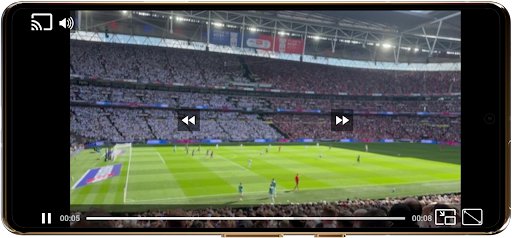
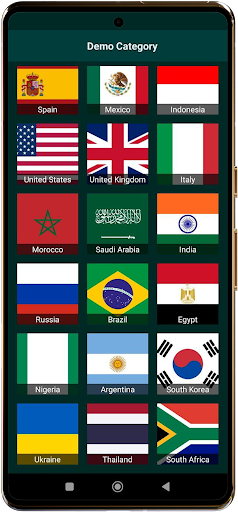
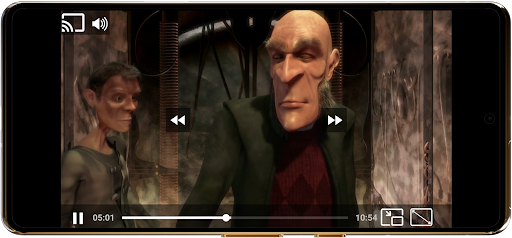
World TV Garden Videos Player is a versatile video player app designed for seamless TV viewing experiences. The app allows users to watch global and local live TV online using their own private streaming links, supporting various formats including DASH, HLS, MP4, and direct streaming links. Whether you're interested in live news, sports, entertainment, or music channels, this app provides a customizable and smooth playback experience.
The application's key features include Picture-in-Picture mode for multitasking, enhanced audio quality for an immersive experience, and Chromecast support for casting to any TV. Users can save their favorite streams for quick access and enjoy full-screen mode for a more engaging viewing session. With broad format compatibility and adjustable scaling modes, World TV Garden Videos Player ensures lag-free streaming of international TV content.
This app is particularly useful for those who want to stay updated with international news, enjoy live sports events, or explore cultural programs from different countries. By importing legal streaming links, users can create a personalized list of channels and enjoy a hassle-free TV experience on their mobile devices.
World TV Garden Videos Player offers several notable features that enhance the viewing experience. First, its broad format compatibility supports various streaming protocols such as DASH, HLS, and MP4, ensuring smooth playback of different types of content. This versatility allows users to access a wide range of online TV channels without worrying about format restrictions.
Another standout feature is the Picture-in-Picture mode, which enables users to multitask while watching their favorite channels in a small window. Additionally, the app provides customizable controls, allowing users to adjust scaling modes and playback settings according to their preferences. Enhanced audio quality further enriches the experience, especially when watching music TV channels or other audio-focused content.
For users looking to share their viewing experience, the app supports seamless casting to any TV with Chromecast. It also includes a favorites list for saving preferred TV streams and movies, making it easy to access them later. These features collectively ensure a user-friendly and flexible TV viewing experience, catering to diverse entertainment needs.
User-friendly interface
Customizable controls
Picture-in-Picture mode
Chromecast support
Enhanced audio quality
No hosted content
Requires personal links
Limited to legal streams
Dependent on link quality
No automatic updates
TV.Garden is a video player to play your own TV streams from around the world!
 3.40
3.40
The official app for Sched events! View your event schedule here.
4.20
The Official Football Ticketing App for Fans in Qatar
4.2
The Official App
3.70
Text message invitations for birthday party, wedding, graduation, baby shower +
4.60
RAISE-365 makes fundraising easy and fun!
3.20
Thanksgiving Wishes, Thanksgiving Stickers & Animated GIF for Whatsapp Stickers
4.5
Connect with an ecosystem of 5M+ eventgoers and organizers.
4.50
Find Live Event Ticket Deals to Sports, Concerts, Festivals, & Comedy For Less!
4.80
Create Wedding Invitation and Wedding Anniversary Cards using our app
4.60
Fast Scans. Happy Fans. For Every Hometown!
4.60
Greeting card maker with photos best app| Birthday cards| All wishes eCards FREE
4.50
Meet people over dinner
4.40
Freebie Games for Epic Games, Steam, Amazon, Rockstar etc.
4.40
Get live football here
4.30
Buy tickets for any event!
3.90
Watch live football matches and streaming events on our Arabic TV app!
3.50
TV Garden - World Live TV : Play & cast your videos seamlessly!
3.20
Community for Mods, Addons, Melsaves, Melmods for Melon Playground
4.1


User Reveiws