
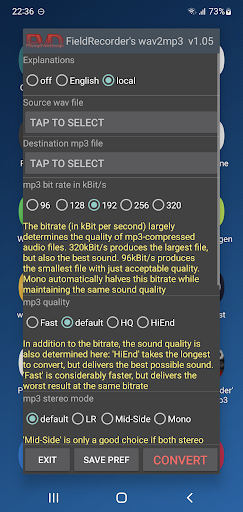

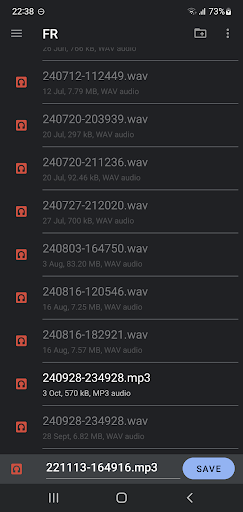
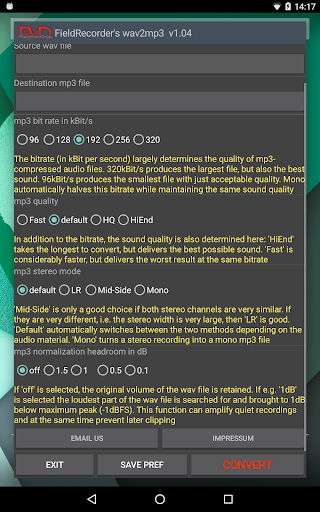


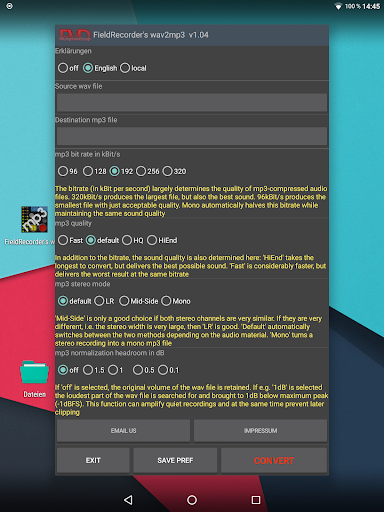
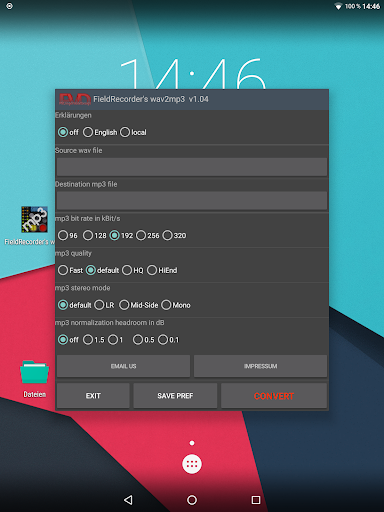
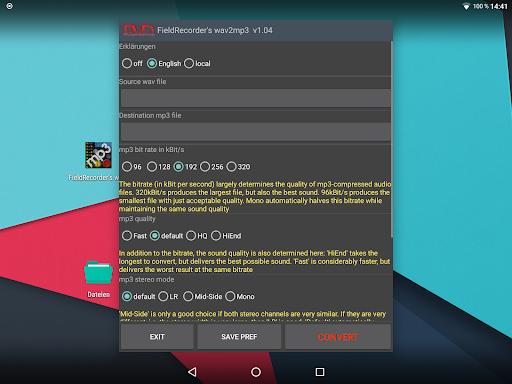
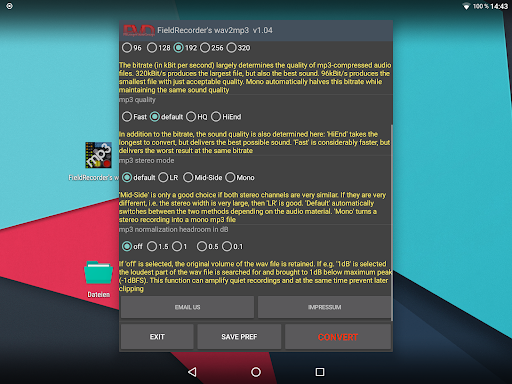
FieldRecorder's wav2mp3 is a streamlined audio conversion tool designed specifically for users who need to convert WAV files to MP3 format without any hassle. The app eliminates common frustrations such as intrusive ads, unnecessary rating prompts, and confusing options that often clutter similar applications. With its minimalist one-screen interface, users can effortlessly select source and destination files and initiate the conversion process with a single tap.
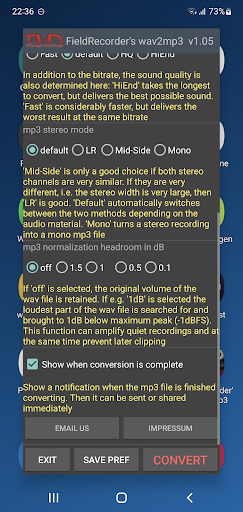
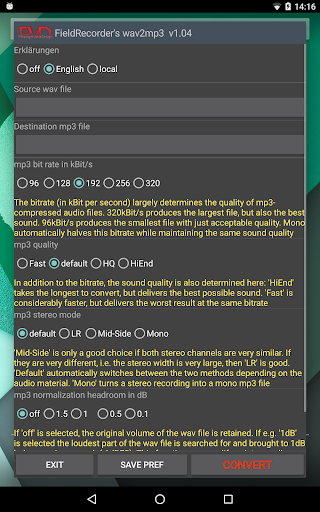
Beyond simplicity, the app offers advanced customization options for those who require more control over their audio output. Users can adjust bitrate, stereo mode, and volume settings while enjoying comprehensive language support. Its efficient native code ensures a download size under 1.3MB, making it significantly lighter than comparable converter apps which average around 20MB. Whether you're an audio professional or simply someone looking to convert files quickly, FieldRecorder's wav2mp3 provides both ease of use and powerful functionality in one compact package.
FieldRecorder's wav2mp3 stands out due to its focus on user experience and performance optimization. One of its key features is the elimination of distractions—no ads, no data collection, and no unnecessary requests for ratings. This ensures that your interaction with the app remains smooth and uninterrupted. Additionally, the app operates efficiently in the background, allowing you to multitask without any slowdowns.
The app also includes several customizable options tailored to meet diverse user needs. For instance, users can choose from five preset bitrates (with mono conversions automatically halving these values), specify encoding complexity for better sound quality, and select stereo modes like LR, Mid-Side, or Default based on channel similarity. Volume normalization settings help prevent clipping during playback, while post-conversion notifications enable immediate sharing or further processing of the MP3 file. These thoughtful features make FieldRecorder's wav2mp3 not only easy to use but also highly versatile.
User-friendly interface
No intrusive advertisements
Lightweight application size
Customizable encoding options
Comprehensive error reporting
Limited to WAV-to-MP3 conversion
No batch processing available
Paid app with no free version
Minimalist feature set
Requires manual updates

Pay Once, no monthly payment
 4.60
4.60
The Cubase remote control app
3.60
Remove ads permanently from Music Visualizer
4.3
JBL PartyBox APP works with 110/310/710/120/320/520/Encore/Encore 2/Encore Ess 2
4.80
Music Streaming suite for Ampache, Nextcloud Music and compatible backends.
4.2
Recording studio w/ 10k beats, pro vocal FX and a network of 20M rappers & fans!
4.60
Unleash your creativity! Turn simple prompts into full fledged songs.
4.70
The Minimalistic Premium Music Player. Handmade with passion for music
2.20
Sheet music reader, piano & music note player. Play music score & learn to read.
3.90
24,000 free audio books and no ads!
4.90
Gorgeous UI, Powerful music Search and Equalizer, the great choice for you!
4.70
Listen radio AM / FM Stations. Live AM / FM Radio App Station. Radio Com.
4.70
The best music and audio player, with beautiful UI, music search and equalizer.
4.60
10-Band Audio Equalizer, Sound / Bass Booster for Spotify Users & Music Players
4.40
Manage your Sonos system directly from your home-screen!
4.40
The Music Journey in Your Hands
4.30
Bass Booster Pro takes auto-equalizing to the next level!
4.30
The original SP-1200 experience on your iPad
4.20
MilkDrop for Android TV
3.00


User Reveiws