

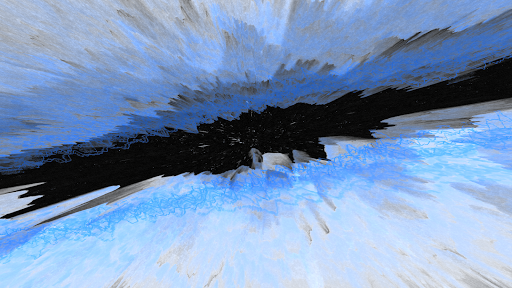

projectM Music Visualizer TV is a cutting-edge music visualization app designed specifically for Android TV. It transforms your audio experience by generating stunning visual effects that sync with any sound played on your device. Whether you're streaming music through Spotify, Pandora, or other players, projectM creates an immersive audio-visual journey.
The app boasts over 200 visual effects, 60 FPS rendering, and seamless integration with popular music players. Its advanced graphics engine, inherited from MilkDrop, ensures smooth animations and high responsiveness to music. With customizable settings like texture size and mesh adjustments, users can optimize both visual quality and performance.
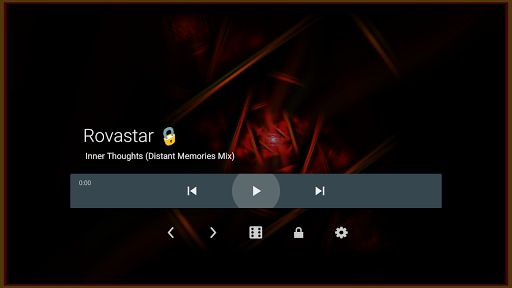
Ideal for home entertainment setups, projectM lets you control music playback directly from the app interface, eliminating the need to switch between apps. This feature-rich application brings professional-grade visualizations to your living room, enhancing music enjoyment with breathtaking graphics.
projectM stands out with its comprehensive feature set tailored for audiophiles and visual enthusiasts. The app includes over 200 unique visual presets, each carefully crafted to create distinct audio-reactive patterns. These presets utilize advanced pixel-shaded rendering at 60 FPS, ensuring buttery-smooth transitions and crisp visuals.
A key innovation is its universal music player control, supporting platforms like Google Music, Spotify, and PowerAMP. Users can play, pause, and skip tracks without leaving the visualizer interface. The app's configurability extends to graphics settings, where users can fine-tune texture sizes and mesh dimensions for optimal performance on different hardware configurations.
As an official port of the legendary projectM software, it maintains compatibility with MilkDrop presets while leveraging modern technologies. This combination of legacy support and contemporary enhancements makes projectM a versatile tool for creating captivating music visual experiences on Android TV devices.
Stunning visual effects
Seamless music integration
High frame rate rendering
Customizable graphics settings
User-friendly interface
Requires powerful hardware
Limited mobile device support
No offline documentation
Preset loading time
Advanced settings complexity

Tune in to the greatest hits on UK Radio | The home of Capital, Smooth & Heart.
 4.90
4.90
Full-featured, High-Quality Groovebox Workstation, perfect for Live Performance!
4.80
Time Trainer: accurate metronome w tools to help you develop your internal time!
4.20
Record, Mix & Master with all n-Track effects, 64-bit audio and Stem Separation.
4.70
Music, News & Sports Radio Tuner App. Tune in Live FM & AM Radio Stations.
4.80
Offline Music Player&MP3 Player with themes, equalizer, lyrics, music play mode
4.60
PowerAudio is a powerful offline music player.
4.20
Offline Tunes, Unlimited Vibes
3.90
Get alarms that fit your lifestyle and wake up to the sounds you love.
4.80
Unleash your creativity! Turn simple prompts into full fledged songs.
4.70
Enhance the sound quality of your devices, listen to what you want
4.50
Formerly known as Spotistats! View your top tracks, artists, albums and more!
4.40
Play KORG’s revolutionary touch-based instrument on a variety of devices.
4.40
Ringtone Maker is free app create ringtone from music files or your recording.
4.40
Bass Booster Pro takes auto-equalizing to the next level!
4.30
Learn and play 2M+ music tabs & chords on guitar, ukulele, bass, and more
4.30
USB audio recording and playback finally possible on Android 3.1 or higher!
3.90
Remove ads permanently from Music Visualizer
4.5
Music Streaming suite for Ampache, Nextcloud Music and compatible backends.
4.3


User Reveiws