PepCalc

4.70

Information

Category:

Health & Fitness

Price:

$ 9.99

Rank:

39

Rating:

4.70

Overview

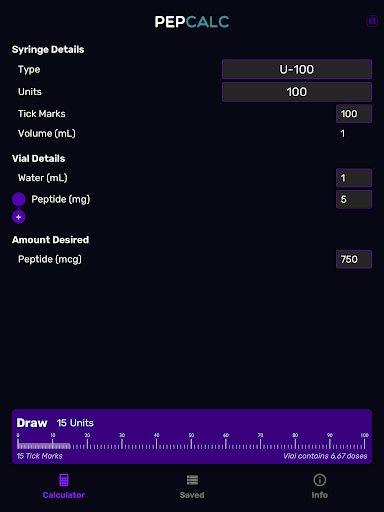
PepCalc is the leading peptide reconstitution calculator app designed for researchers, biochemists, and health professionals. This powerful tool simplifies complex calculations by providing accurate measurements for peptide reconstitution in each unit or tick mark.

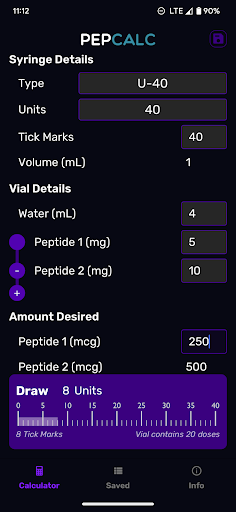
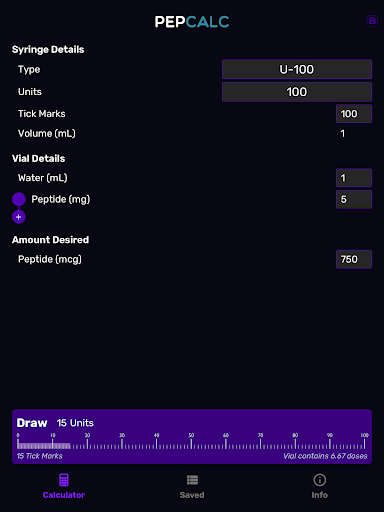
The app offers fully configurable inputs, allowing users to customize volume, units, tick marks, peptide quantity, water volume, and desired amounts. Its intuitive interface supports multi-peptide blends, making it an essential companion for advanced laboratory work. Whether you're handling single peptides or complex blends, PepCalc ensures precision and efficiency in your calculations.

Features

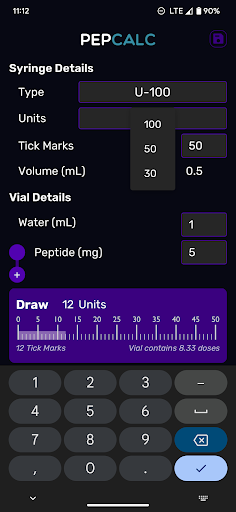
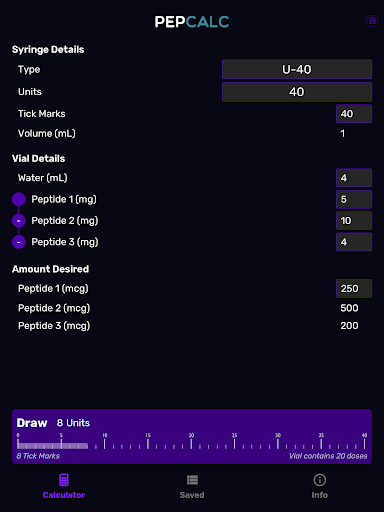
PepCalc stands out with its comprehensive feature set tailored for peptide calculation needs. The app provides multiple instrument type selections including U100, U40, and a customizable 'other' option, automatically adjusting volumes based on your selection.

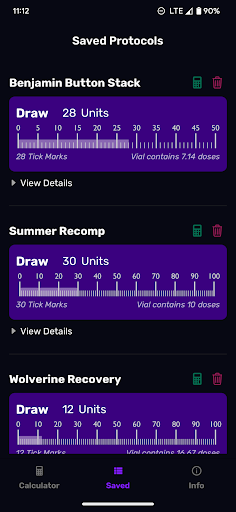
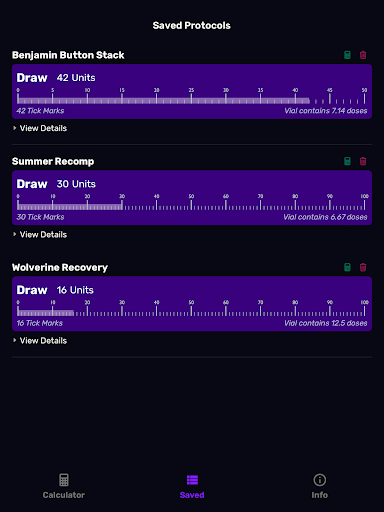
One of the key highlights is its support for multi-peptide blends. Users working with complex mixtures can add multiple peptides, and PepCalc will compute all required amounts simultaneously. The saved protocols feature with notes functionality allows researchers to store their favorite calculations for future use, eliminating repetitive data entry.

Additional features include dark mode support for comfortable nighttime use and an ad-free experience that requires no signup, ensuring uninterrupted productivity in any professional setting.

Personalized planning

Personalized planning in the context of peptide reconstitution refers to the ability to tailor calculations and protocols specifically to the user's unique needs and requirements. This is particularly important in the field of health and fitness where precision and customization can significantly impact results. PepCalc excels in this area by offering fully configurable inputs that allow users to specify parameters such as input volume units tick marks quantity of peptides and the volume of sterile or bacteriostatic water. By providing these personalized options users can ensure that their peptide reconstitution process is both accurate and aligned with their specific goals. The app further enhances personalized planning by supporting multi-peptide blends which means users working with complex combinations can rely on PepCalc to compute all necessary amounts accurately. Additionally the saved protocols feature enables users to store their favorite calculations along with notes ensuring that they can easily replicate successful processes without unnecessary retyping. This level of personalization not only saves time but also reduces the risk of errors making PepCalc an invaluable tool for anyone involved in peptide reconstitution. Overall the personalized planning features of PepCalc empower users to take full control of their peptide protocols leading to more effective and reliable outcomes.

Progress visualization

Progress visualization plays a crucial role in helping users understand and track their achievements within an application. In the case of PepCalc progress visualization is implemented through its ability to save protocols with accompanying notes allowing users to monitor their peptide reconstitution history effectively. This functionality provides a clear record of past calculations and protocols enabling users to review their progress over time and make informed adjustments as needed. While PepCalc does not include traditional charts or graphs it achieves progress visualization by offering a streamlined way to manage and recall complex data sets related to peptide reconstitution. For instance users can name and save their favorite calculations which serves as a form of progress tracking by highlighting frequently used protocols and successful formulations. Furthermore the inclusion of notes allows users to document insights observations or modifications made during each session creating a comprehensive logbook of their work. Although the app focuses primarily on calculation accuracy rather than visual flair its systematic approach to organizing information ensures that users have a clear understanding of their advancement in peptide management. By combining saved protocols with optional dark mode support PepCalc delivers a practical yet visually comfortable experience that emphasizes usability and clarity ultimately enhancing the user's ability to visualize and refine their peptide-related progress.

Props

Accurate calculations

User-friendly interface

Multi-peptide support

Customizable inputs

Ad-free experience

Cons

Limited target audience

No web version available

Premium price point

Advanced features may overwhelm beginners

Requires manual input for custom settings

Features and Functions

What is this app and what can I use it for?

PepCalc is a peptide reconstitution calculator for researchers and health professionals.

How do I download and install this app on my device?

Search 'PepCalc' on Google Play Store and install it on your Android device.

How do I get started after opening the app for the first time?

Input your preferred calculation parameters to begin using the app.

What are the main features and capabilities of this app?

Main features include customizable inputs, multi-peptide support, and saved protocols.

How can I customize my experience and adjust preferences?

Adjust calculation parameters and choose between light or dark mode in settings.

How do I save or bookmark my favorite content for later access?

Save your favorite calculations as protocols with notes for easy access later.

How can I share content with friends or on social media?

Share calculated results via text or email directly from the app interface.

How do I access detailed information and explore more content?

Access detailed information through saved protocols and calculation history.

What permissions does this app need and how do I manage them?

The app requires basic permissions like storage access for saving protocols.

How do I check for updates and keep the app running smoothly?

Check Google Play Store regularly for updates and enable auto-update in app settings.
Show more

User Reveiws

{{ comment.reviewer_name }}
{{ comment.review_date_formatted}}
{{ comment.review_content }}
{{ tab.name }}
{{ comment.reviewer_name }}
{{ comment.review_date_formatted}}
{{ comment.review_content }}
No reviews with this rating