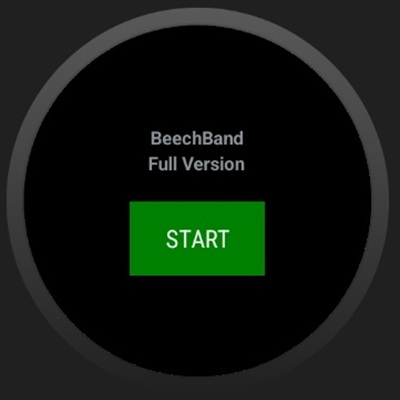
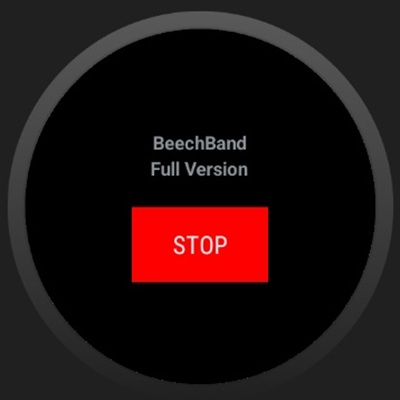
BeechBand

4.5

Information

Category:

Health & Fitness

Price:

$ 7.49

Rank:

15

Rating:

4.5

Overview

BeechBand is a wellness application specifically designed for Wear OS devices. This innovative app replicates the functionality of the BeechBand wearable device, allowing users to monitor and manage their health metrics directly from their smartwatch. With its user-friendly interface and seamless integration with wearable technology, BeechBand provides a comprehensive wellness tracking solution.

The app offers real-time health data monitoring, including heart rate, steps taken, and calories burned. It is perfect for individuals who are keen on maintaining an active lifestyle and require constant updates on their fitness progress. By syncing with the BeechBand wearable, users can access detailed insights into their daily activities and make informed decisions about their health routines.

Features

BeechBand stands out with its advanced health tracking features tailored for Wear OS. The app provides accurate monitoring of various health metrics such as heart rate, activity levels, and calorie expenditure. Its intuitive design ensures that users can easily navigate through different sections and access the information they need without any hassle.

One of the key highlights of BeechBand is its ability to sync seamlessly with the BeechBand wearable device. This synchronization allows for real-time data updates and comprehensive analysis of the user's fitness journey. Additionally, the app offers customizable notifications and reminders, helping users stay on track with their health goals. Whether you're a fitness enthusiast or someone looking to improve your overall well-being, BeechBand delivers a robust set of tools to support your endeavors.

Personalized planning

Personalized planning in health and fitness applications refers to the ability of an app to create tailored wellness and activity plans based on individual user data and goals This feature is crucial as it allows users to receive recommendations and plans that are specifically suited to their personal health objectives and current fitness levels The BeechBand app for Wear OS offers personalized planning by integrating with the BeechBand wearable device which tracks various health metrics By mimicking the activity of the wearable the app can generate customized wellness plans For instance if a user's goal is to increase daily step count or monitor heart rate patterns the app takes this input along with data from the wearable to devise a plan that aligns with these targets This level of personalization ensures that users are not following generic guidelines but rather a well-suited plan that adapts to their progress and feedback Users benefit from this feature by experiencing more effective guidance towards their health goals They receive timely adjustments to their plans based on continuous monitoring and analysis of their activities Moreover the integration with the wearable device means that all data is automatically synced providing a seamless experience where users do not have to manually input data allowing them to focus on their activities and wellness journey

Progress visualization

Progress visualization is a critical component in health and fitness apps as it provides users with a clear graphical representation of their achievements and ongoing journeys This feature helps maintain motivation and allows users to understand their performance trends over time In the case of the BeechBand app for Wear OS progress visualization is achieved through detailed charts and graphs that display various health metrics tracked by the associated BeechBand wearable device These visualizations include historical data comparisons such as step counts over days or weeks heart rate patterns during different activities and other relevant health statistics The app transforms raw data into easily digestible visuals enabling users to quickly grasp their progress Users gain significant value from this feature as it not only highlights improvements but also identifies areas needing attention For example seeing a consistent increase in daily steps can motivate users to set higher goals while noticing irregular heart rate patterns might prompt a consultation with a healthcare provider Additionally having all this information presented visually on their smartwatch makes it readily accessible fostering better engagement with their health data Overall progress visualization enhances user interaction with the BeechBand app making their wellness journey more informed and engaging

Props

User-friendly interface

Real-time health tracking

Seamless device integration

Customizable notifications

Comprehensive wellness insights

Cons

Limited to Wear OS

Dependent on wearable device

No iOS compatibility

Premium features require subscription

Occasional syncing issues
Features and Functions

What is this app and what can I use it for?

BeechBand is a wellness app for Wear OS, tracking health metrics like heart rate and steps.

How do I download and install this app on my device?

Download BeechBand from the Google Play Store and install it on your Wear OS device.

How do I get started after opening the app for the first time?

Upon first opening, follow the setup guide to connect your wearable and customize preferences.

What are the main features and capabilities of this app?

Main features include real-time health tracking, activity monitoring, and wellness insights.

How can I customize my experience and adjust preferences?

Customize your experience by adjusting notification settings and health tracking preferences.

How do I save or bookmark my favorite content for later access?

Save favorite content by adding it to your wellness dashboard for quick access later.

How can I share content with friends or on social media?

Share your fitness achievements with friends via social media directly from the app.

How do I access detailed information and explore more content?

Access detailed health reports and explore more content in the analytics section.

What permissions does this app need and how do I manage them?

The app requires health data permissions; manage these in your device settings.

How do I check for updates and keep the app running smoothly?

Check for updates in the app settings and enable auto-update for smooth performance.
Show more

User Reveiws

{{ comment.reviewer_name }}
{{ comment.review_date_formatted}}
{{ comment.review_content }}
{{ tab.name }}
{{ comment.reviewer_name }}
{{ comment.review_date_formatted}}
{{ comment.review_content }}
No reviews with this rating