
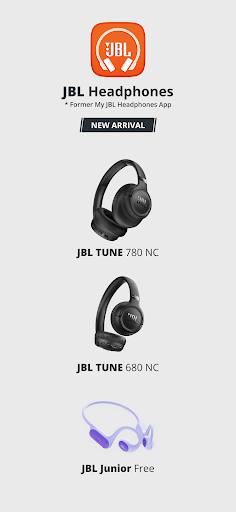
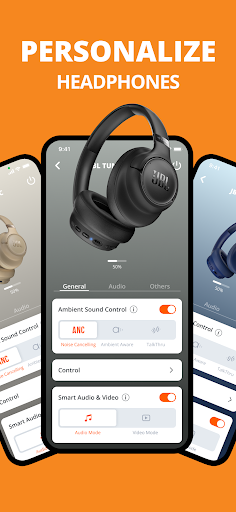
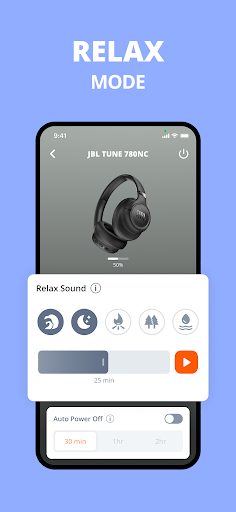
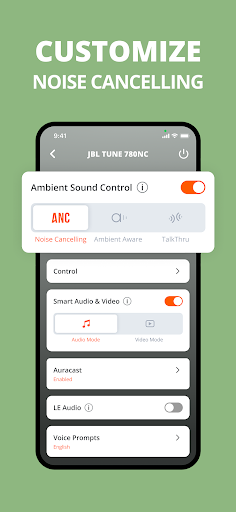

JBL Headphones app revolutionizes the way users interact with their audio devices by offering comprehensive control over headphone settings directly from mobile devices. The application supports a wide range of JBL headphone models, allowing users to manage features such as smart ambient sound and noise cancellation. Whether you're commuting, working, or relaxing at home, this app ensures an optimized audio experience tailored to your environment.
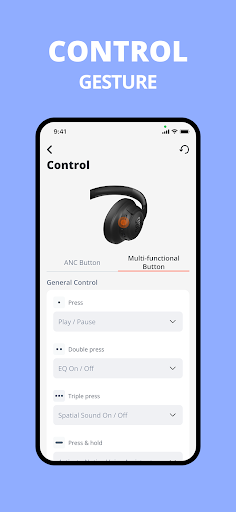
With its user-friendly interface, the app provides easy access to essential functions while delivering advanced customization options. Users can fine-tune equalizer settings, configure touch controls, and monitor battery levels. This level of control not only enhances audio quality but also extends the functionality of JBL headphones, making them more versatile and adaptable to various listening scenarios.
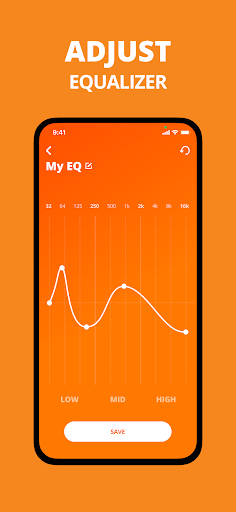
The JBL Headphones app boasts an impressive array of features designed to elevate the audio experience. One of its standout capabilities is the customizable EQ settings, which include predefined presets and the option to create personalized sound profiles. This feature empowers users to tailor their audio output according to specific preferences or activities, whether they're listening to music, watching videos, or gaming.
Another notable feature is the adaptive noise cancellation function available on select models. This intelligent system automatically adjusts noise cancellation levels based on environmental conditions, ensuring optimal sound quality in any situation. Additionally, the app offers smart audio and video optimization, which dynamically modifies sound settings based on content type and usage patterns, providing an enhanced multimedia experience across different platforms and devices.
User-friendly interface
Extensive device compatibility
Advanced EQ customization
Smart noise cancellation
Comprehensive support resources
Limited feature availability on older models
Occasional connectivity issues reported
Battery drain concerns on some devices
Complex setup for certain functions
Interface lag during peak usage

Turn your phone into a musical instrument from the future!
 3.90
3.90
Time Guru will strengthen your internal sense of musical time via random muting.
4.30
The Cubase remote control app
3.60
VB-AUDIO Software / VBAN-Receptor allows listening to any VBAN Streams
4.10
Music Streaming suite for Ampache, Nextcloud Music and compatible backends.
4.0
AI Music Maker: Generate And Compose AI Tunes & AI Songs & AI Music & AI Melody!
4.60
Learn to play the piano using falling notes!
3.80
The original SP-1200 experience on your iPad
4.20
Let your Android device with the sound effects you want
4.50
Most Advanced AI Song Generator and Music Creator. Rap, Pop, Rock, Gospel & more
4.70
Ultimate Sonos Controller
4.70
Taal player that lets you sing any Indian & Western song with Tabla & Tanpura
4.60
Super Sound Editor, Song Maker & Mixer, Vocal Remover, Voice Recorder & Changer!
4.60
Enhance the sound quality of your devices, listen to what you want
4.50
The alternative folder based music player.
4.20
Smart piano keyboard, Classical to Pop, Real-time multiplayer connection!
4.20
PowerAudio is a powerful offline music player.
4.20
The only true audiophile music player with Hi-Fi audio rendering and DSP engine
3.90
Control your MIDI USB or Bluetooth devices in app and avoid some trampling
3.30


User Reveiws