Merge Labs NRW2

4.70

Information

Category:

Lifestyle

Price:

$ 0.99

Rank:

28

Rating:

4.70

Overview

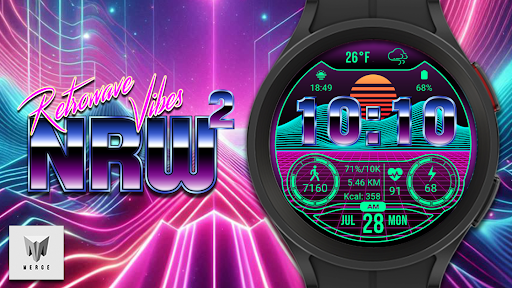
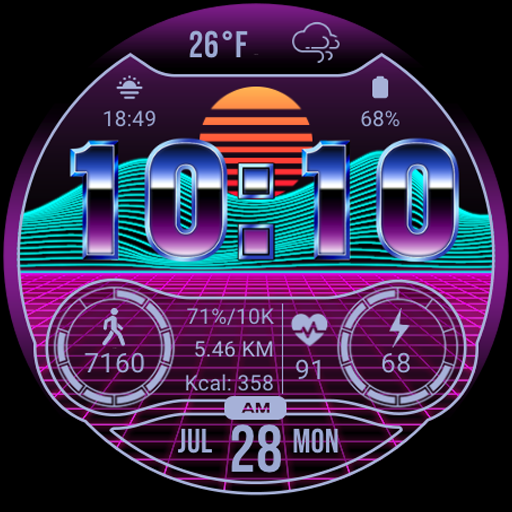
Merge Labs NRW2 is a smartwatch face designed for fans of the Retro wave and Synth wave genres. It offers a unique aesthetic combined with practical functionalities, making it an ideal choice for those who appreciate both style and utility on their Wear OS devices.

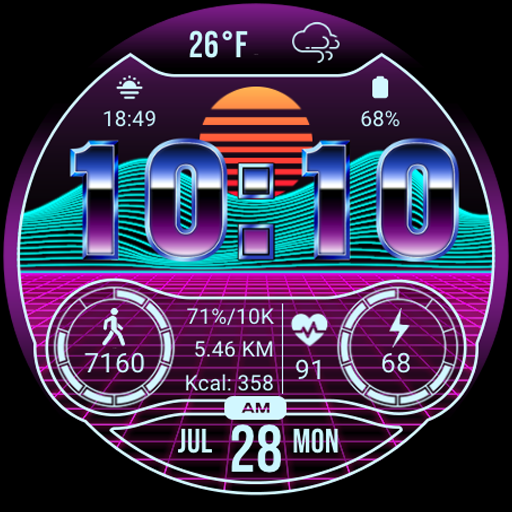
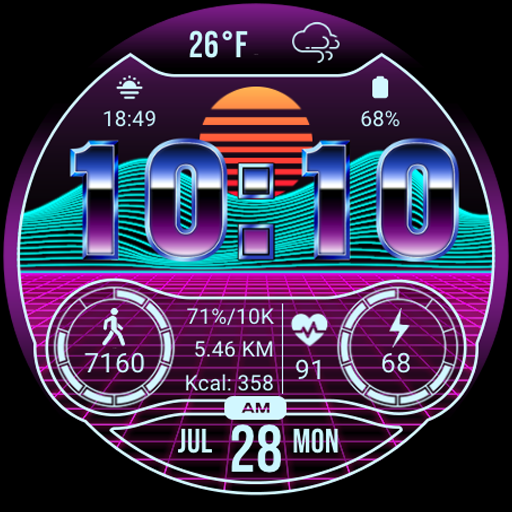
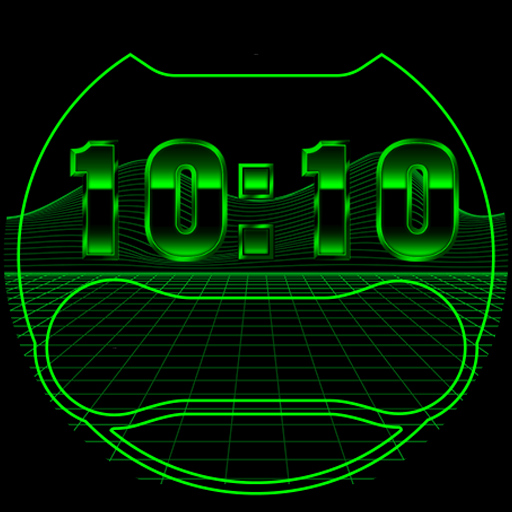
This watch face features a custom-made 'chromed' font by Merge Labs, 17 color options, and customizable complications. It also displays essential information such as weather, battery level, daily step count, heart rate, and more, all while maintaining a retro vibe that stands out from typical smartwatch designs.

Features

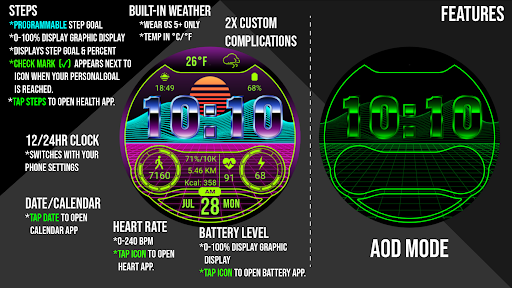
The Merge Labs NRW2 watch face boasts several distinctive features. Firstly, its custom 'chromed' font and built-in weather icons provide a unique visual experience. Users can tap the weather area to access the Weather App, which includes sunrise and sunset information.

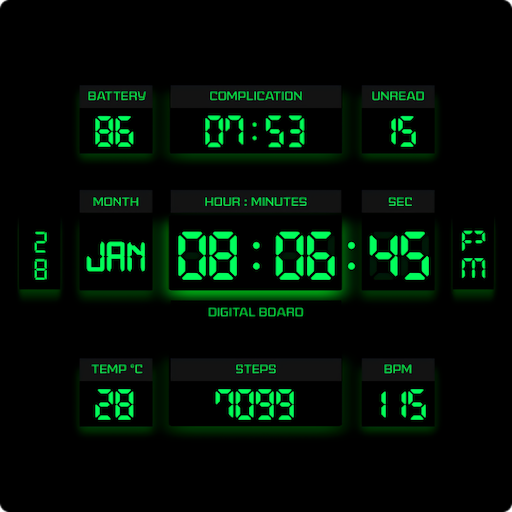
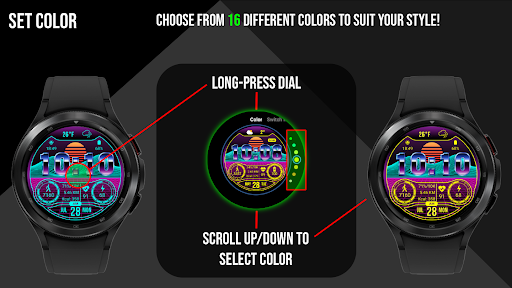
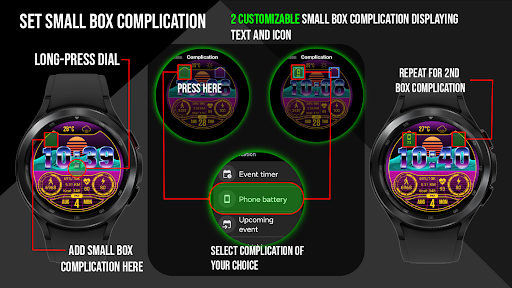
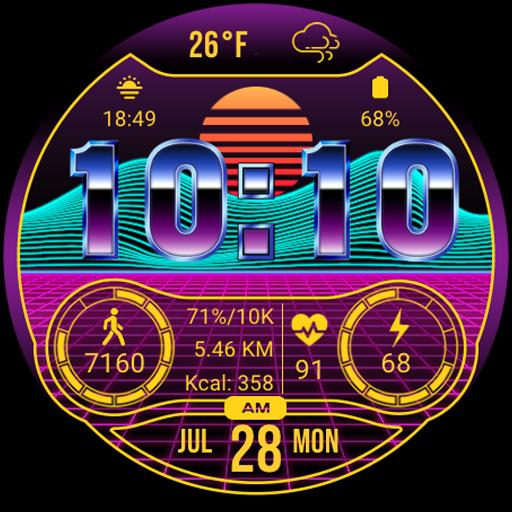
Additionally, the watch face offers 17 different color choices and two small box customizable complications (Text & Icon). It displays the numerical battery level alongside a graphic indicator, and users can tap the battery icon to open the Battery App. The daily step counter syncs with health apps like Samsung Health, displaying calories burned and distance traveled in KM or Miles.

Other notable features include heart rate monitoring (BPM), a 12/24 HR clock based on device settings, and a KM/Miles function settable in the 'Customize' menu. These comprehensive features ensure users have all necessary information at their fingertips while enjoying a stylish watch face.

Lifestyle category coverage

Lifestyle applications aim to enhance various aspects of daily living by providing comprehensive features that cater to user needs in health fitness and personal organization Merge Labs NRW offers an extensive range of functionalities that align perfectly with these objectives The watch face is not just a timekeeping device but also a versatile tool designed for enthusiasts of the Retro wave Synth wave culture This unique design integrates essential elements such as weather updates health tracking and customizable options which collectively contribute to a holistic lifestyle management solution One of the standout features is its ability to display critical health metrics including heart rate daily step count calories burned and distance traveled Users can conveniently monitor their fitness progress and sync this data with popular health apps like Samsung Health Furthermore the inclusion of practical tools such as a built in calendar app and weather app ensures users have quick access to important information This integration of diverse features into a single cohesive platform demonstrates the app commitment to covering multiple facets of modern lifestyles Additionally the availability of different color options and customizable complications allows users to tailor the appearance according to their preferences thereby enhancing personal expression and style In summary Merge Labs NRW stands out in the Lifestyle category by offering a multifaceted solution that addresses both functional and aesthetic needs making it an invaluable companion for those seeking to optimize their daily routines

Content authenticity & expert credibility

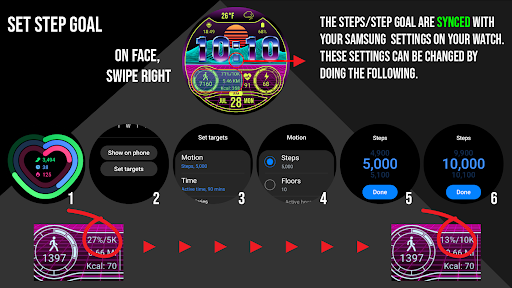
In today digital age ensuring the authenticity and credibility of content has become increasingly important especially within lifestyle applications where users rely on accurate information to make informed decisions Merge Labs NRW excels in this aspect by providing verified and reliable data through its various integrated features For instance the weather information displayed on the watch face is not only visually appealing with custom made chromed fonts and icons but also highly accurate This accuracy stems from the use of established weather services which guarantees that users receive trustworthy updates about temperature sunrise and sunset times Similarly the health related data such as heart rate and step counts are sourced directly from reputable platforms like Samsung Health or the default health app on the user device This ensures that the metrics presented are both precise and consistent with other trusted health monitoring tools Moreover the application commitment to transparency is evident in its detailed instructions regarding setting and changing step goals These guidelines help users understand how their data is processed and utilized thereby fostering trust and confidence in the app reliability Another notable feature is the seamless integration with other essential apps such as the calendar and heart rate monitoring applications By tapping specific areas on the watch face users can effortlessly access these additional functionalities without any concerns about data integrity or security This interconnected ecosystem reinforces the overall credibility of the content provided by Merge Labs NRW Ultimately the combination of verified data sources clear instructions and secure integrations establishes Merge Labs NRW as a dependable choice for users seeking authentic and credible lifestyle solutions

Props

Unique Retro wave design

Comprehensive health tracking

Multiple color options

Customizable complications

Integrated app shortcuts

Cons

Limited to Wear OS

No advanced fitness metrics

Requires third-party apps

Complex customization

Battery consumption concerns
Features and Functions

What is this app and what can I use it for?

A stylish smartwatch face with health and weather info

How do I download and install this app on my device?

Download via Google Play Store app

How do I get started after opening the app for the first time?

Follow on-screen setup instructions

What are the main features and capabilities of this app?

Weather, steps, heart rate, battery status

How can I customize my experience and adjust preferences?

Use Customize menu for settings

How do I save or bookmark my favorite content for later access?

Not applicable for this watch face

How can I share content with friends or on social media?

Share not supported directly

How do I access detailed information and explore more content?

Tap info areas for detailed views

What permissions does this app need and how do I manage them?

Permissions managed in device settings

How do I check for updates and keep the app running smoothly?

Check Play Store or device updates menu
Show more

User Reveiws

{{ comment.reviewer_name }}
{{ comment.review_date_formatted}}
{{ comment.review_content }}
{{ tab.name }}
{{ comment.reviewer_name }}
{{ comment.review_date_formatted}}
{{ comment.review_content }}
No reviews with this rating