

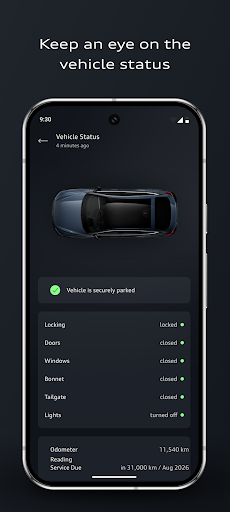
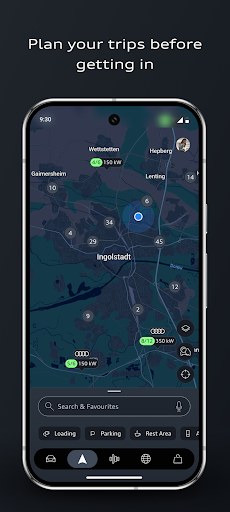
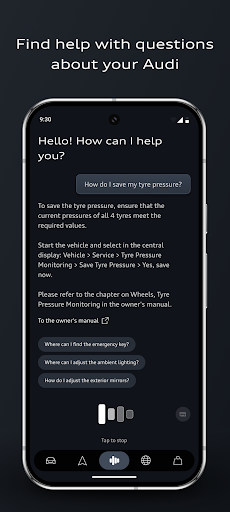
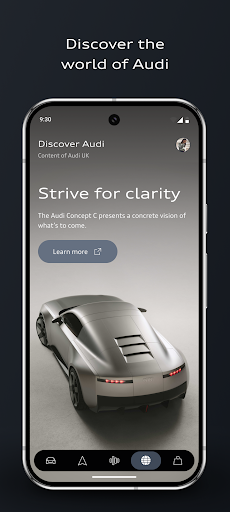
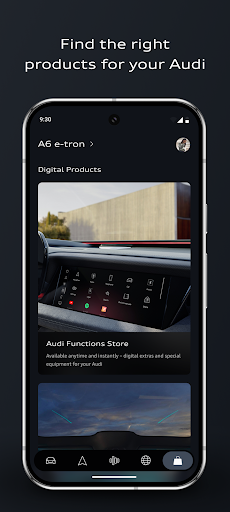
myAudi is an advanced mobile application designed specifically for Audi vehicle owners, serving as a comprehensive digital companion to enhance the driving experience. The app provides users with smart features such as remote vehicle control, intelligent route planning, and AI-supported assistance through the Audi assistant. With seamless integration into Audi vehicles, myAudi allows drivers to manage essential functions from their smartphones, including locking/unlocking the car, preconditioning the vehicle, and scheduling charging processes.
The app's latest version introduces noticeable improvements in user experience, featuring an optimized interface, enhanced functionalities, and personalized upgrades tailored to individual vehicle configurations. Whether you drive a fully electric, hybrid, or combustion-engine Audi, myAudi ensures smarter, more connected, and convenient interactions with your vehicle. From real-time traffic data integration to automated routines based on time or location, this app transforms how Audi owners interact with their cars, making every journey efficient and enjoyable.
myAudi stands out with its innovative and practical features designed to simplify vehicle management and elevate the driving experience. One of the key highlights is the AI-supported Audi assistant, which provides real-time answers about your vehicle without needing to consult the owner’s manual. Another standout feature is the improved route planner, which incorporates real-time traffic updates, range optimization, and charge scheduling for electric vehicles, ensuring efficient journeys tailored to your needs.
Additionally, the app offers app routines that automate everyday tasks like preconditioning the car or charging during off-peak hours. Users can also take advantage of the digital key functionality, enabling them to lock, unlock, and start their Audi using just their smartphone. These features collectively ensure that myAudi not only enhances convenience but also personalizes the connection between drivers and their vehicles, setting it apart from traditional automotive apps.
User-friendly interface
AI-powered assistance
Real-time vehicle control
Personalized upgrades
Efficient route planning
Limited to Audi vehicles
Requires compatible models
Premium feature costs
Dependent on internet connectivity
Steep learning curve

Easily notify car owners in urgent situations, safe, fast, multilingual.
 4.4
4.4
Attention! This is the theme for the Car Launcher app
4.4
Buy and sell your boat
4.70
Discover new and used cars in Syria easily! Browse ads and connect with sellers.
3.70
Digital Car Key/Launcher, Screen Mirror, Android Dashboard, Remote Wireless Link
4.40
Car Sounds Engine Sounds app welcomes Auto Lovers to feel Car Simulator Sound
4.20
Available in select states.
4.00
PayByPhone: A quick and easy way to pay for parking.
3.80
Autotrader is your online solution for buying and selling new and used cars.
4.40
The Texaco App allows you to pay for fuel from the comfort of your car!
4.80
Shop, finance, or sell today.
4.80
Oil change service & coupons for car maintenance at Valvoline Instant Oil Change
4.70
DMV practice test 2025: Driver License permit test & written test for all states
4.70
DMV Test Pro offers all the updated FREE DMV tests online.
4.60
Launcher for use in the car
4.40
Ultimate OBD2 Car Scanner: Diagnostics, Service and Modification Tool
4.30
Taximeter; the professional's choice
4.30
Blink Charging Mobile app makes finding an EV charger an intuitive experience.
3.80
Monitor specific TOYOTA parameters by adding this plugin to Torque Pro.
2.00


User Reveiws