OBDocker - OBD2 Car Scanner

4.30

Information

Category:

Auto & Vehicles

Price:

Free

Rank:

66

Rating:

4.30

Overview

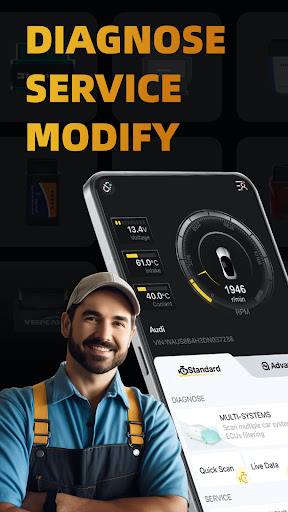
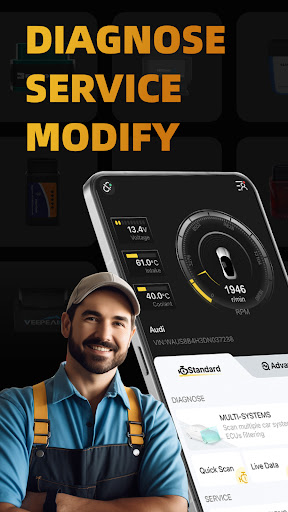
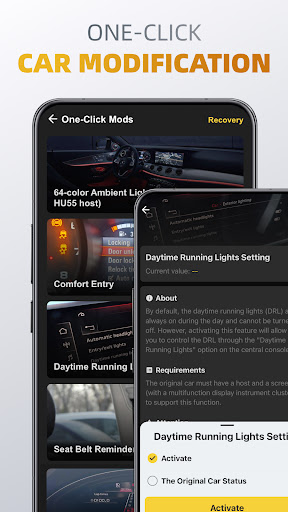
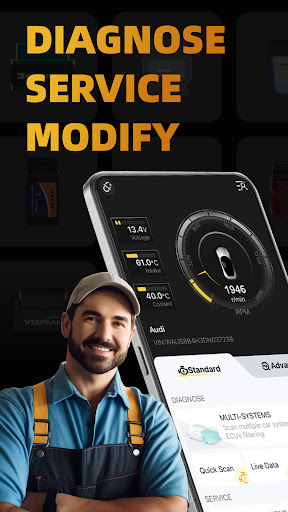
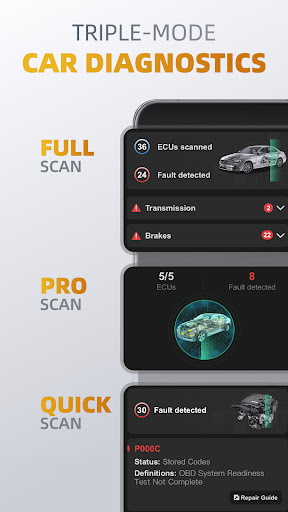
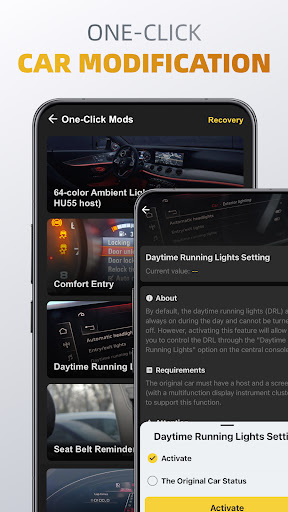
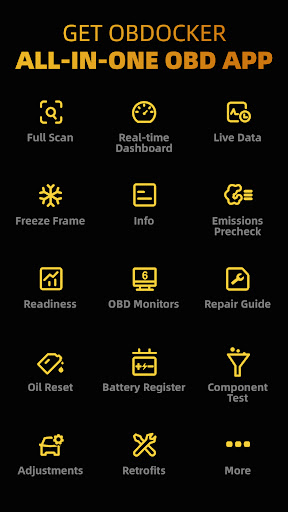
OBDocker is a professional OBD2 car scanner app designed for vehicle diagnostics and customization. It offers triple-mode diagnostics including full-systems, multi-systems, and quick scans, allowing users to efficiently identify and resolve vehicle issues.

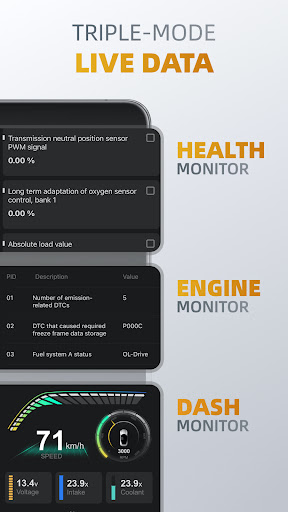
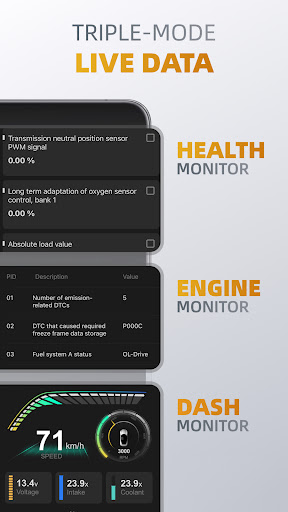
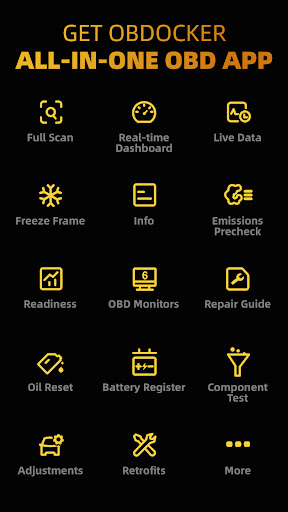
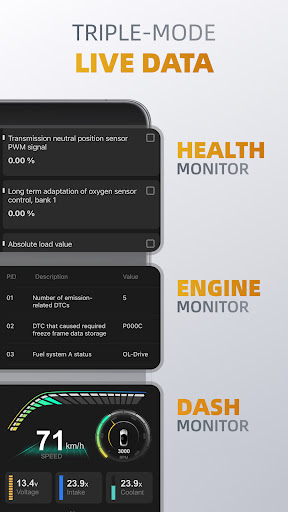
The app also provides triple-mode live data monitoring, giving real-time insights into vehicle performance through health, engine, and dash monitors. With additional features like emissions pre-check, control tests, oil reset, and battery registration, OBDocker ensures comprehensive vehicle maintenance.

Compatible with a wide range of OBD adapters and vehicles, this app is suitable for both standard and advanced diagnostic needs, making it an essential tool for car enthusiasts and professionals alike.

Features

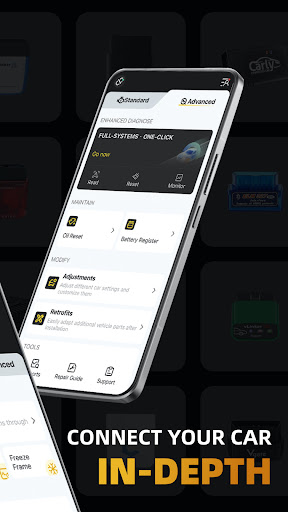
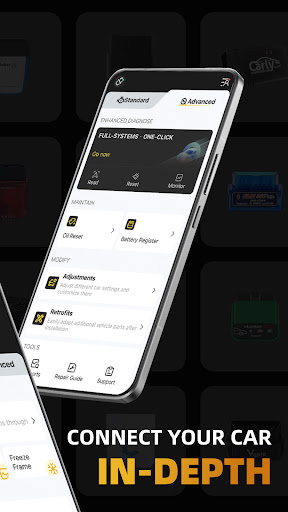
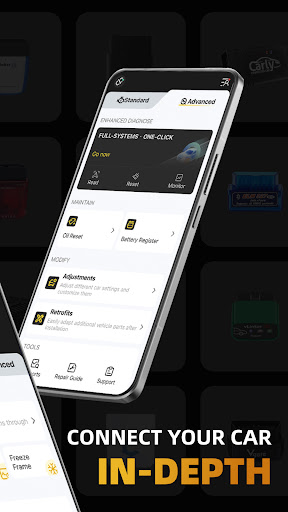
OBDocker stands out with its triple-mode diagnostics feature, enabling users to perform full-systems diagnostics, scan multiple systems via ECUs filtering, and swiftly read and clear engine fault codes. This ensures thorough and efficient vehicle analysis.

In addition to diagnostics, the app offers triple-mode live data functionality. Users can monitor vehicle health, track engine performance, and visualize metrics in real time. These capabilities provide valuable insights for maintaining optimal vehicle condition.

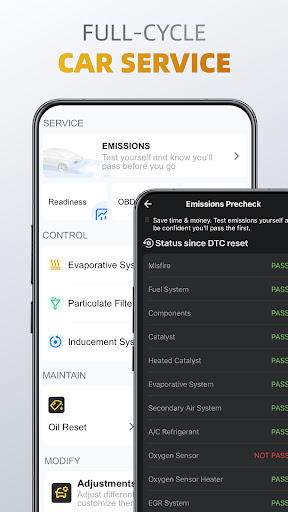
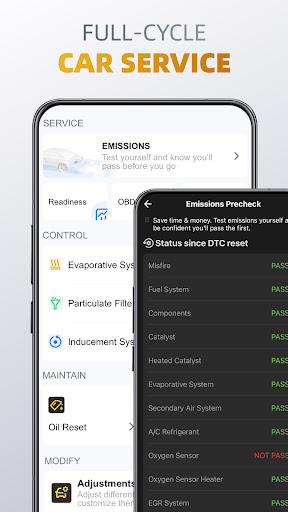
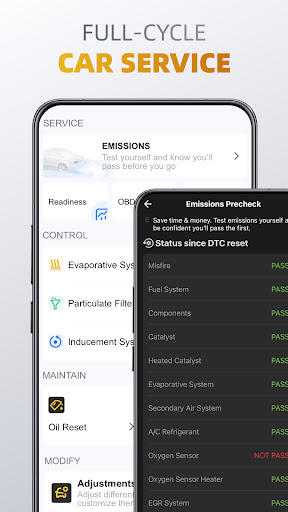
Furthermore, OBDocker supports a full-cycle service experience with features like emissions pre-check, EVAP leak test, DPF reinitialization, oil reset, and battery registration. Such tools empower users to perform comprehensive vehicle servicing and customization with ease.

Detailed vehicle information

In the realm of automotive diagnostics and maintenance, having access to detailed vehicle information is paramount for both professional mechanics and car enthusiasts alike. OBDocker - OBD2 Car Scanner excels in providing comprehensive insights into your vehicle's systems, ensuring that users can make informed decisions regarding their car's health and performance. The app achieves this through its triple-mode diagnostics feature, which includes full-systems diagnose, multi-systems diagnose, and quick scan capabilities. These functionalities allow users to delve deep into their vehicle's Engine Control Units (ECUs), examining parameters from various systems such as TMS, SRS, ABS, TCM, and BCM among others. This level of detail empowers users to not only identify existing issues but also understand potential areas of concern before they escalate. Furthermore, OBDocker enhances the diagnostic experience by offering triple-mode live data monitoring. Users can track real-time parameters across different systems with features like Health Monitor, Engine Monitor, and Dash Monitor. This continuous stream of information provides a holistic view of the vehicle's current state, enabling proactive maintenance and fine-tuning. For instance, keeping an eye on engine performance metrics can help in optimizing fuel efficiency or detecting anomalies early on. Additionally, the app supports a full-cycle service approach, covering essential aspects such as emissions pre-check, control tests, oil reset, and battery registration. Each of these services relies heavily on accurate vehicle information to function effectively. By performing tasks like EVAP Leak Test, DPF reinitialization, and resetting maintenance lights, OBDocker ensures that all critical vehicle data is up-to-date and reliable. This meticulous attention to detail extends to the compatibility with a wide range of vehicles, including specific support for brands like Toyota, Lexus, Nissan, Honda, and many more. Such extensive coverage guarantees that regardless of the make or model, users will have access to precise and relevant vehicle information. In summary, OBDocker's commitment to delivering detailed vehicle information transforms the way users interact with their cars. Whether it's through advanced diagnostics, real-time monitoring, or comprehensive servicing options, the app equips users with the knowledge needed to maintain optimal vehicle performance and longevity.

Price transparency

Price transparency in automotive tools and services is crucial for consumers who seek value for their money without hidden costs or surprises. OBDocker - OBD2 Car Scanner addresses this need by offering clear and upfront pricing models that cater to different user requirements. Upon downloading the app, users are greeted with a free trial period that grants full access to all features. This initial offering allows potential customers to explore the app's capabilities and determine its suitability for their needs without any financial commitment. Once convinced of its utility, users can choose between two subscription plans: Pro and Pro Max. The availability of these distinct tiers ensures that there is an option for everyone, whether they require basic functionalities or desire premium benefits. The Pro plan is designed for individuals who need regular access to advanced diagnostics and live data monitoring. It strikes a balance between cost and functionality, making it an attractive choice for hobbyists and semi-professional users. On the other hand, the Pro Max subscription caters to professionals and serious enthusiasts who demand unlimited potential and priority support. By clearly outlining what each plan entails, OBDocker eliminates guesswork and enables users to select the most appropriate option based on their usage patterns and budget constraints. Moreover, the app maintains transparency regarding hardware requirements and recommendations. Compatible OBD adapters are categorized into high, middle, and low performance brackets, with explicit advice against opting for cheaper alternatives that may compromise diagnostic accuracy. This guidance helps users make informed decisions when purchasing additional equipment, ensuring that their overall investment aligns with expected outcomes. Another aspect where price transparency shines is in the app's compatibility with a broad spectrum of vehicles. While standard mode offers universal support for OBD2-compliant cars worldwide, advanced mode extends specialized functionalities to numerous popular brands. By detailing which features are available for specific makes and models, OBDocker prevents misunderstandings and sets realistic expectations. Users can confidently invest in the app knowing exactly what they will receive in return. Overall, OBDocker's dedication to price transparency fosters trust and satisfaction among its user base. Through well-defined subscription plans, honest hardware recommendations, and clear compatibility information, the app demonstrates its commitment to providing fair and predictable pricing structures. This approach not only enhances customer experience but also solidifies OBDocker's reputation as a reliable partner in automotive diagnostics and maintenance.

Props

User-friendly interface

Comprehensive diagnostics

Real-time data monitoring

Wide vehicle compatibility

Professional-grade tools

Cons

Requires compatible adapter

Premium features subscription

Complex for beginners

Limited free trial

Dependent on car sensors
Features and Functions

What is this app and what can I use it for?

OBDocker is an OBD2 car scanner app for diagnosing and customizing vehicles.

How do I download and install this app on my device?

Download OBDocker from Google Play Store and install it on your Android device.

How do I get started after opening the app for the first time?

Open OBDocker, connect your OBD adapter, and follow the on-screen instructions.

What are the main features and capabilities of this app?

Main features include triple-mode diagnostics, live data monitoring, and full-cycle service tools.

How can I customize my experience and adjust preferences?

Customize your experience in settings by adjusting diagnostic preferences and display options.

How do I save or bookmark my favorite content for later access?

Save favorite diagnostics or settings by bookmarking them within the app menu.

How can I share content with friends or on social media?

Share diagnostic reports via email or social media directly from the app interface.

How do I access detailed information and explore more content?

Access detailed information by selecting specific diagnostic reports or system parameters.

What permissions does this app need and how do I manage them?

The app requires Bluetooth and location permissions to connect to the OBD adapter.

How do I check for updates and keep the app running smoothly?

Check for updates in the app store or settings to keep OBDocker running smoothly.
Show more

User Reveiws

{{ comment.reviewer_name }}
{{ comment.review_date_formatted}}
{{ comment.review_content }}
{{ tab.name }}
{{ comment.reviewer_name }}
{{ comment.review_date_formatted}}
{{ comment.review_content }}
No reviews with this rating