

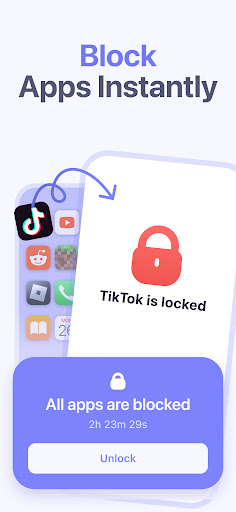


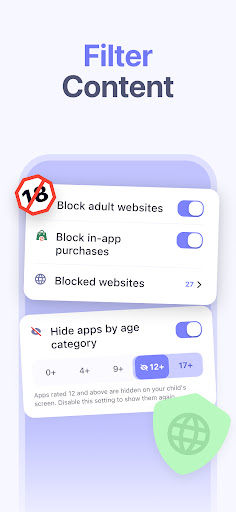
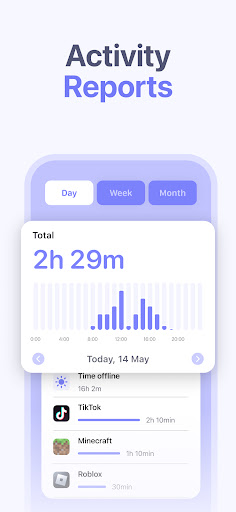
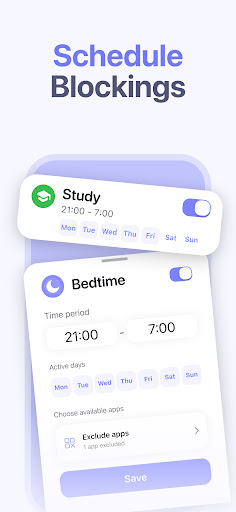
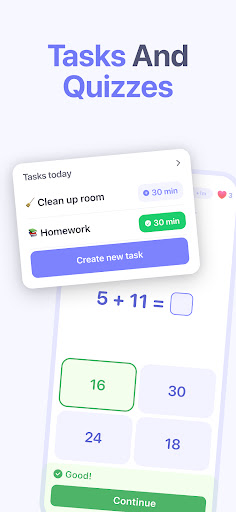
Kidsee Parental Control is a comprehensive family safety solution designed to help parents manage their children's digital habits while ensuring their safety. The app offers powerful features like screen time management, GPS tracking, and content filtering that work seamlessly across Android and iOS devices.
With Kidsee, parents can set flexible screen time limits, block inappropriate apps and websites, and monitor their child's location in real-time. The application's intuitive interface allows for easy management of multiple children from a single parent account, making it an ideal solution for modern families looking to maintain a healthy balance between digital engagement and real-world activities.
The app's feature set is specifically engineered to give parents complete control over their children's device usage. It utilizes AccessibilityService API to enable real-time app blocking and screen time monitoring, while its advanced GPS tracking system provides accurate location data and historical movement records.
Kidsee stands out with its customizable scheduling options, allowing parents to create tailored screen time rules for different days and situations. The app also includes essential safety features such as automatic adult content blocking, in-app purchase prevention, and the ability to monitor battery levels on children's devices - all crucial elements for maintaining both digital and physical security.
Comprehensive parental controls
Real-time GPS tracking
Supports multiple devices
Flexible scheduling options
Easy installation process
Requires constant internet
Premium features need subscription
Limited without Accessibility API
Some features iOS restricted
Privacy concerns with permissions

Discover fun videos, kids songs, bedtime stories and games
 3.60
3.60
Fake call application designed for parents and adults to discipline their children through the children's police.
4.20
Kids story books for children. Baby reading books with audio for pre-k toddlers
4.70
Join over 1MM parents & professionals who've used OFW to navigate co-parenting
4.40
Introduce real food to baby with First Foods® Database, baby led weaning BLW
4.80
GeoLog - Real-Time Location Tracker
4.40
App/Game blocker & GPS tracker
4.50
All-In-One Pregnancy Tracker, Your Baby's Milestones, Growth Stages & Parenting.
4.90
Track baby’s development & growth week by week with BabyCenter’s pregnancy app!
4.90
Track your labor contractions
4.90
Advanced baby tracking, expert sleep help & parenting support for every stage.
4.80
Track your pregnancy, kick & contraction counter, baby & mom's heartrate monitor
4.60
It is a screen time management tool for games and mobile applications
4.50
Reliable phone tracker by number & locate phone app. Protect your family.
4.50
Real-time family location with consent, check-ins & SOS—private by default.
4.40
Speech Therapy Exercises For All!
4.40
FamilyMode helps you manage your family’s digital lives—at home or on the go.
4.30
Magic chalkboard coloring and drawing!
4.20
Lullabies, Night Light & Age-based Routines to help your baby fall asleep
4.3


User Reveiws