PWS Meteo Monitor PRO

4.20

Information

Category:

Weather

Price:

$ 4.49

Rank:

25

Rating:

4.20

Overview

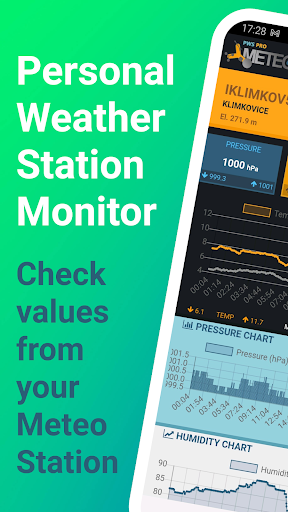
PWS Meteo Monitor PRO is a comprehensive weather monitoring solution designed for personal weather station (PWS) owners. This app provides real-time data and detailed charts, allowing users to track various meteorological parameters with precision.

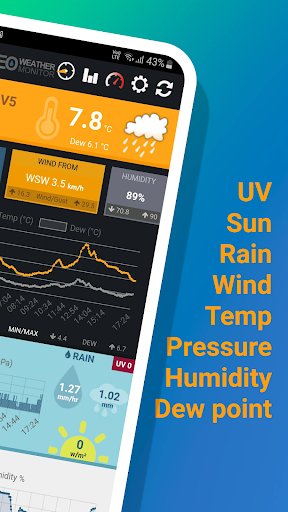
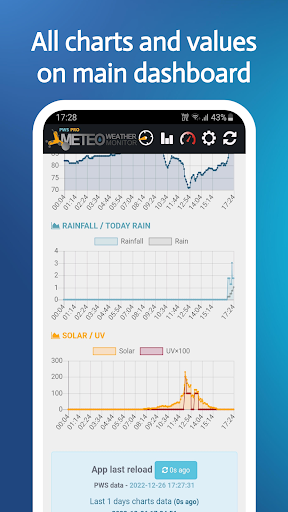
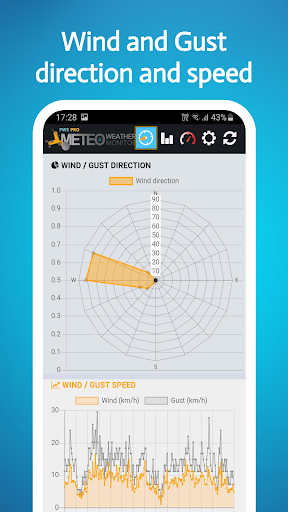
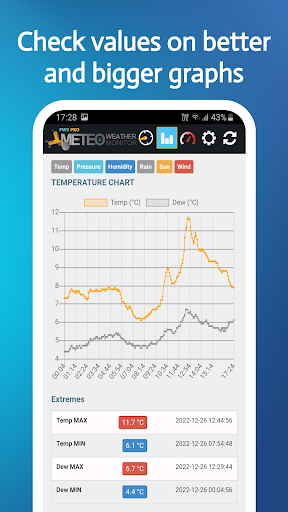
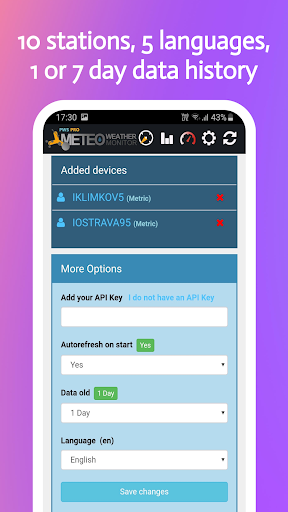
Key features include live updates of temperature, dew point, pressure, wind speed, and more. The app supports up to 10 different stations, offering both metric and imperial units. Users can access daily charts for numerous weather aspects such as temperature trends, wind patterns, and rainfall distribution.

Ideal for weather enthusiasts, this app transforms your PWS data into easy-to-understand visual representations. With its ad-free interface and support for multiple languages, PWS Meteo Monitor PRO delivers a seamless weather tracking experience across different devices.

Features

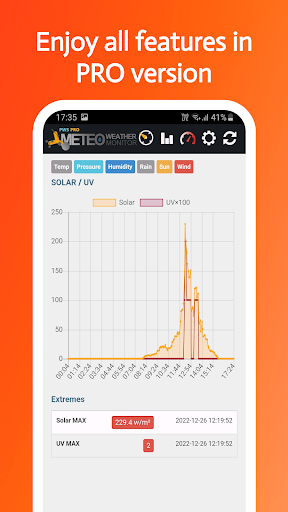
The app stands out with its extensive feature set tailored for weather monitoring. It offers advanced charting capabilities, displaying crucial weather metrics through intuitive graphs and visualizations.

Users can view detailed breakdowns of temperature fluctuations, wind direction frequencies, and humidity levels throughout the day. The application's strength lies in its ability to present complex weather data in an accessible format while maintaining accuracy and reliability.

Additional notable features include API key integration support, GPS functionality for station location, and customizable refresh options. These elements combine to create a powerful tool that helps users make informed decisions based on precise weather information.

Forecast Accuracy & Data Credibility

Forecast accuracy and data credibility are essential components of any weather monitoring application as they ensure that users receive reliable and precise information to make informed decisions. PWS Meteo Monitor PRO provides users with current and daily information from their Personal Weather Stations (PWS), ensuring the data presented is both timely and accurate. The app supports a wide range of PWS manufacturers, including Airmar, Davis, and Ambient Weather, among others, which speaks to its versatility and commitment to delivering credible data across different devices. By offering live actual values for temperature, dew point, pressure, humidity, wind speed, and direction, the app ensures that users have access to real-time meteorological data. This immediacy in presenting weather conditions enhances the reliability of forecasts generated by the app. Additionally, features such as rain detection, solar radiation information, and UV radiation details further enrich the dataset available to the user, allowing for comprehensive weather analysis. The inclusion of daily charts for various parameters like temperature, pressure, wind, rainfall, and humidity enables users to visualize trends over time, thus improving their ability to predict future weather patterns based on historical data. With options for metric, imperial, and hybrid UK units, along with language support for English, Czech, German, and Russian, the app caters to a global audience while maintaining consistency in data presentation. Overall, PWS Meteo Monitor PRO's dedication to providing detailed and accurate weather data empowers users to trust the information they receive, whether for personal interest or professional use.

Temporal & Spatial Forecast Range

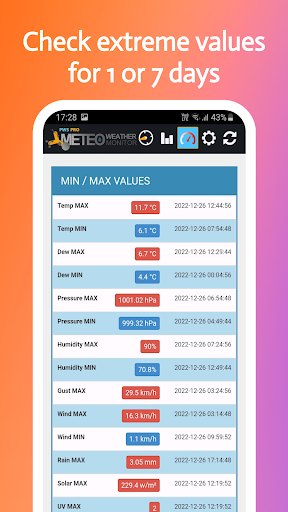
The temporal and spatial forecast range is a critical aspect of weather applications, dictating how far into the future predictions can be made and over what geographical area. PWS Meteo Monitor PRO excels in this domain by offering users the capability to monitor up to 10 different Personal Weather Stations (PWS), each potentially located in distinct geographical locations. This multi-station support allows for an expanded spatial coverage, enabling users to track weather conditions across various regions simultaneously. The app's ability to display live actual values for numerous meteorological parametersu2014including temperature, dew point, pressure, humidity, wind speed, and directionu2014ensures that users receive timely updates relevant to specific locations. Furthermore, the availability of GPS data and PWS elevation in feet adds another layer of spatial context, enhancing the precision of localized forecasts. In terms of temporal forecasting, PWS Meteo Monitor PRO offers daily charts for key weather indicators such as temperature, pressure, wind, rainfall, and humidity. These visual representations allow users to discern patterns and fluctuations over time, facilitating short-term predictions. The app also includes MIN/MAX values for temperature, dew point, humidity, and pressure, alongside MAX values for wind and gust speeds, which help in understanding extreme conditions within a given timeframe. With autorefresh options and chart displays spanning 1/7 days, users can maintain an ongoing awareness of evolving weather patterns. Such features not only improve the accuracy of temporal forecasts but also empower users to anticipate changes in weather conditions effectively. By integrating these robust temporal and spatial forecasting capabilities, PWS Meteo Monitor PRO delivers a comprehensive weather monitoring solution that meets the needs of both casual observers and serious meteorology enthusiasts.

Props

Comprehensive weather data

User-friendly interface

Multiple language support

Ad-free experience

Advanced charting tools

Cons

Limited free version

Requires PWS setup

No iOS availability

Complex for beginners

Occasional data delays
Features and Functions

What is this app and what can I use it for?

A weather monitoring app for personal stations

How do I download and install this app on my device?

Search 'PWS Meteo Monitor PRO' on Google Play and install

How do I get started after opening the app for the first time?

Enter your PWS details and API key to connect

What are the main features and capabilities of this app?

Live weather data and detailed daily charts

How can I customize my experience and adjust preferences?

Adjust units and language in settings menu

How do I save or bookmark my favorite content for later access?

Data automatically saved after connection

How can I share content with friends or on social media?

Share weather snapshots via social links

How do I access detailed information and explore more content?

View detailed charts and historical data

What permissions does this app need and how do I manage them?

Needs location and network permissions

How do I check for updates and keep the app running smoothly?

Enable auto-update in Google Play settings
Show more

User Reveiws

{{ comment.reviewer_name }}
{{ comment.review_date_formatted}}
{{ comment.review_content }}
{{ tab.name }}
{{ comment.reviewer_name }}
{{ comment.review_date_formatted}}
{{ comment.review_content }}
No reviews with this rating