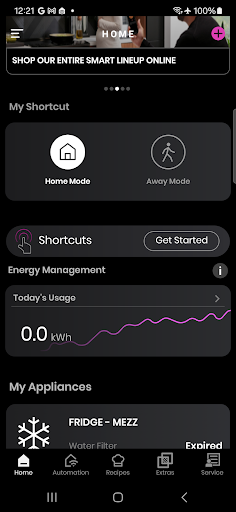
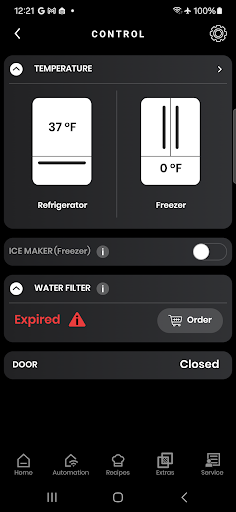


SmartHQ is a comprehensive smart home application that allows users to control and monitor their smart appliances from various brands including GE Appliances, Profile, Café, Monogram, Fisher & Paykel, and Haier. The app serves as a central hub for managing multiple smart devices, providing convenience and peace of mind through remote access and advanced features.
One of the standout capabilities of SmartHQ is its integration with voice assistants like Amazon Alexa and Google Assistant, enabling hands-free control. Users can also receive timely notifications about their appliances' status, ensuring they stay informed about any alerts or updates. Additionally, the app offers personalized experiences by allowing users to create shortcuts for frequently used functions and download new modes for their appliances.
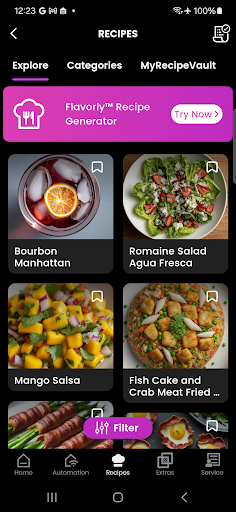
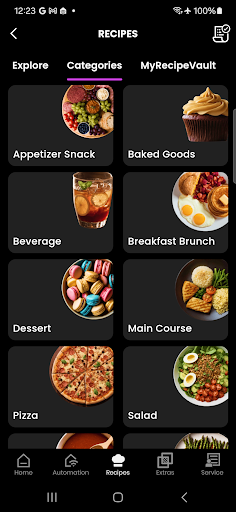
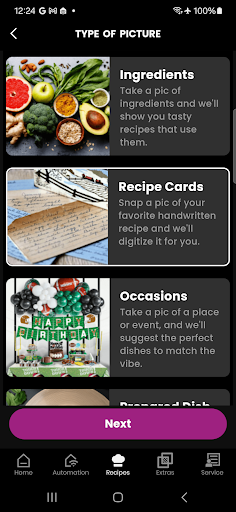
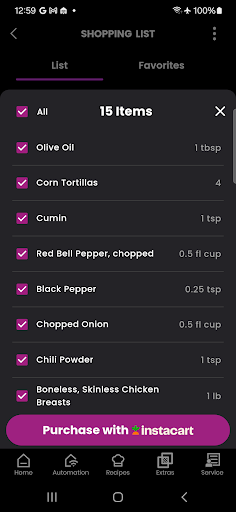
The app's energy and water usage monitoring feature provides valuable insights, helping users make informed decisions about their appliance usage. With an enhanced cooking experience powered by Flavorly AI, users can generate recipes and monitor their oven's progress via a built-in camera. SmartHQ also facilitates convenient product registration and access to expert help, making it an indispensable tool for modern homeowners.
SmartHQ boasts a wide array of features designed to enhance the user experience with smart appliances. One of its key functionalities is remote control, which allows users to monitor and manage their appliances from anywhere, ensuring both convenience and peace of mind. This feature is particularly useful for those who want to keep an eye on their home appliances while away.
Voice integration is another significant feature, enabling users to control their appliances using voice commands through Amazon Alexa and Google Assistant. This hands-free approach adds a layer of convenience and accessibility, especially in busy household environments. Additionally, the app provides timely notifications about appliance status, including alerts and updates, ensuring users are always informed.
SmartHQ also offers software updates to keep appliances running smoothly and introduces new features as they become available. The app includes a personalized experience where users can create shortcuts for frequently used functions and download new modes for their appliances. Furthermore, the energy and water usage monitoring feature helps users understand their consumption patterns, promoting more efficient use of resources.
User-friendly interface
Comprehensive device support
Remote monitoring capability
Voice assistant integration
Energy usage insights
Limited to compatible devices
Some features require additional hardware
Country-specific limitations
Premium features may require subscription
Dependent on stable internet connection
Easily manage your child's playtime, spending messaging and more.
 3.50
3.50
Paranormal EVP, Ghost Box, Spirit box, ITC, Haunted, Spirit communication device
3.70
A daily quote for success
4.1
Spiritus Ghost Box is an Audio and Visual ITC tool for paranormal research.
4.00
This minimalist yet classic board design brings a futuristic twist to your wrist
4.20
Discover the "To Be a Christian" App: Your Guide to Deepening Faith!
5.00
Make money, get paid cash rewards & gift cards for every survey. Earn today!
4.60
A unique and customizable watch face which rotates its layout every minute.
4.80
Control your Tapo smart devices from anywhere.
4.60
Get roadside help, discounts, travel tools & more — AAA is with you everywhere.
4.80
Simple, stylish & fresh watch face. Customize colors, gradients & complications.
4.70
Digital smart watch face made for Wear OS.
4.70
Stay connected with your loved ones & vehicles | Share live GPS location updates
4.60
Cute Adorable Animals now on your wrist with our Wear OS watch face!
4.40
Going above and beyond known spirit communication
3.60
Smart home security protection
3.20
The Miracle Box includes methods used by Steve Huff of Huff Paranormal.
3.20
Wear your favorite memories, loved ones, pets or travel photos on your watch
4.1
Futuristic watchface inspired by Back to the Future: sleek, retro, timeless
4.3


User Reveiws