
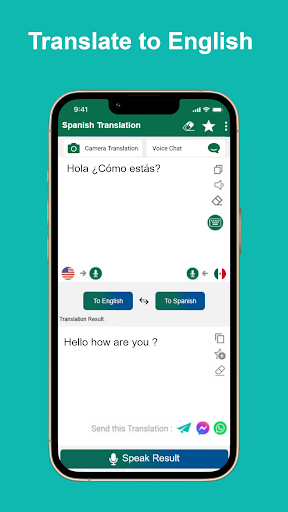
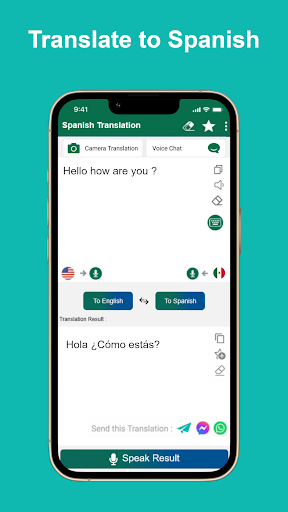
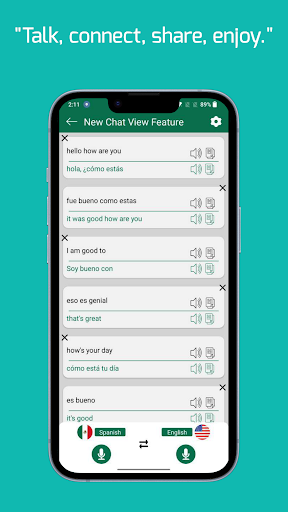
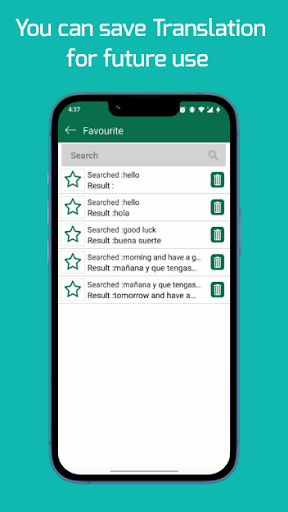
Spanish English Translator is a versatile language tool designed to facilitate seamless communication between English and Spanish speakers. This app allows users to translate words and texts in both directions, making it an essential resource for students, travelers, and professionals alike. With its offline functionality, users can access translations without an internet connection, ensuring convenience and accessibility wherever they go.
In addition to text translation, the app offers voice input and speech output features in both languages. These capabilities enhance user interaction by allowing hands-free operation and audible confirmation of translations. Whether you're learning Spanish or need quick translations on the go, this app provides a reliable solution that supports language acquisition and practical usage across various Spanish-speaking countries.
One of the standout features of Spanish English Translator is its comprehensive offline functionality. Users can translate text without needing an internet connection, which is particularly useful when traveling or in areas with limited connectivity. The app's ability to function as an offline dictionary makes it invaluable for quick reference and learning purposes.
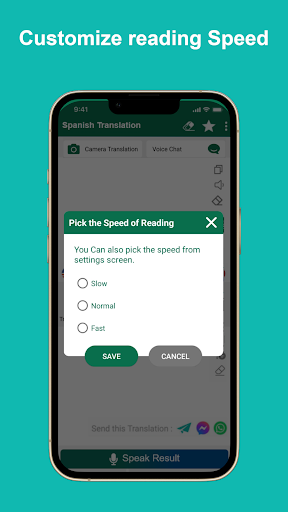
Voice input and speech output are other notable features that enhance the user experience. By supporting voice commands, the app allows for hands-free operation, making it easier to obtain translations while multitasking. Additionally, the speech output feature enables users to hear accurate pronunciations in both English and Spanish, aiding in language learning and comprehension. The sharing capability lets users distribute translations with friends and contacts, further expanding its utility.
User-friendly interface
Offline translation
Voice input support
Speech output in both languages
Shareable translations
Limited language pairs
No advanced grammar tools
Occasional inaccurate translations
Basic offline dictionary
Ads may disrupt experience

“There was one last piece of cake. My little sister said ‘Me too!’”
 4.00
4.00
A guide for the Court of Atonement spiritual healing process.
4.2
The ultimate military vehicle identification (Equipment ID) guide.
4.40
Mirror Bible - eye-opening paraphrase translation of the NT by Francois du Toit
4.30
Read the KJV Bible with Strong’s offline: reading plans, audio Bibles, and more.
4.70
Personalized Chat with Bible
4.80
The dynamic dictionary/reference app for piano chords and scales!
4.80
KJV Bible works offline with Audio, Hebrew & Greek lexicon (concordance) & more!
4.20
Daily Bible app: King James Version with verses and audio for studying&prayer
4.40
What’s that bird? Just answer 5 questions, snap a photo, or record its song!
4.90
Bible Study App with Audio Book, Verse of the Day, and Devotionals.
4.80
Liturgy of the Hours totally off-line
4.80
Learn Thai with 195,000+ entries, crisp Thai sounds, big text; works offline.
4.80
Contains the 365 daily readings and everything other thing needed for catholics
4.70
This is the pro version King James bible Offline that we have
4.70
Words spoken by native English speakers and full definitions.
4.60
Read aloud texts, audiobooks, PDFs or any eBook with text to speech AI audio
4.60
Research your family history to explore ancestors and search for your heritage
4.50
Read the Quran in Arabic alongside its translation, with color coded Tajweed.
4.50


User Reveiws