
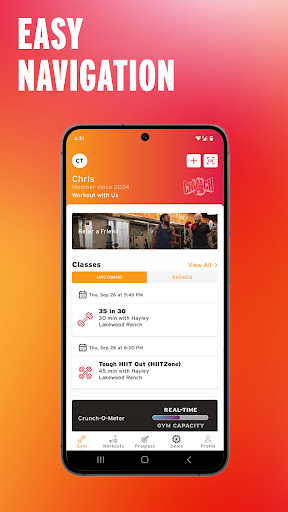
Crunch Fitness is a comprehensive mobile application designed specifically for fitness enthusiasts who are members of Crunch gyms. The app serves as an all-in-one solution to enhance your gym experience by providing essential features that streamline your fitness routine.
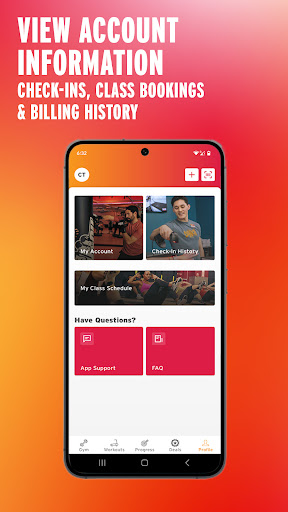
With Crunch Fitness, users can easily check into the gym, track their attendance history, and monitor their progress over time. The app also allows members to manage group class bookings, review billing history, and set personalized fitness goals. Additionally, it supports integration with popular fitness wearables, enabling seamless activity tracking.
This app is particularly useful for those who want to maintain a detailed record of their workouts while having quick access to their gym-related information. By consolidating these features into a single platform, Crunch Fitness empowers users to take control of their fitness journey efficiently.
Crunch Fitness stands out with its diverse feature set tailored to meet the needs of modern gym-goers. One of its key functionalities is the streamlined gym check-in process, which eliminates the need for physical membership cards and speeds up entry.
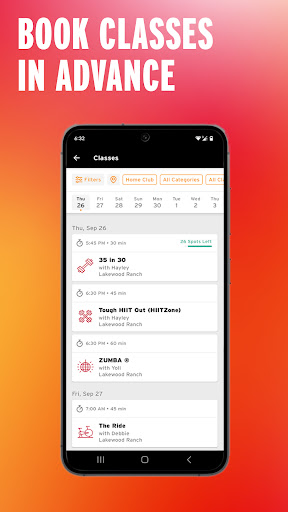
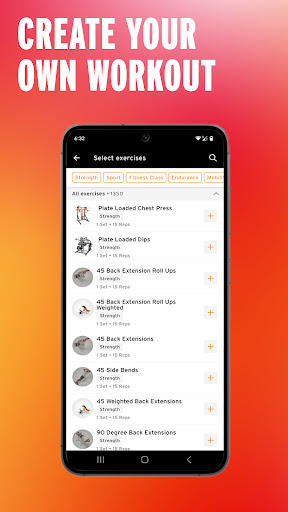
The app provides robust tools for managing group fitness classes, allowing users to browse schedules, book sessions, and receive reminders. It also includes a comprehensive billing management system where users can view payment history and update account details. Workout tracking is another highlight, offering goal-setting options and performance metrics to help users achieve their fitness targets.
Furthermore, the integration with fitness wearables ensures that users can sync their activity data effortlessly. This feature creates a unified platform for monitoring all aspects of a user's fitness routine, making Crunch Fitness a valuable companion for health-conscious individuals.
User-friendly interface
Comprehensive gym management
Seamless wearable integration
Personalized goal setting
Convenient class booking
Limited to Crunch members
Occasional syncing issues
No offline functionality
Premium features require subscription
Notifications can be intrusive

Chair Workout: Women's Edition for safe, flexible, and personalized fitness.
 4.40
4.40
Optimization for TRT & Enhanced Athletes
4.0
Histamine intolerance, low FODMAP diet and irritable bowel syndrome (IBS)
4.00
Using Recognise™ has been shown to reduce pain and improve performance
4.3
Get lasting results with Chair Yoga, Wall Pilates, and Walking workouts!
4.60
Your portable blood pressure tracker. Record, monitor, and analyze BP anytime.
4.30
Dexcom G7 Continuous Glucose Monitoring
3.70
Understand your body’s most meaningful messages and transform your health.
3.90
Manage your and your family's health information.
4.60
Power-lifting, weightlifting and Wendler 531 app to track your workout program.
4.90
When the night comes, we prepare your eyes for deep, sweet dreams
4.70
Load the bar with this barbell & plate calculator. It's leg day, not brain day!
4.70
Relax. Sleep Better. Feel Better.
4.50
Pilates, Calisthenics, Yoga
4.50
Relax to calm sounds, white noise, music, guided meditation and bedtime stories
4.40
50 HD sounds to help you relax during the day and sleep great at night!
4.40
Pupillary distance PD with camera quick and easy, checking glasses frames on you
3.70
The Sleep Miracle Sound Machine: Soothes baby to sleep with a gentle "Shhh"
3.00
Sync your activities of the most popular sports tracking services
2.70


User Reveiws