Night Shift

4.70

Information

Category:

Health & Fitness

Price:

$ 5.99

Rank:

29

Rating:

4.70

Overview

Night Shift is a specialized health application designed to protect users' eyes during nighttime device usage. The app primarily functions as a blue light filter, reducing screen brightness below system minimum levels while allowing full customization of color temperature and RGB values. This feature set makes it particularly useful for individuals who use their devices in low-light environments.

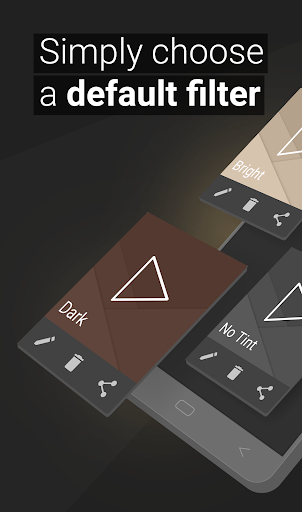
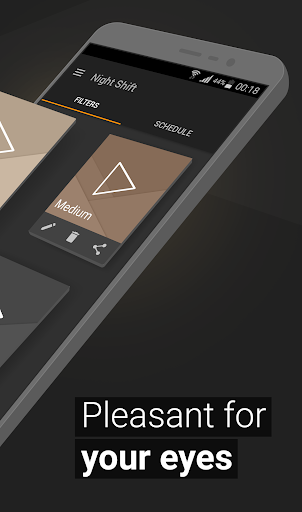
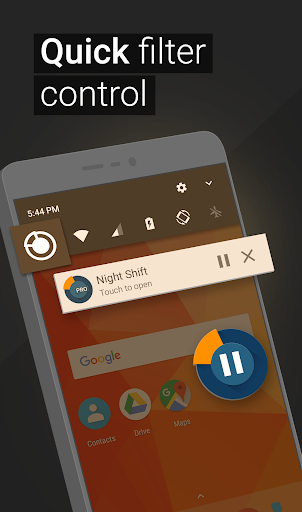
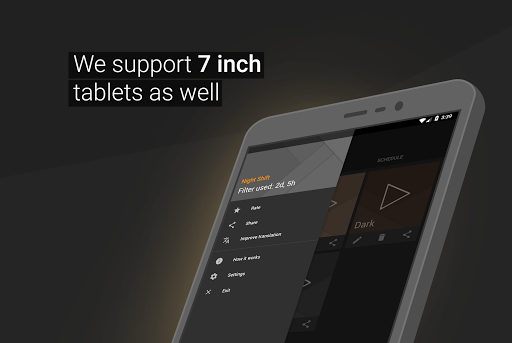
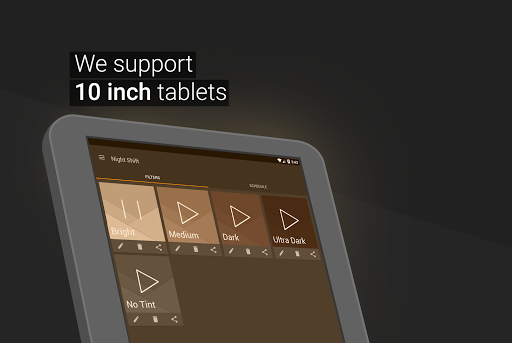
What sets Night Shift apart is its comprehensive approach to eye protection. The app offers premade filters for quick use while also allowing users to create custom dark mode settings. Users can automatically schedule these night filters based on their daily routines, ensuring optimal eye protection when needed most. The application's accessibility service extends protection to notification and lock screens without compromising user privacy or collecting personal data.

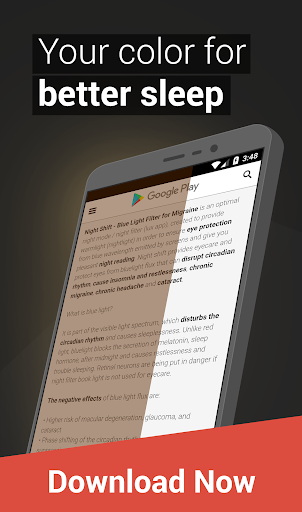
This Health & Fitness app provides real value by addressing multiple health concerns related to nighttime device usage. From preventing headaches and insomnia to protecting against potential long-term eye damage such as glaucoma and cataracts, Night Shift serves as an essential tool for maintaining good eye health in our digital age.

Features

The application boasts several distinctive features that enhance its functionality as an eye protection tool. Its primary feature is the ability to dim screens beyond the standard system minimum, providing users with truly reduced brightness levels that are crucial for nighttime use. This capability is complemented by sophisticated customization options that allow precise control over screen temperature and color intensity.

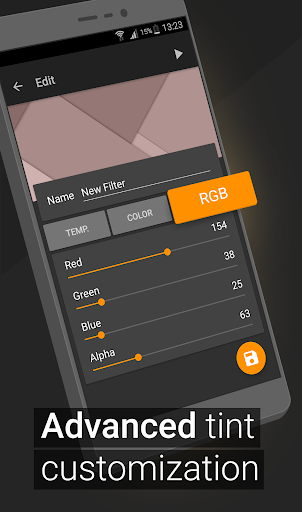
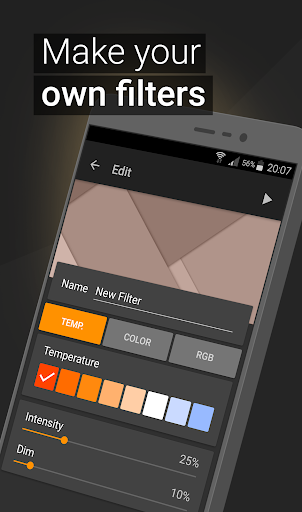
One of the app's most notable aspects is its comprehensive customization suite. Users can create unlimited blue light filters using advanced RGB controls, temperature settings, and color adjustments. The automatic scheduling feature ensures these custom settings are applied at appropriate times without requiring manual activation. Additionally, the app's accessibility service extends protection to all device interfaces, including notifications and lock screens, without compromising user privacy.

These features collectively provide users with maximum flexibility in creating personalized eye protection solutions. Whether reading, gaming, or browsing news at night, users can tailor their screen experience to minimize eye strain while maintaining optimal viewing conditions. The combination of automated scheduling and manual customization options makes this app suitable for various usage patterns and preferences.

Personalized planning

Personalized planning in the context of a health and fitness application like Night Shift refers to the app's ability to tailor its features to meet individual user needs for eye care and sleep improvement. This is particularly important as users have different sensitivities to screen light and varying schedules that can impact their exposure to blue light. The importance of personalized planning lies in its capacity to offer customized solutions that address specific issues such as insomnia headaches and eye strain which are often exacerbated by prolonged screen time. Night Shift achieves this through several key functionalities. Firstly it offers premade filters which serve as a starting point for users seeking immediate relief from bright screens during nighttime usage. These filters reduce the amount of blue light emitted which is known to interfere with melatonin production and disrupt sleep patterns. Secondly the app allows for saving and editing filters giving users the power to adjust settings according to their preferences or medical advice they might have received. This feature supports ongoing personalization as users' needs may change over time. Additionally Night Shift provides temperature and color customization options enabling users to fine-tune the warmth and hue of their displays to create a more comfortable viewing experience. RGB customization takes this a step further by allowing precise control over red green and blue color levels ensuring that the display matches the user's ideal conditions for reduced eye strain. By leveraging these personalized planning features users can significantly enhance their comfort when using digital devices at night. They benefit from improved sleep quality due to minimized blue light exposure and reduced risk of headaches and other discomforts associated with excessive screen brightness. Moreover the automatic filter schedule ensures that these protective measures are consistently applied without requiring constant manual adjustments thus promoting long-term adherence to healthier screen habits.

Progress visualization

Progress visualization within a health and fitness app such as Night Shift involves presenting users with clear and actionable insights into how effectively they are managing their exposure to harmful screen light and maintaining good eye health practices. This aspect of the application is crucial because it transforms abstract concepts like 'reduced blue light' into tangible outcomes that motivate continued use and refinement of protective behaviors. For Night Shift progress visualization begins with the implementation of its core functionalities designed to mitigate the negative effects of nighttime device usage. As users engage with features such as dimming below system minimum temperature customization and RGB adjustments they generate data points that reflect changes in their screen environment. The app then translates these inputs into visual representations that highlight improvements in sleep quality reductions in headache frequency and overall enhancements in ocular well-being. One way Night Shift accomplishes this is through detailed analytics dashboards where users can track metrics related to their filter usage patterns. For instance graphs may illustrate how consistently the automatic filter schedule has been activated over time demonstrating the app's role in establishing a routine that safeguards against nocturnal blue light intrusion. Similarly charts could depict fluctuations in screen brightness levels correlating these variations with reported symptoms such as eye fatigue or difficulty falling asleep. Furthermore Night Shift employs milestone reminders and achievement badges to celebrate significant accomplishments along the user's journey toward better eye health. These gamification elements not only provide positive reinforcement but also encourage sustained engagement with the app's protective features. Users receive notifications congratulating them on reaching certain milestones such as consecutive days of optimal filter application or achieving a target reduction in average nightly screen brightness. The value proposition of robust progress visualization extends beyond mere feedback mechanisms. It empowers users to make informed decisions about their digital habits by offering concrete evidence of the benefits derived from using Night Shift regularly. Armed with this knowledge individuals are more likely to prioritize eye care integrate the app into their daily routines and advocate for similar precautions among friends and family members who might also be vulnerable to the adverse effects of excessive screen time after dark.

Props

User-friendly interface

Comprehensive customization

Automatic scheduling

Privacy-focused design

Effective eye protection

Cons

Premium features locked

Initial setup required

May affect display quality

Battery consumption

Learning curve present

Features and Functions

What is this app and what can I use it for?

A blue light filter app for nighttime device use

How do I download and install this app on my device?

Search 'Night Shift' in Google Play Store and install

How do I get started after opening the app for the first time?

Select default filter or customize settings

What are the main features and capabilities of this app?

Blue light filtering, dimming, color customization

How can I customize my experience and adjust preferences?

Adjust temperature, colors, and RGB values

How do I save or bookmark my favorite content for later access?

Save custom filters for future use

How can I share content with friends or on social media?

Share filter settings via app options

How do I access detailed information and explore more content?

Explore detailed customization settings

What permissions does this app need and how do I manage them?

Requires accessibility permissions for full features

How do I check for updates and keep the app running smoothly?

Check Play Store for updates regularly
Show more

User Reveiws

{{ comment.reviewer_name }}
{{ comment.review_date_formatted}}
{{ comment.review_content }}
{{ tab.name }}
{{ comment.reviewer_name }}
{{ comment.review_date_formatted}}
{{ comment.review_content }}
No reviews with this rating