

White Noise Pro

4.40

Information

Category:

Health & Fitness

Price:

$ 2.99

Rank:

10

Rating:

4.40

Overview

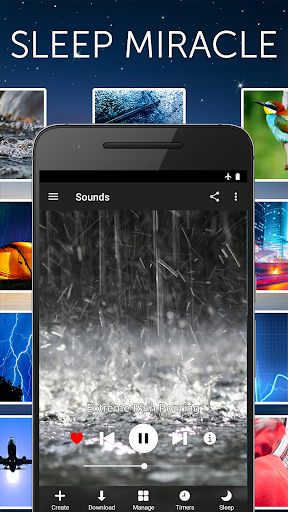
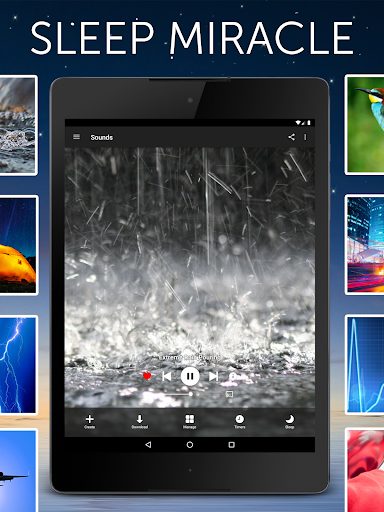
White Noise Pro is a comprehensive sleep and relaxation solution designed to help users achieve better rest through high-quality soundscapes. The app features over 50 HD stereo sounds, including ambient environmental noises like rain, ocean waves, and color noises that cater to different preferences. Its advanced functionalities allow users to create personalized sound mixes by adjusting volume, pitch, and balance, ensuring an optimal experience for blocking distractions and promoting relaxation.

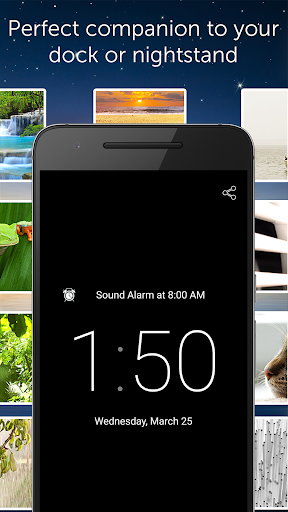
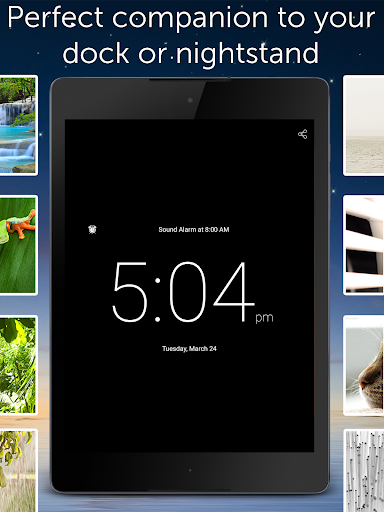
Beyond its core sound library, White Noise Pro includes specialized tools such as binaural beat generation and custom noise creation, making it a versatile choice for both sleep improvement and stress reduction. With additional features like background audio support, Chromecast integration, and a full-screen digital clock, the app serves as an all-in-one tool for enhancing nighttime routines. Whether you're dealing with sleep disturbances, focusing on work, or soothing a baby, this app provides scientifically-backed solutions to improve overall well-being.

Features

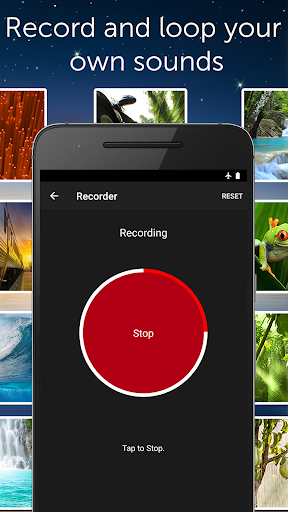
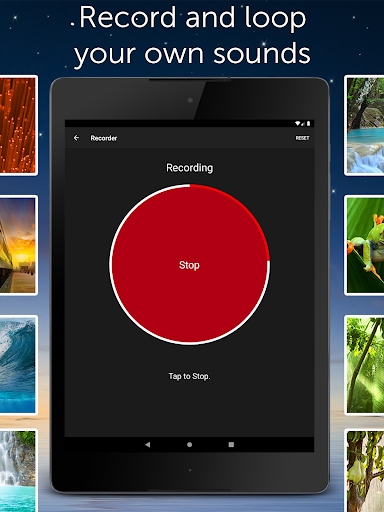
White Noise Pro stands out with its extensive range of professional-grade features tailored for both casual users and those with specific needs. The app offers more than 50 exclusive HD sounds, which can be customized using advanced generator tools to produce binaural beats, tones, and unique color noises. Users can also download additional free sounds via the White Noise Market or record their own audio loops, adding a layer of personalization unmatched by similar apps.

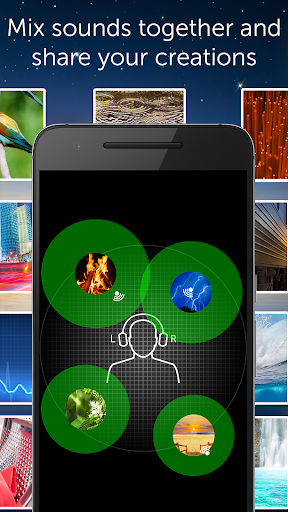
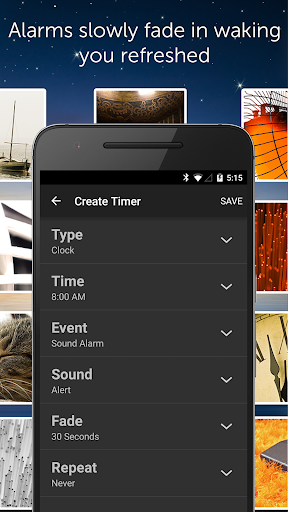
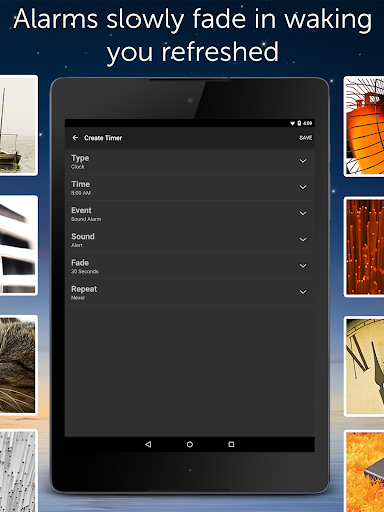
One of the key highlights is the ability to mix multiple sounds while controlling individual parameters such as pitch, variance, and volume. This flexibility allows for endless combinations, creating truly immersive environments. Other notable features include an advanced alarm system that fades in and out naturally, compatibility with Android devices, and seamless integration with external apps and hardware like Chromecast. These innovations ensure that White Noise Pro remains a top-tier choice for anyone seeking effective auditory aids for sleep and relaxation.

Personalized planning

Personalized planning in the context of White Noise Pro refers to the app's ability to cater to individual needs by offering a wide range of customizable soundscapes that can be tailored to suit personal preferences and requirements for relaxation and sleep. This feature is crucial as it acknowledges that every user has unique environmental and auditory preferences that aid their rest and concentration. White Noise Pro offers over 50 HD stereo sounds, including various color noises and ambient sounds from nature and urban environments. Users can further personalize their experience by adjusting volume, balance, pitch, and variance of each sound within a mix, creating a personalized auditory environment that best suits their relaxation or sleep needs. The application also allows users to record and loop new sounds, providing an endless possibility for customization. With the advanced alarm and timer system, users can set alarms that gently wake them up with a natural feeling, integrating music alarms for those with Android 5.0 devices. The creation of playlists enables users to enjoy different ambiences throughout the day, ensuring that whether they need to focus, relax, or sleep, there is a personalized soundscape available. This level of personalization ensures that users can create an optimal auditory environment that caters specifically to their individual needs, enhancing their overall experience and promoting better sleep quality and stress reduction.

Progress visualization

Progress visualization within White Noise Pro involves tracking and displaying the user's journey towards better sleep and relaxation through the use of audio tools and features provided by the app. While the primary function of White Noise Pro is to deliver sounds that help with relaxation and sleep, visualizing progress is equally important for users to understand their improvement over time. Although White Noise Pro does not offer traditional progress charts or graphs, it provides users with the means to visualize their progress indirectly through customizable soundscapes and advanced settings that adapt to their evolving needs. For instance, users can experiment with different sound combinations and adjust settings such as volume, balance, and pitch to refine their auditory environment continuously. As users become more acquainted with what works best for them, these adjustments serve as indicators of their progress and increased knowledge about their sleep preferences. Additionally, the full-screen digital clock with customizable colors and brightness controls acts as a visual tool during nighttime, allowing users to have a clear but non-intrusive time display that doesn't disrupt their sleeping environment. The advanced alarm system also plays a role in progress visualization by enabling users to start and end their days with gentle audio transitions, fostering a routine that promotes consistent sleep patterns. By empowering users to fine-tune their auditory experiences and establish beneficial sleep routines, White Noise Pro facilitates an ongoing process of optimization and personal growth in achieving restful nights and productive days.

Props

Extensive sound library

Customizable soundscapes

Advanced alarm system

Background audio support

No advertisements

Cons

Premium price point

Complex for beginners

Limited free updates

Requires storage space

Occasional bugs

Features and Functions

What is this app and what can I use it for?

An app offering 50+ HD sounds and tools for sleep and relaxation.

How do I download and install this app on my device?

Search 'White Noise Pro' on Google Play Store and tap install.

How do I get started after opening the app for the first time?

Select a sound preset and adjust settings like volume and timer.

What are the main features and capabilities of this app?

HD sounds, mixing tools, alarms, and customizable soundscapes.

How can I customize my experience and adjust preferences?

Adjust sound settings, pitch, balance, and advanced options in settings.

How do I save or bookmark my favorite content for later access?

Save favorite sounds as presets within the app's interface.

How can I share content with friends or on social media?

Use the share feature to send sounds via social media or messaging apps.

How do I access detailed information and explore more content?

Explore detailed settings and additional sounds in the app menu.

What permissions does this app need and how do I manage them?

Permissions include microphone and storage for recordings and imports.

How do I check for updates and keep the app running smoothly?

Enable auto-updates in Google Play Store settings for the app.
Show more

User Reveiws

{{ comment.reviewer_name }}
{{ comment.review_date_formatted}}
{{ comment.review_content }}
{{ tab.name }}
{{ comment.reviewer_name }}
{{ comment.review_date_formatted}}
{{ comment.review_content }}
No reviews with this rating