Garmin Sleep Advanced

3.60

Information

Category:

Health & Fitness

Price:

$ 0.99

Rank:

28

Rating:

3.60

Overview

Garmin Sleep Advanced is a specialized health application designed to enhance sleep tracking by utilizing real-time data from Garmin wearables. The app integrates seamlessly with Sleep as Android, providing advanced metrics like HRV, SpO2, heart rate, and motion data.

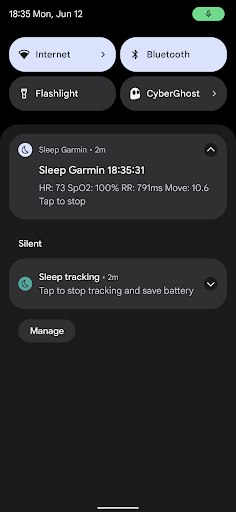
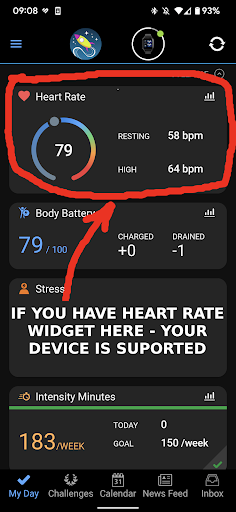
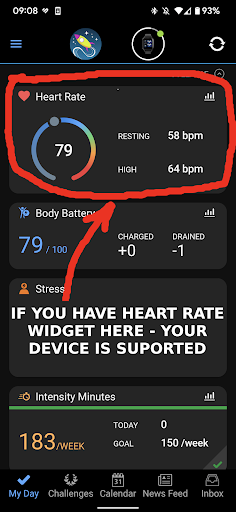
This app is compatible with all Garmin devices that support Bluetooth streaming, even without ConnectIQ. By connecting your Garmin device through the Garmin Connect app, users can gather crucial sleep-related data such as movements, heart rate, blood oxygen saturation, and R-R intervals (HRV).

Whether you're an athlete monitoring recovery or someone focused on improving sleep quality, Garmin Sleep Advanced offers valuable insights to optimize wellness routines. Note that this app is intended for wellness purposes only and should not be used for medical diagnostics.

Features

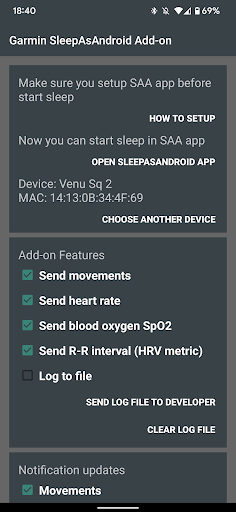
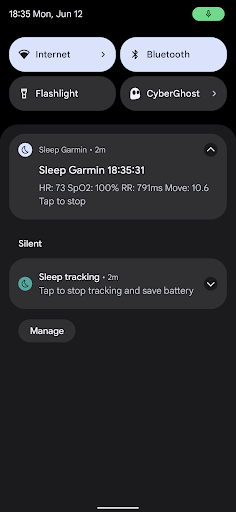
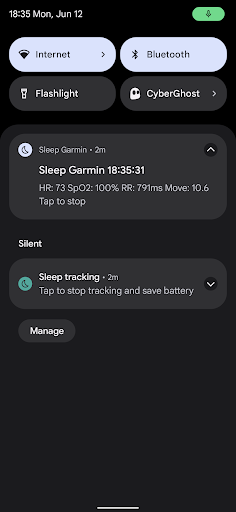
Garmin Sleep Advanced stands out with its comprehensive feature set tailored for accurate sleep tracking. The app measures critical health metrics including movements, heart rate, blood oxygen saturation (SpO2), and R-R intervals (HRV) in real time.

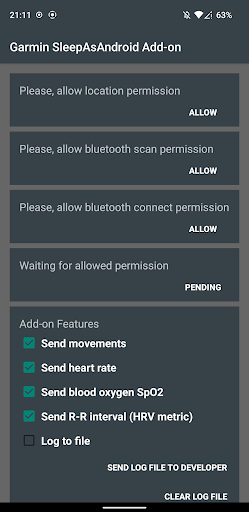
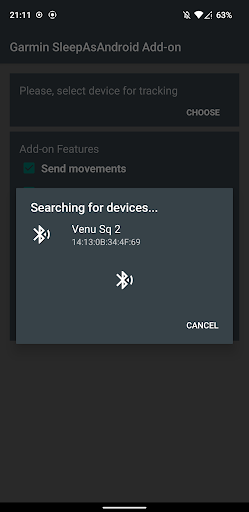
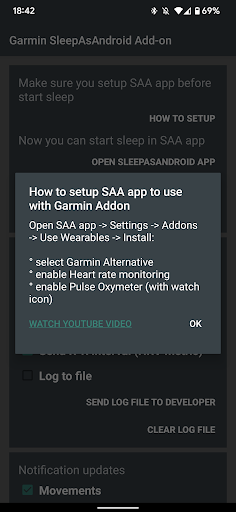
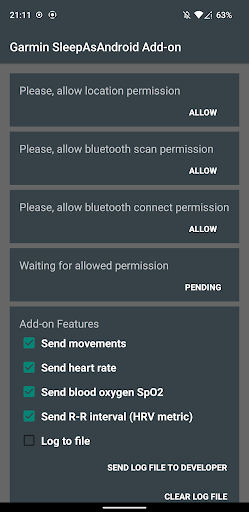
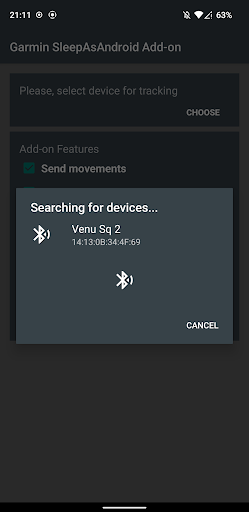
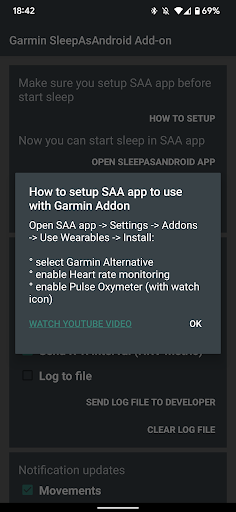
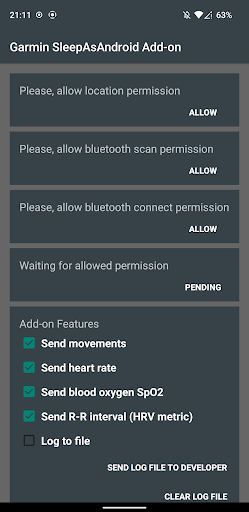
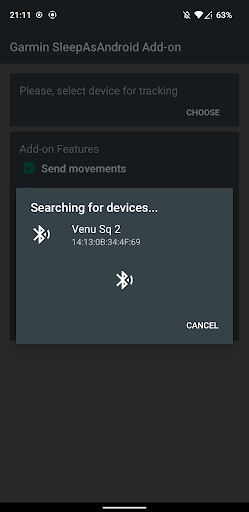
To use the app, ensure your Garmin device is connected via Garmin Connect and install the Sleep as Android app. After granting necessary permissions, select your Garmin device within the app settings and enable features like heart rate monitoring and pulse oximeter functionality.

The app's compatibility with various Garmin wearables ensures flexibility and ease of use. For visual guidance, users can refer to video tutorials available online. Remember, while the app provides detailed wellness data, it is not intended for medical use but rather to support personal health and fitness goals.

Personalized planning

Personalized planning in the context of health and fitness applications refers to the ability to tailor wellness strategies according to individual user data and objectives. For Garmin Sleep Advanced this involves leveraging real-time biometric data such as heart rate variability HRV blood oxygen saturation SpO2 heart rate HR and motion to offer customized insights into sleep quality and overall wellness. The importance of personalized planning lies in its capacity to transform generic advice into actionable personal guidance which can significantly enhance user outcomes. This app achieves personalized planning by integrating with compatible Garmin wearables that stream crucial health metrics via Bluetooth. Users can track their nocturnal movements heart rate patterns SpO2 levels and HRV all of which contribute to a comprehensive understanding of their sleep architecture and recovery status. By correlating these metrics with sleep stages and disturbances the application provides tailored feedback and suggestions aimed at optimizing restorative rest. The actual benefits for users include gaining a deeper awareness of their physiological responses during sleep and receiving specific recommendations to improve sleep hygiene and overall health. Such personalized insight empowers individuals to make informed lifestyle adjustments leading to better sleep quality enhanced daytime performance and long-term wellbeing. In essence the value proposition of personalized planning within Garmin Sleep Advanced is its ability to convert complex health data into understandable and applicable health strategies fostering a proactive approach to personal health management.

Progress visualization

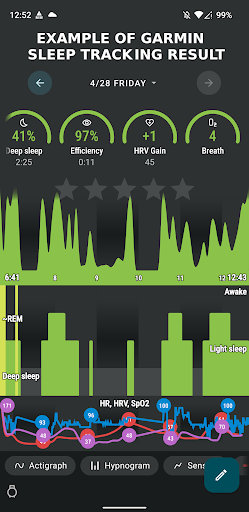
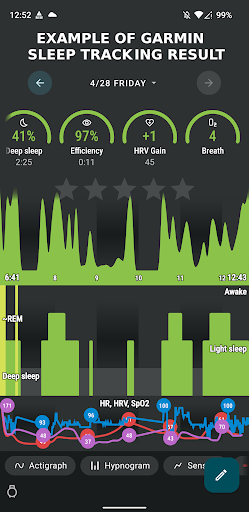
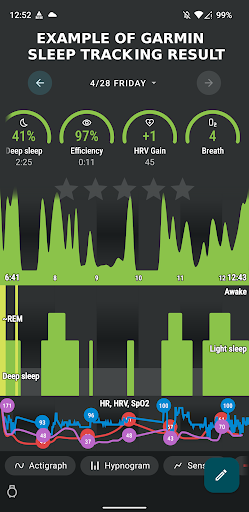
Progress visualization represents the graphical representation of user achievements and physiological trends over time offering an intuitive way to monitor improvements and maintain motivation. Within the Garmin Sleep Advanced application progress visualization manifests through detailed charts and graphs that depict various sleep-related metrics including movement patterns heart rate fluctuations SpO2 levels and HRV measurements. The significance of visualizing progress in health applications cannot be overstated as it allows users to easily comprehend complex datasets recognize patterns and celebrate milestones thus reinforcing positive behaviors. The app implements progress visualization by aggregating nightly data from Garmin wearables and presenting them in an accessible format within the Sleep as Android app. Users can view their sleep efficiency duration and disruptions alongside vital signs providing a holistic view of their sleep quality evolution. The tangible advantages for users encompass not only enhanced understanding of their sleep dynamics but also increased engagement with their health goals. Visual cues help sustain user interest and commitment by highlighting improvements in sleep quality or alerting to potential issues requiring attention. Moreover the ability to visually track physiological parameters like SpO2 and HRV adds another layer of health monitoring enabling early detection of anomalies that might indicate underlying health concerns. Ultimately the strength of progress visualization in Garmin Sleep Advanced lies in its dual role of educating users about their sleep health while simultaneously motivating them to pursue and maintain healthy sleep habits through clear and compelling data representation.

Props

Real-time data streaming

Wide device compatibility

Comprehensive sleep metrics

Seamless app integration

User-friendly setup process

Cons

Not for medical use

Dependent on Garmin hardware

Requires multiple apps

Limited to wellness purposes

Premium features may cost extra

Features and Functions

What is this app and what can I use it for?

An app for advanced sleep tracking using Garmin wearables' real-time data

How do I download and install this app on my device?

Search 'Garmin Sleep Advanced' on Google Play Store and tap Install

How do I get started after opening the app for the first time?

Connect Garmin device, install Sleep as Android, grant permissions, and select device

What are the main features and capabilities of this app?

Measures movements, heart rate, SpO2, and HRV for sleep tracking

How can I customize my experience and adjust preferences?

Adjust settings in Sleep as Android app under Wearables section

How do I save or bookmark my favorite content for later access?

Data automatically saved in Sleep as Android app's history

How can I share content with friends or on social media?

Share sleep reports via Sleep as Android's sharing options

How do I access detailed information and explore more content?

View detailed stats in Sleep as Android's analysis section

What permissions does this app need and how do I manage them?

Needs access to Bluetooth and health sensors on your Garmin device

How do I check for updates and keep the app running smoothly?

Enable auto-updates in Google Play Store for seamless version management
Show more

User Reveiws

{{ comment.reviewer_name }}
{{ comment.review_date_formatted}}
{{ comment.review_content }}
{{ tab.name }}
{{ comment.reviewer_name }}
{{ comment.review_date_formatted}}
{{ comment.review_content }}
No reviews with this rating