Pocket PDF

3.90

Information

Category:

Business

Price:

Free

Rank:

47

Rating:

3.90

Overview

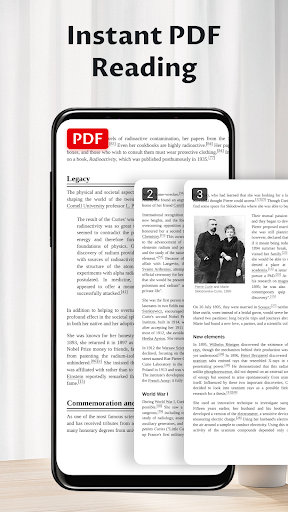
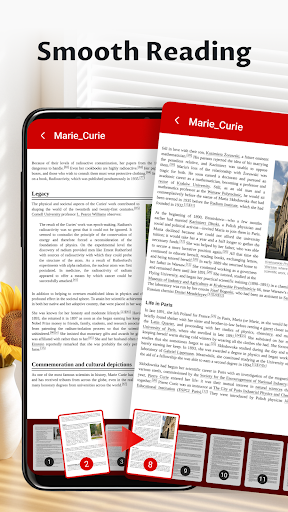
Pocket PDF is a streamlined PDF reader tailored for everyday use, offering users the ability to open, view, and manage PDF documents with remarkable ease. Its minimalist interface ensures that users can focus on their content without distraction, while essential features like easy sharing and deletion enhance document management.

Designed for both simplicity and performance, Pocket PDF eliminates unnecessary complexities, making it ideal for users who need a reliable tool without the clutter. Whether you're reviewing work documents or reading articles, this app provides a seamless experience across all your devices.

Features

Pocket PDF stands out with its clean design and efficient functionality. The app allows quick access to locally stored PDFs, enabling users to open files directly from their device storage. Its clutter-free interface creates an immersive reading environment, free from distracting menus or unnecessary options.

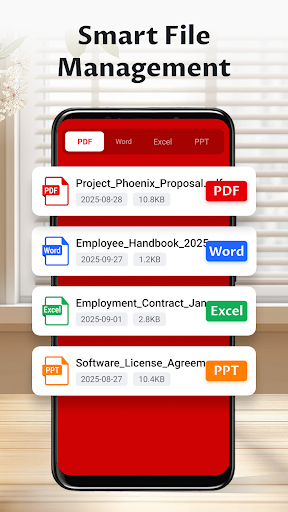
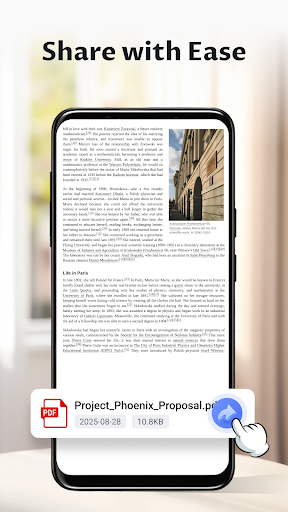
Additional features include convenient file sharing and deletion capabilities, allowing users to manage their documents effortlessly. For Android 11+ users, the app requests MANAGE_EXTERNAL_STORAGE permission to ensure smooth document operations. These thoughtful features make Pocket PDF a dependable choice for anyone seeking a no-fuss PDF reading experience.

Collaborative work features

Collaborative work features are essential for modern business applications as they enable teams to work together efficiently regardless of their physical locations. Pocket PDF while primarily a PDF reader also offers functionalities that support collaborative efforts. The app allows users to quickly share PDF documents with colleagues via various methods such as email or cloud services directly from the application interface. This seamless sharing capability ensures that team members can easily distribute important documents without leaving the app. Additionally Pocket PDF's minimalist design reduces distractions providing a focused environment for users to review and annotate PDFs which is crucial during collaborative projects. Although the app does not include built-in real-time editing or commenting features its efficient file management system enables users to organize and retrieve shared documents effortlessly. By offering a clean interface and reliable performance Pocket PDF facilitates smoother document handling which indirectly enhances collaborative workflows by saving time and reducing complexity in document sharing and management.

Task management

Task management is a critical component of productivity especially in business environments where organizing and tracking tasks can significantly impact efficiency. Pocket PDF contributes to task management by providing users with tools to better handle their PDF documents which often represent key tasks or projects. The app's easy deletion and sharing capabilities allow users to maintain an organized digital workspace ensuring that only relevant files are kept and circulated. Its straightforward interface eliminates unnecessary features that could otherwise complicate task-related document handling. While Pocket PDF may not offer traditional task management elements like due dates or priority settings it excels in simplifying document-related tasks through its intuitive design. Users can quickly access and manage their PDF files without navigating through complex menus thus streamlining their workflow. Furthermore the app's request for MANAGE_EXTERNAL_STORAGE permission on Android 11+ devices demonstrates its commitment to giving users comprehensive control over their files which is vital for effective task management. By focusing on core functionalities Pocket PDF delivers a reliable solution for professionals who need to manage document-centric tasks efficiently without the distraction of extraneous features.

Props

User-friendly interface

Fast PDF loading

Easy file sharing

Minimalist design

Lightweight performance

Cons

Limited advanced tools

No cloud integration

Basic annotation features

Restricted file formats

Permission required for storage

Features and Functions

What is this app and what can I use it for?

A simple PDF reader for viewing and managing documents

How do I download and install this app on my device?

Search Pocket PDF on Google Play, tap Install, and open after download

How do I get started after opening the app for the first time?

Grant necessary permissions and tap on a PDF to start viewing

What are the main features and capabilities of this app?

Open local PDFs, easy sharing, deletion, and minimalist UI

How can I customize my experience and adjust preferences?

Currently no customization options available in settings

How do I save or bookmark my favorite content for later access?

No bookmarking feature; organize files manually in storage

How can I share content with friends or on social media?

Use the Share button to send PDFs via email or social media

How do I access detailed information and explore more content?

Tap on any PDF to open and view detailed content instantly

What permissions does this app need and how do I manage them?

Requires storage permission for accessing device files

How do I check for updates and keep the app running smoothly?

Enable auto-updates in Google Play Store for latest version
Show more

User Reveiws

{{ comment.reviewer_name }}
{{ comment.review_date_formatted}}
{{ comment.review_content }}
{{ tab.name }}
{{ comment.reviewer_name }}
{{ comment.review_date_formatted}}
{{ comment.review_content }}
No reviews with this rating